
insidia - Minecraft Skins & Skin History
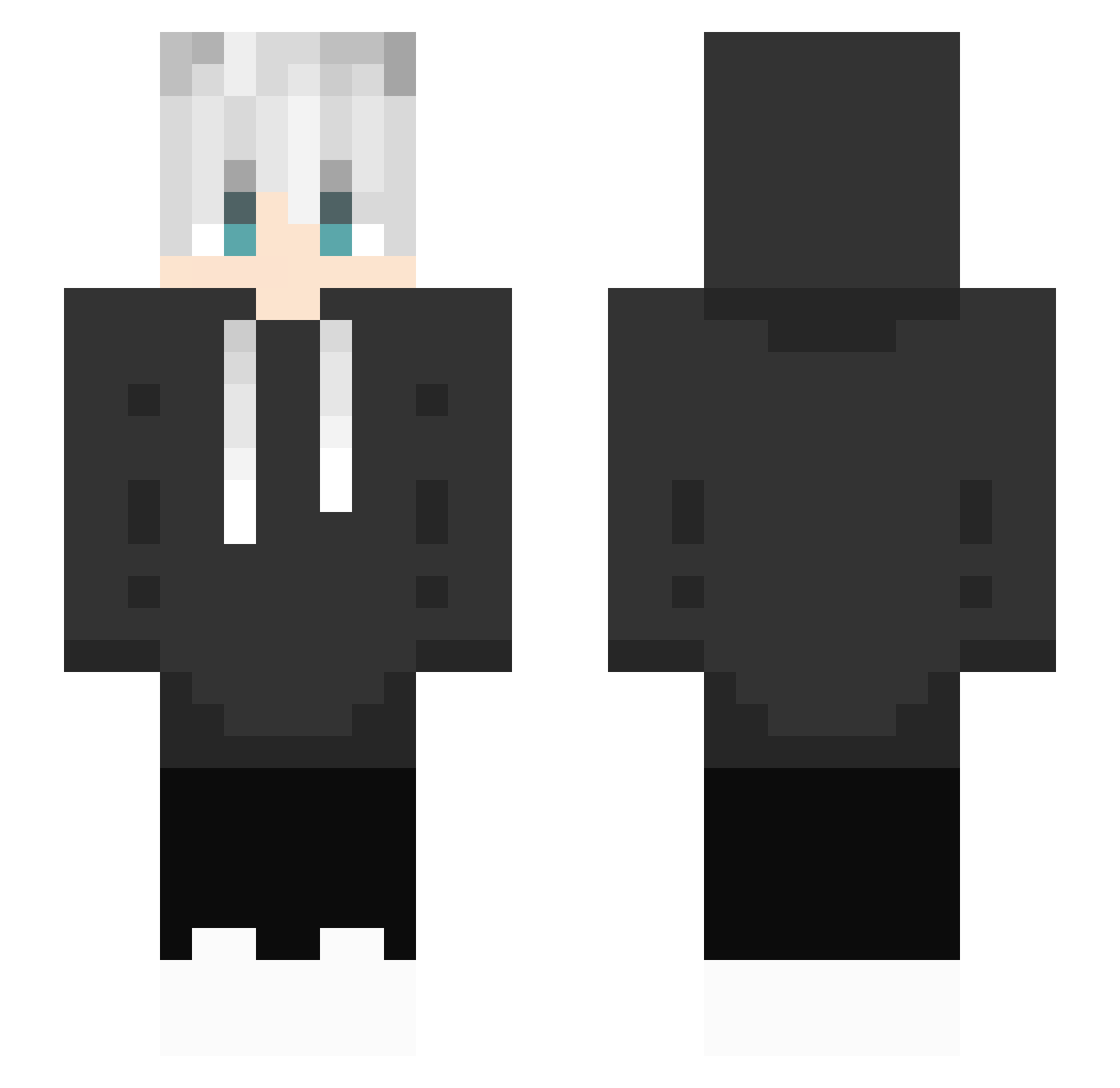
Current Minecraft skin of the player insidia, loaded from the official Mojang API. Rotate the 3D model with your mouse or finger, then download the skin as a PNG file and use it in Minecraft: Bedrock Edition or Java Edition for free. When insidia changes their skin, this page updates automatically and the old skin stays in the history below.
Other players with this skin (333)
insidia was the 208th player we have seen with this skin, first spotted on 08.10.2026. The same skin was seen on these players. Open a nickname to see their current skin and skin history.
 DavidMinecrafJ shum197 T1TIX WineyWhisper Yumemiruhito DYn4M1tEe Sanntyks co11et Papion Grukenpalast IoLite24 Luxixe White318 Aquarius_2020 Donkiwi_i Sohan_Beast UnrealTroll Mr_Trixx FresHFNBR Rusk1220 Bambioo Dejvidko_78 sangluly ReiDani _Xell_ VelZodarch oSuroki NicorasuBlocks kaku_7290 MirallaS Lieells x3goose blackpanther1204 TukkiSuomi JunKoH_ MUNGWANWOO yobebe00 mayuno Hazushiro_0 Xiao_han_uiasg ByteWolfyChu_ SachaLeCaca U8mysnickers yadoroku S1nkaaa IxPlaZa_ Pron0627 kanabhi TTV_Koevy YCFMIGO ibrahem0923 Staragon mcsussurro NyataRal NJmc_ _Acerola Swigg0 mentaiko88 Jul1e_Playz Natsu94120
How to install the insidia skin
- Press the Download button above to save the skin as a PNG file.
- Minecraft: Bedrock Edition (PE): open the Dressing Room from the main menu (or tap your character → Edit Character), go to Classic Skins → Owned, press the + (new skin) button, choose the downloaded PNG and pick the Slim (Alex) model. Works on PC and mobile; consoles cannot import custom skins.
- Minecraft: Java Edition: open the Minecraft Launcher, go to the Skins tab, click New Skin, load the PNG, pick the Slim (Alex) model and press Save & Use. You can also upload it at minecraft.net → Profile → Change Skin.
The skin does not show up after import - what should I do?
Restart Minecraft and open the Dressing Room again - imported skins sometimes appear only after a restart. Also make sure you selected the imported skin and picked the Slim (Alex) model.
Which model should I choose, Classic or Slim?
This skin is designed for the Slim (Alex) model. If you pick the wrong model, the arms of the skin will look stretched or squeezed.
Is the skin of insidia free to download?
Yes. Press Download, save the PNG file and use it in Minecraft: Bedrock Edition or Java Edition - no payment or registration needed. The skin also works on multiplayer servers and Realms.
More skins
Looking for more? Go back to all Minecraft skins and check the top skins of the week, month and all time, or find any player's skin by nickname.