
inesgostosasafad - Minecraft Skins & Skin History
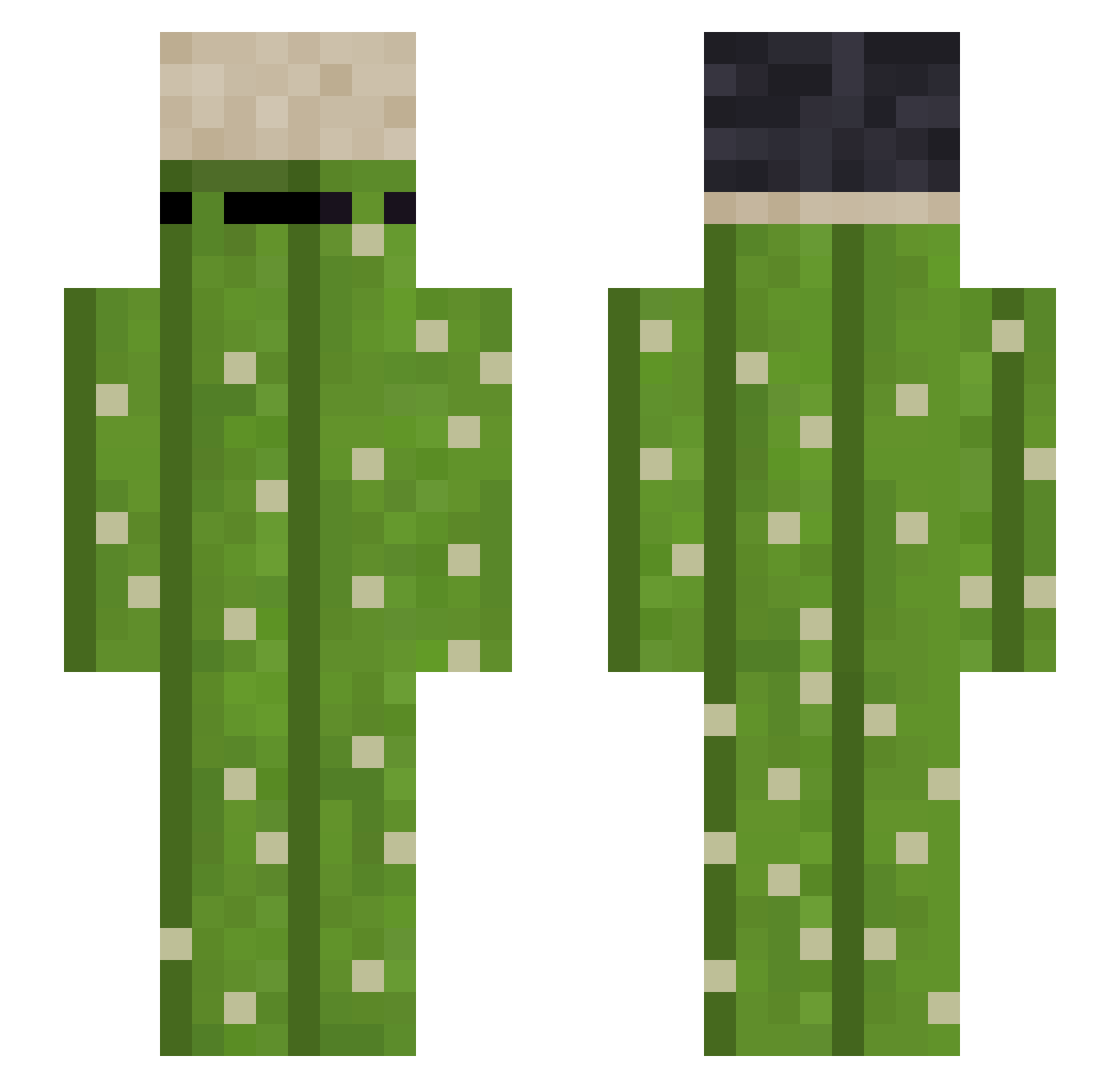
Current Minecraft skin of the player inesgostosasafad, loaded from the official Mojang API. Rotate the 3D model with your mouse or finger, then download the skin as a PNG file and use it in Minecraft: Bedrock Edition or Java Edition for free. When inesgostosasafad changes their skin, this page updates automatically and the old skin stays in the history below.
Other players with this skin (212)
inesgostosasafad was the 175th player we have seen with this skin, first spotted on 24.10.2026. The same skin was seen on these players. Open a nickname to see their current skin and skin history.
 Frdoo007 mustafakml MORI1222 Timi2519 Prozzao botelhow Toe_clicker PDubss_ Xyphos_ Buryall_ Alexti Rotty12 soyyawww dreadlord_style GooseBear17 szumi__ oliwier111_333 caspertheDEmon Scoobyy69 tiencong2110 Toxic_Foxxy Roedelheim M4y4h0 Shelters18 Tappy0423 An_alkapone Frosting_V bigpenjamin6969 AlonsitoCrack36 Kotleciaz_gg 2222BIG NJQdBkz Fan11zx lost_fate Liakaras follzyyy123 Asters_X gukorterr randombad ArdaDuTemps EsfinterDeHierro MitioSs EnergyDrink10 soma2323 HIT_jN9 novi2809 Crineberg polapo486 Chico134 Karslee Hav0ok_ JaylenCC bentleypoppin palle21 mepe1234 Xiao_Liu925 Zockermaster007 TempOCBB AlphaF18 cXza7
More Plant Minecraft skins
How to install the inesgostosasafad skin
- Press the Download button above to save the skin as a PNG file.
- Minecraft: Bedrock Edition (PE): open the Dressing Room from the main menu (or tap your character → Edit Character), go to Classic Skins → Owned, press the + (new skin) button, choose the downloaded PNG and pick the Slim (Alex) model. Works on PC and mobile; consoles cannot import custom skins.
- Minecraft: Java Edition: open the Minecraft Launcher, go to the Skins tab, click New Skin, load the PNG, pick the Slim (Alex) model and press Save & Use. You can also upload it at minecraft.net → Profile → Change Skin.
The skin does not show up after import - what should I do?
Restart Minecraft and open the Dressing Room again - imported skins sometimes appear only after a restart. Also make sure you selected the imported skin and picked the Slim (Alex) model.
Which model should I choose, Classic or Slim?
This skin is designed for the Slim (Alex) model. If you pick the wrong model, the arms of the skin will look stretched or squeezed.
Is the skin of inesgostosasafad free to download?
Yes. Press Download, save the PNG file and use it in Minecraft: Bedrock Edition or Java Edition - no payment or registration needed. The skin also works on multiplayer servers and Realms.
More skins
Looking for more? Go back to all Minecraft skins and check the top skins of the week, month and all time, or find any player's skin by nickname.