
improbableevent - Minecraft Skins & Skin History
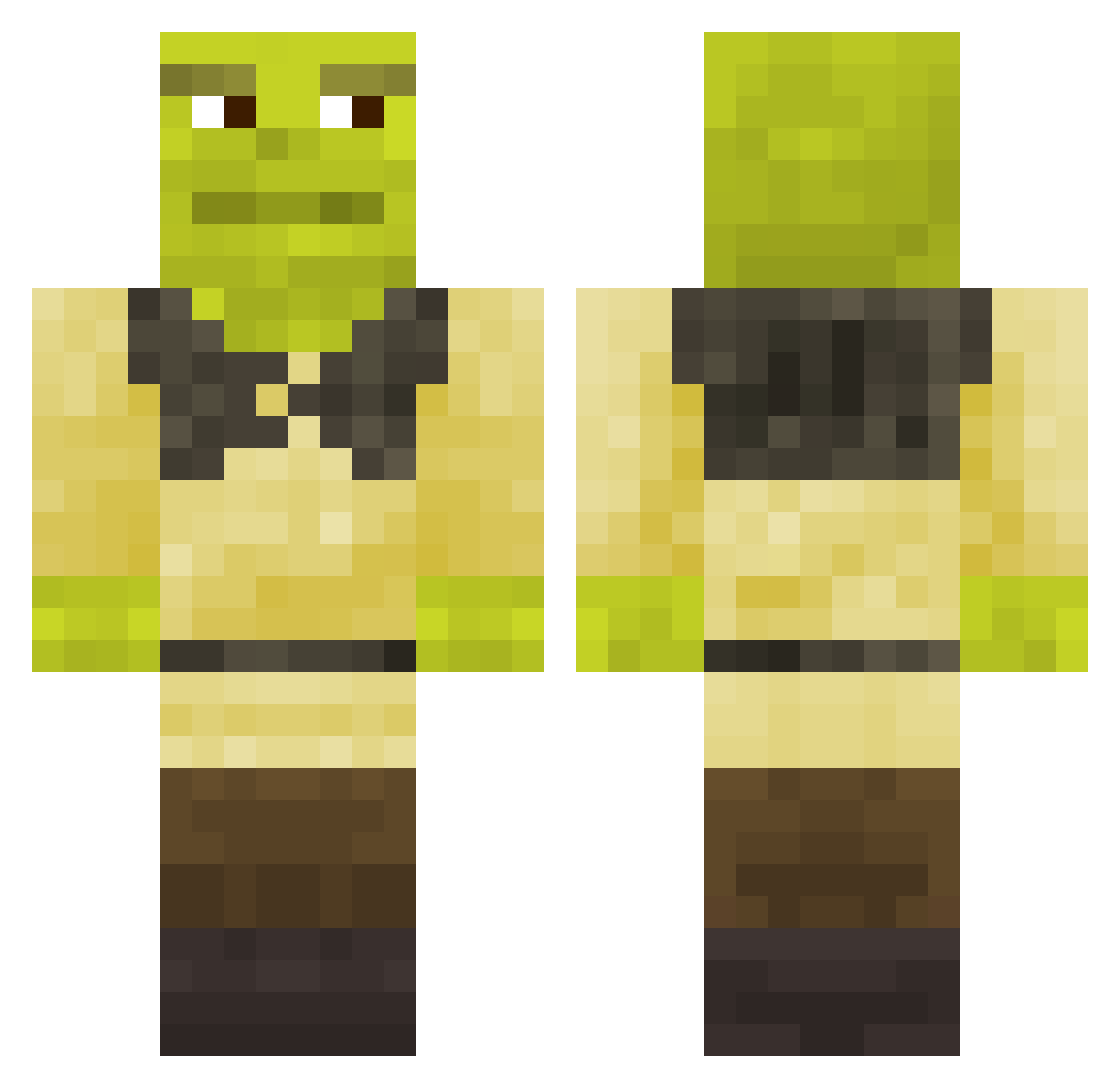
Current Minecraft skin of the player improbableevent, loaded from the official Mojang API. Rotate the 3D model with your mouse or finger, then download the skin as a PNG file and use it in Minecraft: Bedrock Edition or Java Edition for free. When improbableevent changes their skin, this page updates automatically and the old skin stays in the history below.
Other players with this skin (619)
improbableevent was the 269th player we have seen with this skin, first spotted on 04.09.2026. The same skin was seen on these players. Open a nickname to see their current skin and skin history.
 MrAviann Blaufeuer buildbot127 Owerslords Drel1337 josepro777mc shrek_is_god123 Guto_12 Gago_04 ShadIsBacon7 Apenascadu007 Davids_Poog PerkCitron Nazmo_ Eggzie Rick779 facatic kayraturan QBAKox Rijstkoker21 capsock Fortunatito IAmSoFunny 1Emeraldd Jarrah_R Xarn2010 Endrost SharenaSol Shamrocks12 S7pt olouali shaylynn12 Julenn Pawel123123123 Gevell pachkasig Atsula DuFrostMage JuicyPoot88 Veronicapie Fetente t3u_xP Nolandsky Shrekbot5 TScott1234 Lukqo Renfidon KaufDirEinGramm Sznaps21 IlikeBOIS crytaliser KalystaCamel890 jairueda Ikku_Ayi Dimosaur ALTBARBAR El_funky THE_Invincible_B ShaqOatmeall 1618kaktys
More Shrek Minecraft skins
How to install the improbableevent skin
- Press the Download button above to save the skin as a PNG file.
- Minecraft: Bedrock Edition (PE): open the Dressing Room from the main menu (or tap your character → Edit Character), go to Classic Skins → Owned, press the + (new skin) button, choose the downloaded PNG and pick the Classic (Steve) model. Works on PC and mobile; consoles cannot import custom skins.
- Minecraft: Java Edition: open the Minecraft Launcher, go to the Skins tab, click New Skin, load the PNG, pick the Classic (Steve) model and press Save & Use. You can also upload it at minecraft.net → Profile → Change Skin.
The skin does not show up after import - what should I do?
Restart Minecraft and open the Dressing Room again - imported skins sometimes appear only after a restart. Also make sure you selected the imported skin and picked the Classic (Steve) model.
Which model should I choose, Classic or Slim?
This skin is designed for the Classic (Steve) model. If you pick the wrong model, the arms of the skin will look stretched or squeezed.
Is the skin of improbableevent free to download?
Yes. Press Download, save the PNG file and use it in Minecraft: Bedrock Edition or Java Edition - no payment or registration needed. The skin also works on multiplayer servers and Realms.
More skins
Looking for more? Go back to all Minecraft skins and check the top skins of the week, month and all time, or find any player's skin by nickname.