
impomoe - Minecraft Skins & Skin History
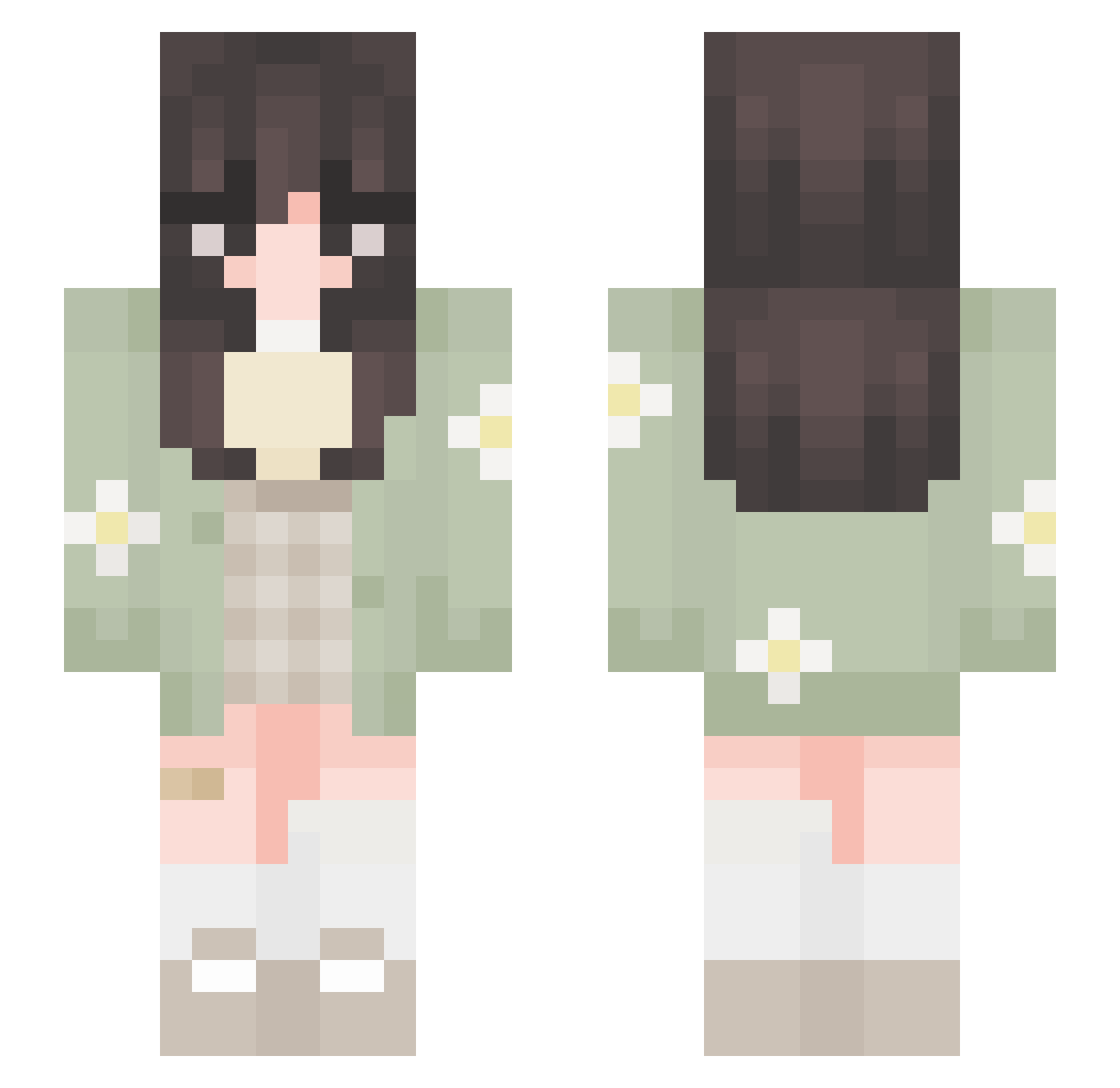
Current Minecraft skin of the player impomoe, loaded from the official Mojang API. Rotate the 3D model with your mouse or finger, then download the skin as a PNG file and use it in Minecraft: Bedrock Edition or Java Edition for free. When impomoe changes their skin, this page updates automatically and the old skin stays in the history below.
Other players with this skin (652)
impomoe was the 432nd player we have seen with this skin, first spotted on 02.10.2026. The same skin was seen on these players. Open a nickname to see their current skin and skin history.
 moon190 sTump3e Cheekyyys IcyWasp FrothyWillyJuice xmadix12 Roselin_SF cranberriedjuice ___Mercury___ sandii889 icedcoffee_ Kashish AD0RN3D Sichii 15Angels magsychh Lissyizzback Dianna56 Alicia_zBa berrychiixx BossRa Gamerbananna324 gabiS2_ winterghoull Aerliea PrincessElle110 iReety berrysun15 Rannax raiiia _Zqrc Joyce890924 Agajas Maddii_ Loute_ PoeticFrog kyoseaii izzizzi AninhaAllou mahokko GalaxyAssassin03 Anigalaxia AyaRad1 TzarinaCorina wldnjs131 Kenz_E1 LinSalty808 maliaaaaa nacamgal sp0tted_m0nstera Puddy_Cat natbutternubs aichiyo setyyy Water_ziv LittlePeppercorn kodokbotak GIMSHUNI Yaankeee xOlxie
More Daisy Minecraft skins
How to install the impomoe skin
- Press the Download button above to save the skin as a PNG file.
- Minecraft: Bedrock Edition (PE): open the Dressing Room from the main menu (or tap your character → Edit Character), go to Classic Skins → Owned, press the + (new skin) button, choose the downloaded PNG and pick the Slim (Alex) model. Works on PC and mobile; consoles cannot import custom skins.
- Minecraft: Java Edition: open the Minecraft Launcher, go to the Skins tab, click New Skin, load the PNG, pick the Slim (Alex) model and press Save & Use. You can also upload it at minecraft.net → Profile → Change Skin.
The skin does not show up after import - what should I do?
Restart Minecraft and open the Dressing Room again - imported skins sometimes appear only after a restart. Also make sure you selected the imported skin and picked the Slim (Alex) model.
Which model should I choose, Classic or Slim?
This skin is designed for the Slim (Alex) model. If you pick the wrong model, the arms of the skin will look stretched or squeezed.
Is the skin of impomoe free to download?
Yes. Press Download, save the PNG file and use it in Minecraft: Bedrock Edition or Java Edition - no payment or registration needed. The skin also works on multiplayer servers and Realms.
More skins
Looking for more? Go back to all Minecraft skins and check the top skins of the week, month and all time, or find any player's skin by nickname.