
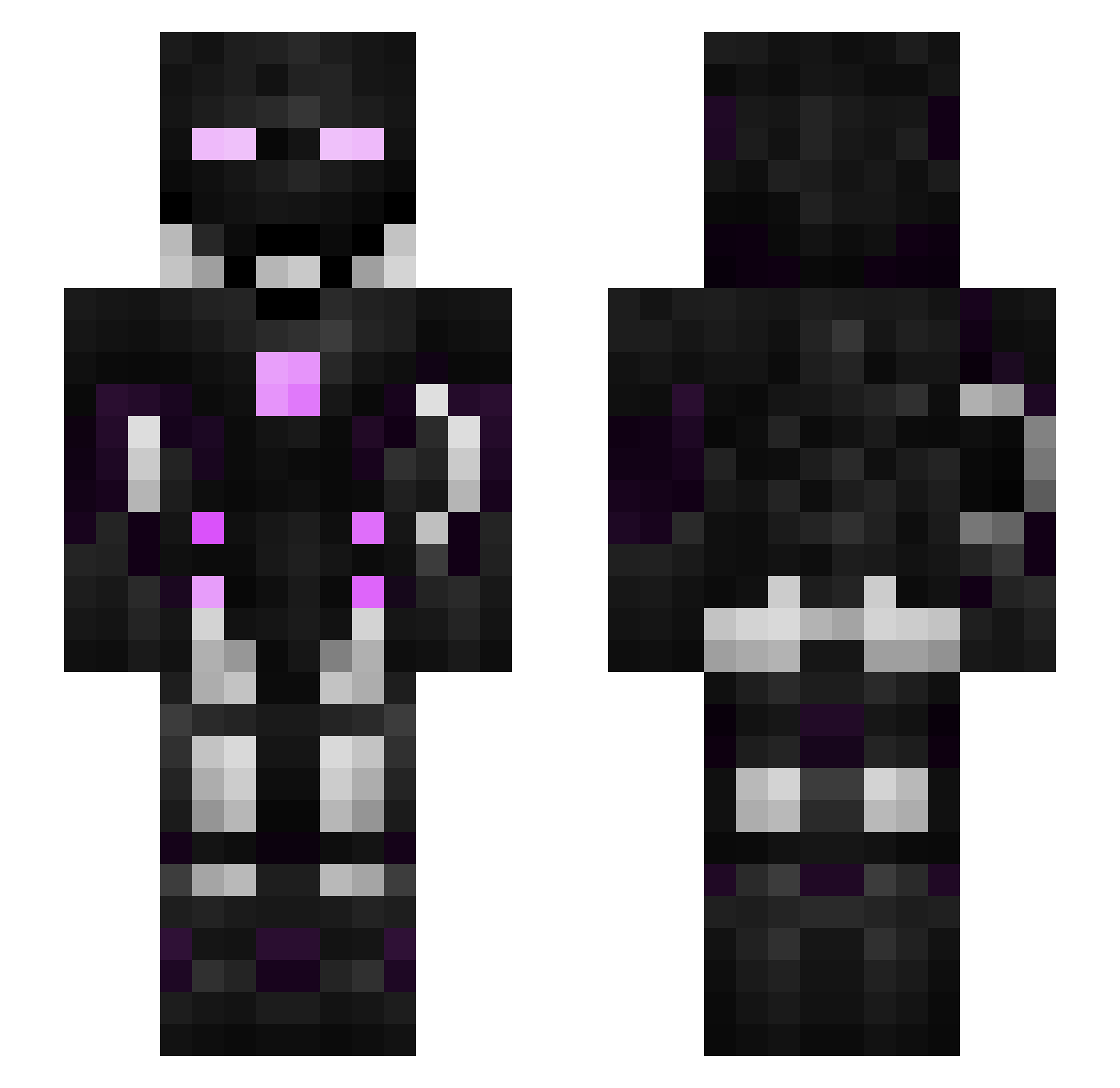
Current Minecraft skin of the player im4fg2, loaded from the official Mojang API. Rotate the 3D model with your mouse or finger, then download the skin as a PNG file and use it in Minecraft: Bedrock Edition or Java Edition for free. When im4fg2 changes their skin, this page updates automatically and the old skin stays in the history below.
Other players with this skin (53)
im4fg2 was the 14th player we have seen with this skin, first spotted on 10.08.2026. The same skin was seen on these players. Open a nickname to see their current skin and skin history.
 _Sephyr eVozt NoahBaneblade wardude11 _TRAVAIL_ PlayMultibloxNet ardesia Fi3sling Rockloly Muffalo_Bill Hyp3rion9 Rimka09 Anubis_867 Dryx_ftw kasatorek Sergi_lm LOLBOSS2017 Estamnia PcGamingsss ONLY_ZLA_ZLA _Conviction HEK05 Wiizz88 Appleicon TsukinaTv matijap Demigod1123 Jospenzi zWaldoo NOVAcer RyderZheng Piotrekali JastLucy Asharic TreyThirds Tsukitox33 ___Makaron___ MC_Ray Krlin Like84 Coopercarnt ipherodex countcount4 ABC_Mint xairaven longlester Kainoa_808 Aiisott TheGerson BenzoSwirlz420 SidiusGame DiamondsBMine __leinad
How to install the im4fg2 skin
- Press the Download button above to save the skin as a PNG file.
- Minecraft: Bedrock Edition (PE): open the Dressing Room from the main menu (or tap your character → Edit Character), go to Classic Skins → Owned, press the + (new skin) button, choose the downloaded PNG and pick the Slim (Alex) model. Works on PC and mobile; consoles cannot import custom skins.
- Minecraft: Java Edition: open the Minecraft Launcher, go to the Skins tab, click New Skin, load the PNG, pick the Slim (Alex) model and press Save & Use. You can also upload it at minecraft.net → Profile → Change Skin.
The skin does not show up after import - what should I do?
Restart Minecraft and open the Dressing Room again - imported skins sometimes appear only after a restart. Also make sure you selected the imported skin and picked the Slim (Alex) model.
Which model should I choose, Classic or Slim?
This skin is designed for the Slim (Alex) model. If you pick the wrong model, the arms of the skin will look stretched or squeezed.
Is the skin of im4fg2 free to download?
Yes. Press Download, save the PNG file and use it in Minecraft: Bedrock Edition or Java Edition - no payment or registration needed. The skin also works on multiplayer servers and Realms.
More skins
Looking for more? Go back to all Minecraft skins and check the top skins of the week, month and all time, or find any player's skin by nickname.