
illusiongoujon - Minecraft Skins & Skin History
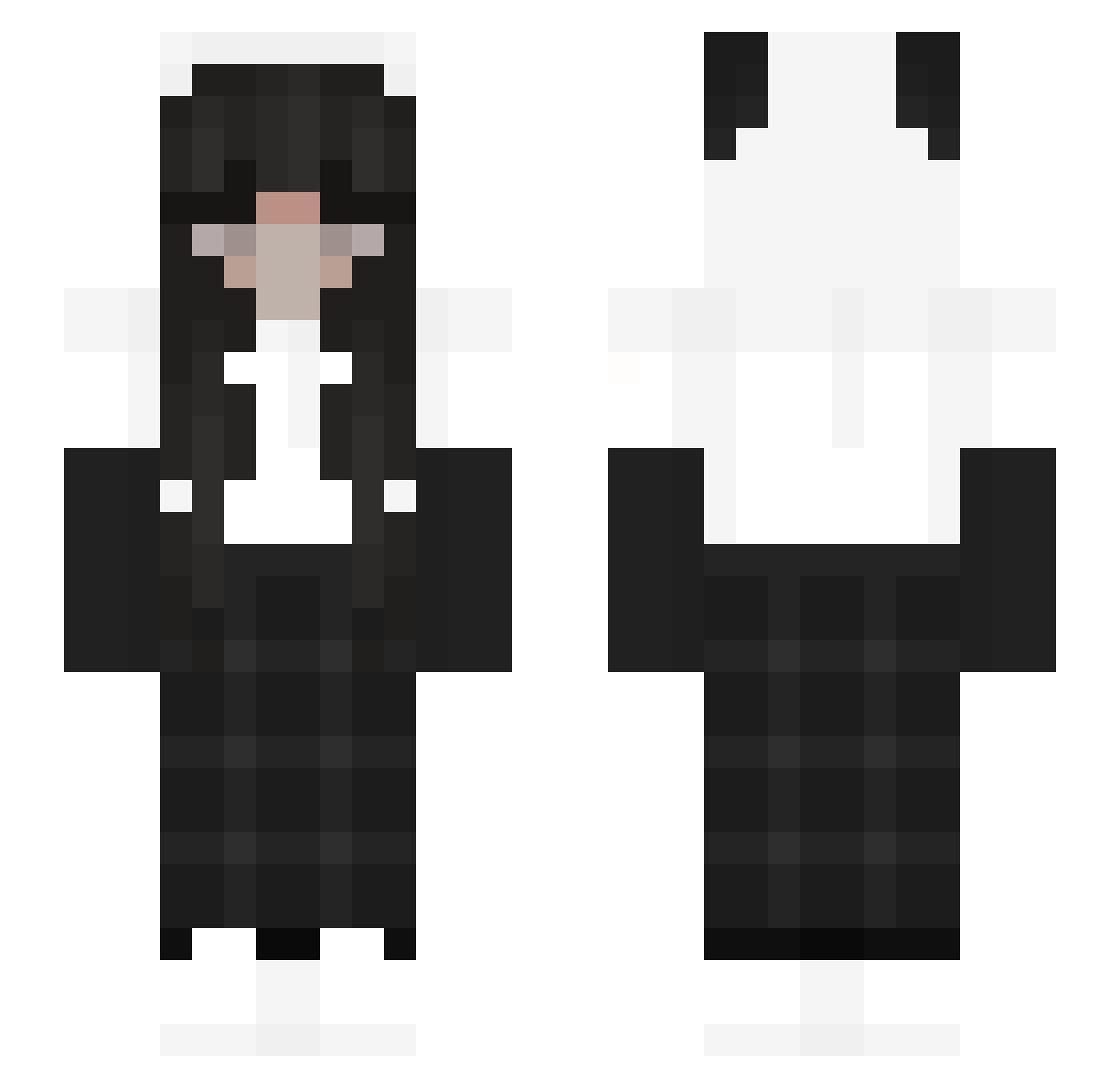
Current Minecraft skin of the player illusiongoujon, loaded from the official Mojang API. Rotate the 3D model with your mouse or finger, then download the skin as a PNG file and use it in Minecraft: Bedrock Edition or Java Edition for free. When illusiongoujon changes their skin, this page updates automatically and the old skin stays in the history below.
Other players with this skin (194)
illusiongoujon was the 156th player we have seen with this skin, first spotted on 17.10.2026. The same skin was seen on these players. Open a nickname to see their current skin and skin history.
 T3ssk4 Prz3dm3l0 Ariredd_ Ben_r_1 Ya_Moja DdTsang Weeme tomge GuyIlluminati slfcre ShK_H zuxu_ 1234_yyg Goulitor68 M4_M4FI4 dork101260 RKY22 xxyoonaxx Fabri1234 MinYoonji kristjunee Celi552 llk82 puddiingg cutemarcus minty_spiceu Chill0w0 arpggod Marvel2222 adr06 d3add0lly AphroditeX_Moon Littss _xLegacy moonteaz DoriCute5221 nanoer Rosie_y owl9372 Sterni13 nongbeem hyein1268 cubtar Taiiru70 Khurxm ily_baby iHortaliza coldeneyes Mikachu327 rtxconner pandzia2131 LocoCoco_ Zone_Zippy0812 Aminergamer Miikaylazz Haytje kinesisx Popo_dayo_ NotTwiiist emmapanda1
More Panda Minecraft skins
How to install the illusiongoujon skin
- Press the Download button above to save the skin as a PNG file.
- Minecraft: Bedrock Edition (PE): open the Dressing Room from the main menu (or tap your character → Edit Character), go to Classic Skins → Owned, press the + (new skin) button, choose the downloaded PNG and pick the Slim (Alex) model. Works on PC and mobile; consoles cannot import custom skins.
- Minecraft: Java Edition: open the Minecraft Launcher, go to the Skins tab, click New Skin, load the PNG, pick the Slim (Alex) model and press Save & Use. You can also upload it at minecraft.net → Profile → Change Skin.
The skin does not show up after import - what should I do?
Restart Minecraft and open the Dressing Room again - imported skins sometimes appear only after a restart. Also make sure you selected the imported skin and picked the Slim (Alex) model.
Which model should I choose, Classic or Slim?
This skin is designed for the Slim (Alex) model. If you pick the wrong model, the arms of the skin will look stretched or squeezed.
Is the skin of illusiongoujon free to download?
Yes. Press Download, save the PNG file and use it in Minecraft: Bedrock Edition or Java Edition - no payment or registration needed. The skin also works on multiplayer servers and Realms.
More skins
Looking for more? Go back to all Minecraft skins and check the top skins of the week, month and all time, or find any player's skin by nickname.