
ikuyakirishima - Minecraft Skins & Skin History
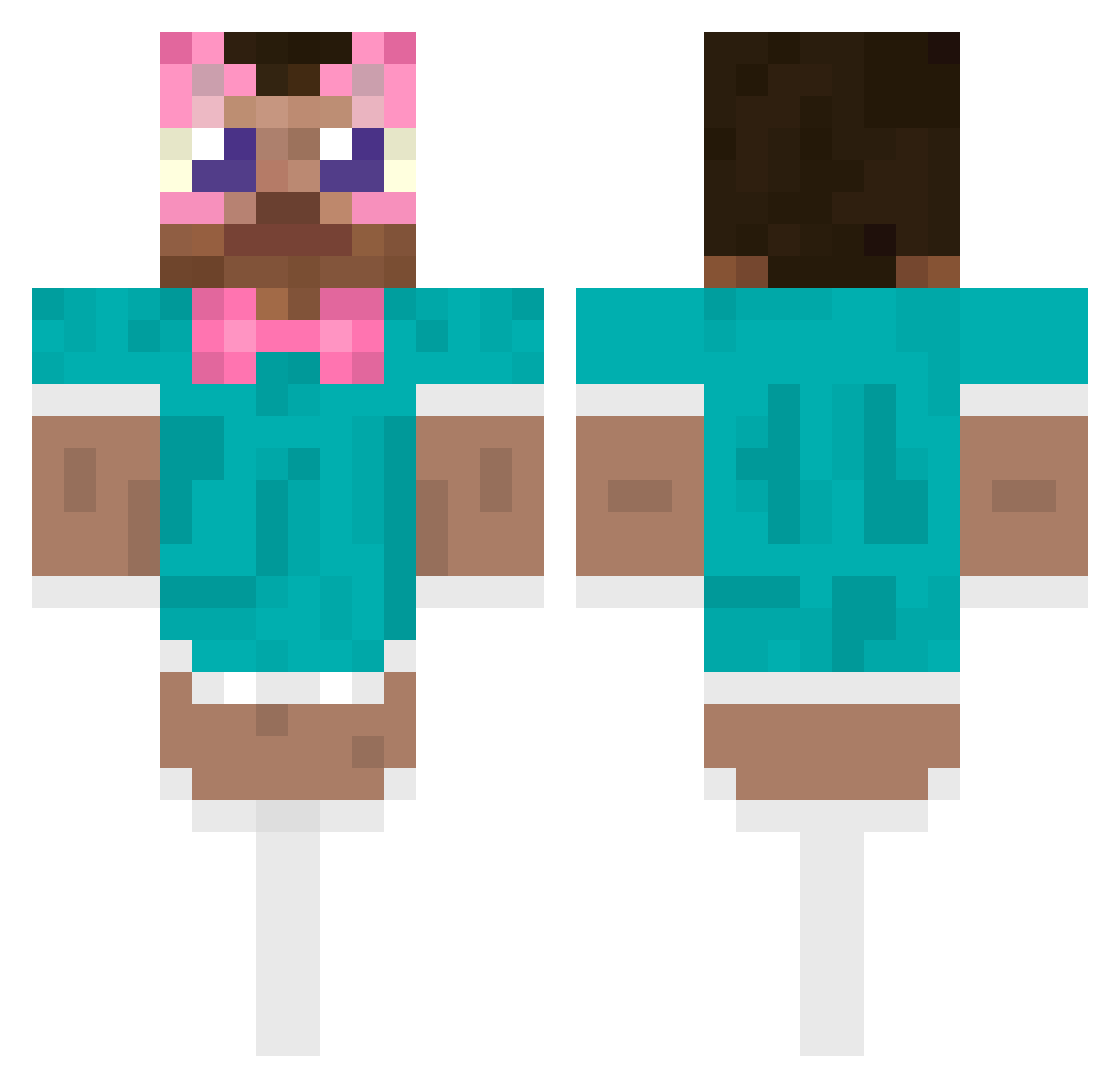
Current Minecraft skin of the player ikuyakirishima, loaded from the official Mojang API. Rotate the 3D model with your mouse or finger, then download the skin as a PNG file and use it in Minecraft: Bedrock Edition or Java Edition for free. When ikuyakirishima changes their skin, this page updates automatically and the old skin stays in the history below.
Other players with this skin (487)
ikuyakirishima was the 301st player we have seen with this skin, first spotted on 26.09.2026. The same skin was seen on these players. Open a nickname to see their current skin and skin history.
 Alex__12 Jay_Jie Marcday11 victortoise04 Prizzy221 TONIC12 Crafty_Coconut joshuino xSentinel1 RITIANZHU itgaBOT magicCCboss copavazagorka YANGRRR angeln19 Vigo360 KING_1905 greygary ice___9 Breckin03 ElChiky duiaiden Xx20123 ludussy PolloMusical PerseNN shardbus rkxaa AssEatingGod69 cwmush Moisexito donpoulet LucindaR xycee Carnuch_1337 VisseTreCM DeockSe qiu888 yreque123 jonesybonsey shermoneyyy Anonimo7u7 andzik23 BBLluey O890 LITTLESCOTTY42_0 IvaNx10 Alpakito Haya_shi1 Shrek420__ FleaBoy426 viviNva S0ccer2112 lintonnn hornynsad keabii J03YBADA55 9io104 TaubessNuesschen CutePingu
More Maid Outfit Minecraft skins
How to install the ikuyakirishima skin
- Press the Download button above to save the skin as a PNG file.
- Minecraft: Bedrock Edition (PE): open the Dressing Room from the main menu (or tap your character → Edit Character), go to Classic Skins → Owned, press the + (new skin) button, choose the downloaded PNG and pick the Classic (Steve) model. Works on PC and mobile; consoles cannot import custom skins.
- Minecraft: Java Edition: open the Minecraft Launcher, go to the Skins tab, click New Skin, load the PNG, pick the Classic (Steve) model and press Save & Use. You can also upload it at minecraft.net → Profile → Change Skin.
The skin does not show up after import - what should I do?
Restart Minecraft and open the Dressing Room again - imported skins sometimes appear only after a restart. Also make sure you selected the imported skin and picked the Classic (Steve) model.
Which model should I choose, Classic or Slim?
This skin is designed for the Classic (Steve) model. If you pick the wrong model, the arms of the skin will look stretched or squeezed.
Is the skin of ikuyakirishima free to download?
Yes. Press Download, save the PNG file and use it in Minecraft: Bedrock Edition or Java Edition - no payment or registration needed. The skin also works on multiplayer servers and Realms.
More skins
Looking for more? Go back to all Minecraft skins and check the top skins of the week, month and all time, or find any player's skin by nickname.