
idaliawei - Minecraft Skins & Skin History
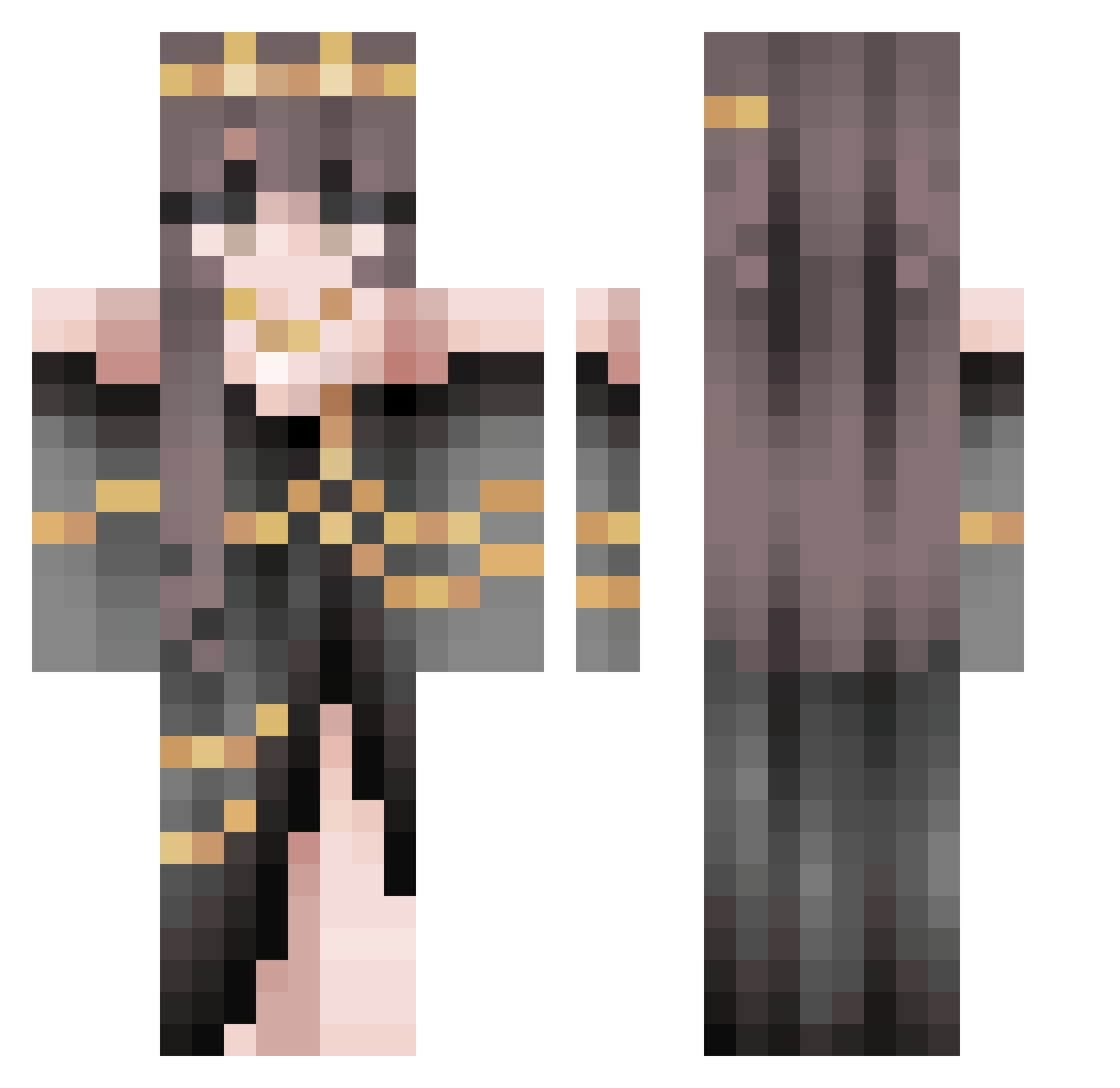
Current Minecraft skin of the player idaliawei, loaded from the official Mojang API. Rotate the 3D model with your mouse or finger, then download the skin as a PNG file and use it in Minecraft: Bedrock Edition or Java Edition for free. When idaliawei changes their skin, this page updates automatically and the old skin stays in the history below.
Other players with this skin (486)
idaliawei was the 264th player we have seen with this skin, first spotted on 16.09.2026. The same skin was seen on these players. Open a nickname to see their current skin and skin history.
 Frederick_White fbgdz TyLlat Aexlte bhill92 Dragger98 light__honey Vivian_ite Suicide_666 oblakzx vommitingrainbow horrorwhorror anachoux RavenOfSalem Lilyce37 Sarahiii SweetieThePuff InfiTrail mrspunther369 XLTing pewpew01011 DMabey arosegardiner Drslogo GrimDelights Mizumi_hime alexist22 EmmaCelie ltsNickiMinaj xpedxte LEDRuin soulspacee Karmenne OoGermanLegend JamesRanndaal sophierektz rambofoxx SpaceGirlKiera Enk0o Haruki94 vampluver93 babylex29 clownclown666 MadameSnake BOBAEMMY KalyxiaK chofeeya Celestiabae Kimmii099 Mitarashi656 vivi46713 yoshibreaker Little_Vix Airinnie snupp8 PwettyPw1ncess Coline_Litchie Aoi_Midnight Ellarien SamuthePro1210
More Gold Jewelry Minecraft skins
How to install the idaliawei skin
- Press the Download button above to save the skin as a PNG file.
- Minecraft: Bedrock Edition (PE): open the Dressing Room from the main menu (or tap your character → Edit Character), go to Classic Skins → Owned, press the + (new skin) button, choose the downloaded PNG and pick the Classic (Steve) model. Works on PC and mobile; consoles cannot import custom skins.
- Minecraft: Java Edition: open the Minecraft Launcher, go to the Skins tab, click New Skin, load the PNG, pick the Classic (Steve) model and press Save & Use. You can also upload it at minecraft.net → Profile → Change Skin.
The skin does not show up after import - what should I do?
Restart Minecraft and open the Dressing Room again - imported skins sometimes appear only after a restart. Also make sure you selected the imported skin and picked the Classic (Steve) model.
Which model should I choose, Classic or Slim?
This skin is designed for the Classic (Steve) model. If you pick the wrong model, the arms of the skin will look stretched or squeezed.
Is the skin of idaliawei free to download?
Yes. Press Download, save the PNG file and use it in Minecraft: Bedrock Edition or Java Edition - no payment or registration needed. The skin also works on multiplayer servers and Realms.
More skins
Looking for more? Go back to all Minecraft skins and check the top skins of the week, month and all time, or find any player's skin by nickname.