
ichbinuncoll12 - Minecraft Skins & Skin History
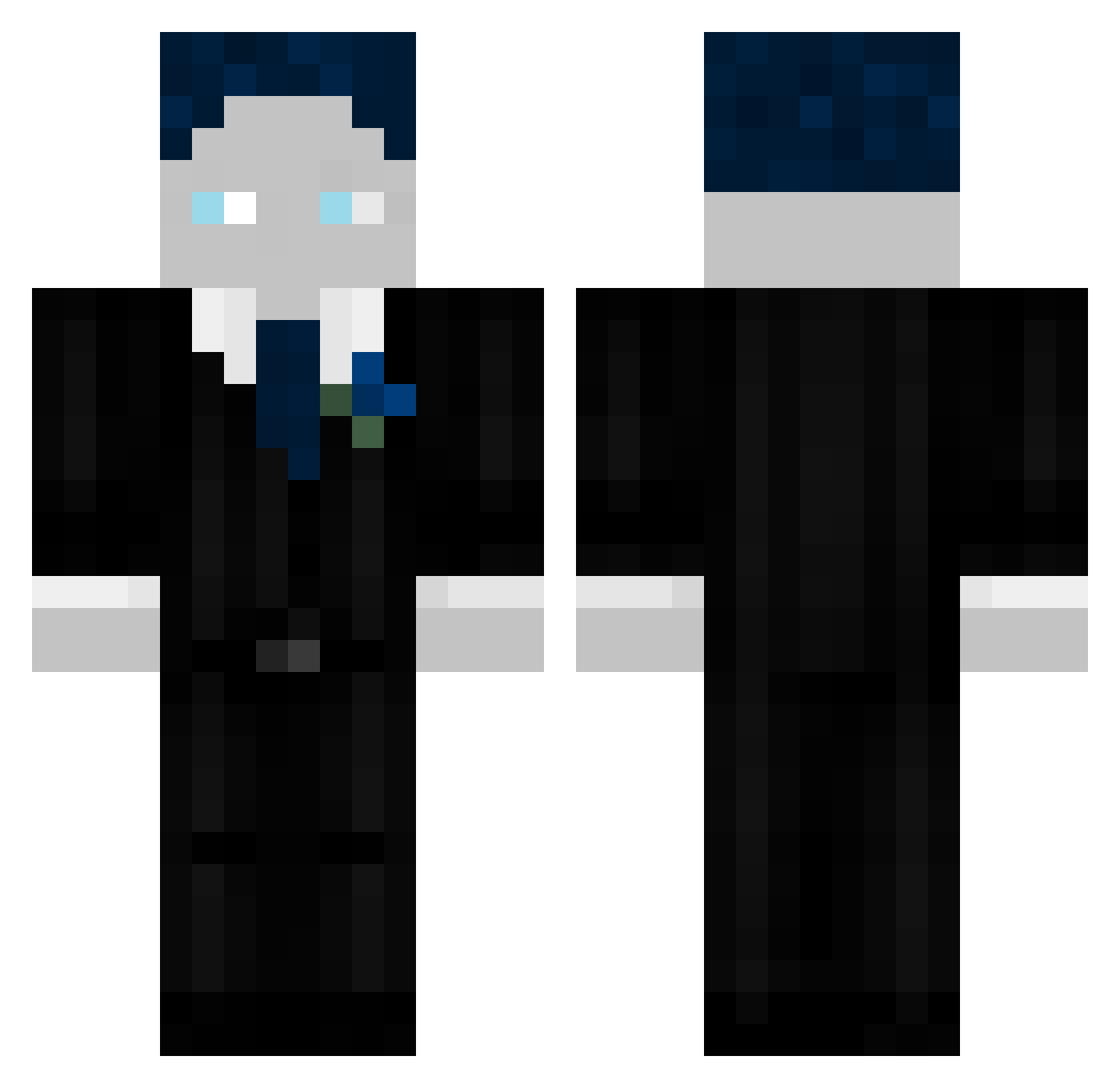
Current Minecraft skin of the player ichbinuncoll12, loaded from the official Mojang API. Rotate the 3D model with your mouse or finger, then download the skin as a PNG file and use it in Minecraft: Bedrock Edition or Java Edition for free. When ichbinuncoll12 changes their skin, this page updates automatically and the old skin stays in the history below.
Other players with this skin (47)
ichbinuncoll12 was the 28th player we have seen with this skin, first spotted on 01.10.2026. The same skin was seen on these players. Open a nickname to see their current skin and skin history.
 Phi8000 Unotrx OskarTeddi Jonas922 Luis_GHG_787_ Andal_17 Bennito123456789 Xgamer12und1 Rainbow_xMax HP4TNT Theorohr Marvinoooo_ GHGJulian123 N3e1x Moritz_5070 zenix8224 Finni_HD Henroloo Milano2013 Jumix_Gaming sfgg04869 Nomis2100 Bfs_loco66 WILLOW_leck_eier Ploppy2015 levo274 Flixi205 Unacter Zenigot BenB202 Knietscher ballincat39 _trd Marrlon Marvin_GG B4BYBR4lN DomiGHG1
 _ZI0X_
 aeyzYT
 KhaosPrinz185 Erik131211 einfach_klars
 MatsderBabo_MC MatzBros25 BastiGHG XXsecret_agentXX
 NoaGHG1
More Slenderman Minecraft skins
How to install the ichbinuncoll12 skin
- Press the Download button above to save the skin as a PNG file.
- Minecraft: Bedrock Edition (PE): open the Dressing Room from the main menu (or tap your character → Edit Character), go to Classic Skins → Owned, press the + (new skin) button, choose the downloaded PNG and pick the Classic (Steve) model. Works on PC and mobile; consoles cannot import custom skins.
- Minecraft: Java Edition: open the Minecraft Launcher, go to the Skins tab, click New Skin, load the PNG, pick the Classic (Steve) model and press Save & Use. You can also upload it at minecraft.net → Profile → Change Skin.
The skin does not show up after import - what should I do?
Restart Minecraft and open the Dressing Room again - imported skins sometimes appear only after a restart. Also make sure you selected the imported skin and picked the Classic (Steve) model.
Which model should I choose, Classic or Slim?
This skin is designed for the Classic (Steve) model. If you pick the wrong model, the arms of the skin will look stretched or squeezed.
Is the skin of ichbinuncoll12 free to download?
Yes. Press Download, save the PNG file and use it in Minecraft: Bedrock Edition or Java Edition - no payment or registration needed. The skin also works on multiplayer servers and Realms.
More skins
Looking for more? Go back to all Minecraft skins and check the top skins of the week, month and all time, or find any player's skin by nickname.