
icannot3 - Minecraft Skins & Skin History
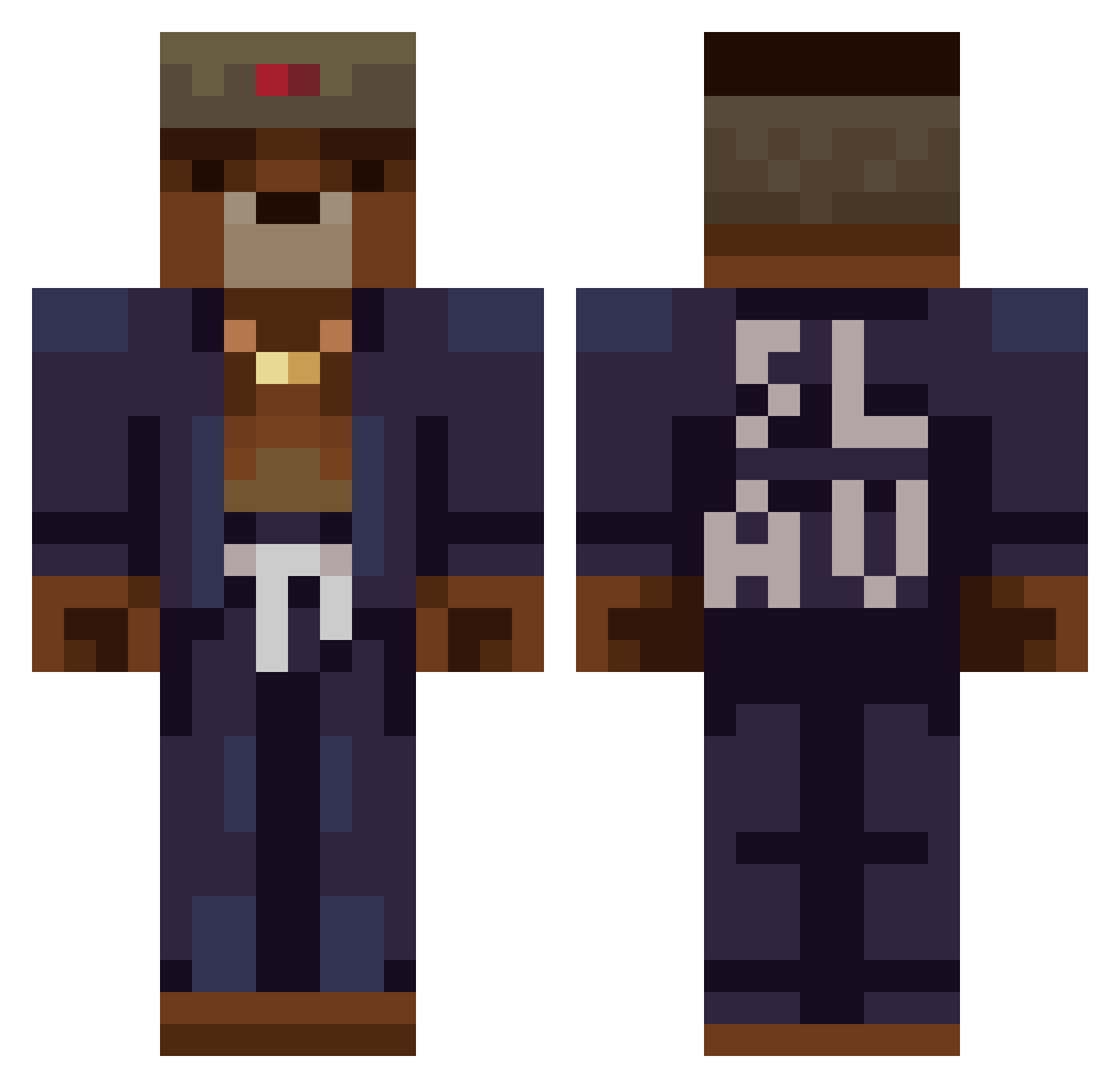
Current Minecraft skin of the player icannot3, loaded from the official Mojang API. Rotate the 3D model with your mouse or finger, then download the skin as a PNG file and use it in Minecraft: Bedrock Edition or Java Edition for free. When icannot3 changes their skin, this page updates automatically and the old skin stays in the history below.
Other players with this skin (369)
icannot3 was the 323rd player we have seen with this skin, first spotted on 21.10.2026. The same skin was seen on these players. Open a nickname to see their current skin and skin history.
 DiscardedDig_YT FiLlaR casmith LilMejetaersker Renku0 Kresoje979 Mirlode Littlemoonster3 MefedronEnjoyer Zhai_zha fl4ptuber Jabba_Da_Hutt_69 Sertyy7 SoulGrest Dillkre NathanCh09 Sabarrera02 zWezzi pellegrinopapi Andreikin HCloudxd koemuis ObiWanOligarch RusMaTe Qbone Beanwax CrosserCry Kuchmeister TheKingofRome1 Itss_ST Big_bear_102 Kolez_ ForsasDar JeremiahZGamer LucMor291 1_Micha Kaufman14 nicolas_39 the_big_cap cooletimistof Bassthovenn MrJotita LeClancy King_Winter Densikkk Kr0nas Sov1e Pagarov BlackDraggy mojatang_as Raffi2303 Ivanoffsky iSnip0r Snake21_ VAnand TacShades OraenX CCyann Gone2234 Dzem0
More Slav Minecraft skins
How to install the icannot3 skin
- Press the Download button above to save the skin as a PNG file.
- Minecraft: Bedrock Edition (PE): open the Dressing Room from the main menu (or tap your character → Edit Character), go to Classic Skins → Owned, press the + (new skin) button, choose the downloaded PNG and pick the Classic (Steve) model. Works on PC and mobile; consoles cannot import custom skins.
- Minecraft: Java Edition: open the Minecraft Launcher, go to the Skins tab, click New Skin, load the PNG, pick the Classic (Steve) model and press Save & Use. You can also upload it at minecraft.net → Profile → Change Skin.
The skin does not show up after import - what should I do?
Restart Minecraft and open the Dressing Room again - imported skins sometimes appear only after a restart. Also make sure you selected the imported skin and picked the Classic (Steve) model.
Which model should I choose, Classic or Slim?
This skin is designed for the Classic (Steve) model. If you pick the wrong model, the arms of the skin will look stretched or squeezed.
Is the skin of icannot3 free to download?
Yes. Press Download, save the PNG file and use it in Minecraft: Bedrock Edition or Java Edition - no payment or registration needed. The skin also works on multiplayer servers and Realms.
More skins
Looking for more? Go back to all Minecraft skins and check the top skins of the week, month and all time, or find any player's skin by nickname.