
iNov10 - Minecraft Skins & Skin History
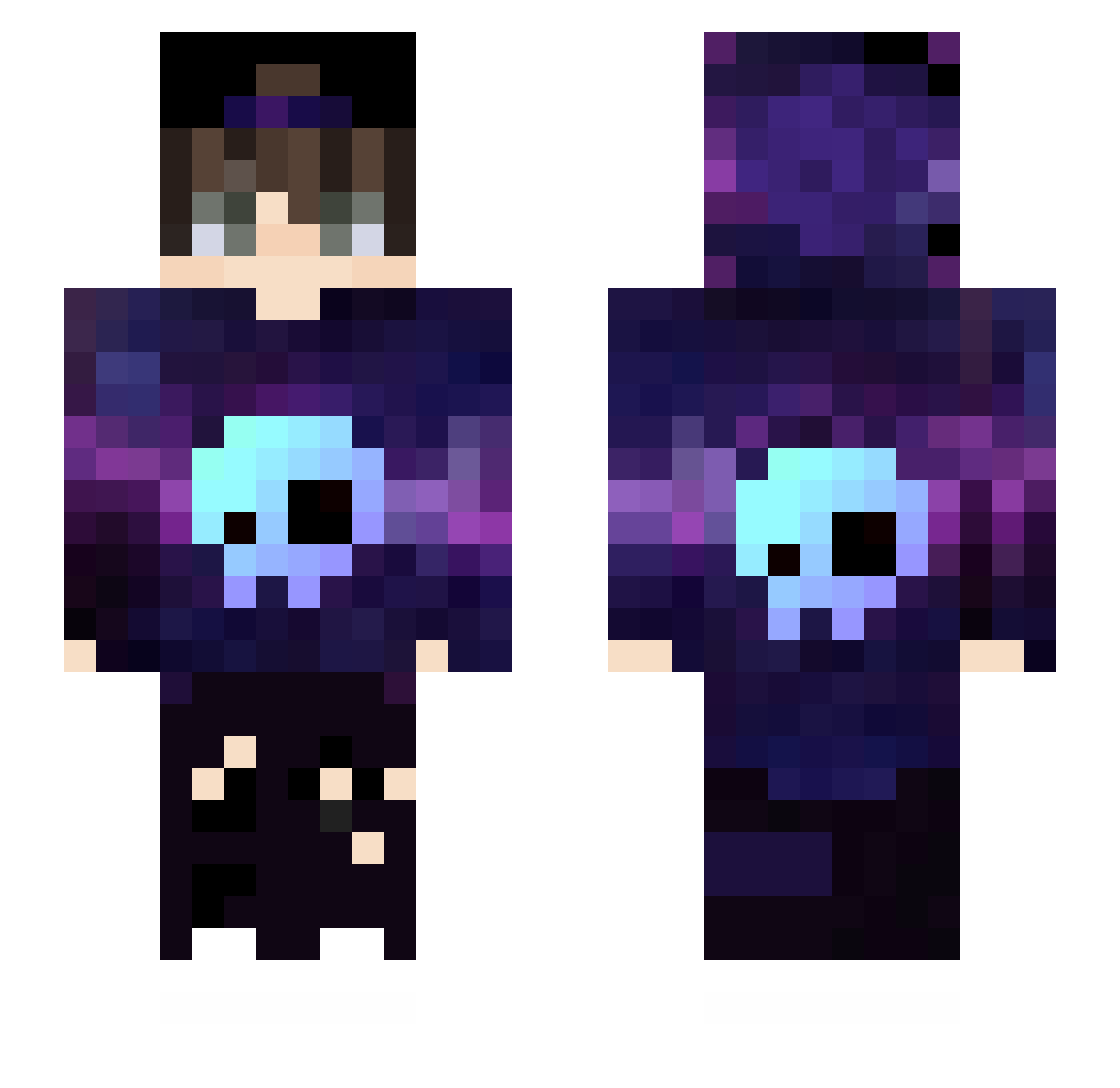
Current Minecraft skin of the player iNov10, loaded from the official Mojang API. Rotate the 3D model with your mouse or finger, then download the skin as a PNG file and use it in Minecraft: Bedrock Edition or Java Edition for free. When iNov10 changes their skin, this page updates automatically and the old skin stays in the history below.
Other players with this skin (432)
iNov10 was the 376th player we have seen with this skin, first spotted on 10.10.2026. The same skin was seen on these players. Open a nickname to see their current skin and skin history.
 _VORTEX_HUNTER_ Gergo0619 Blokflame242 Lrchino Mchoussama123 Frensis_97 ALARICO1234 AceEdu Skytheboy123 RazzerSkills HyperMy NeverFold_1 Cuneyt920 maxi4rojas qiqimaooo Terroclaw PhantomSync GODMAN3 elisangelo02 ruthlessx WeiHui921 FrameTheMajestic lavender5080 Danrley DxucheBAG thenos12 MRgamingstachel Zanark12 Jaehond Oliveiralits_ Domin_821 ImNotEnder_ seasoning40 T_Ricstar Alexjwc Enesbeyproo JustSago Religieuse woai_kele remaxus ALEMAO1313 SpaCeMLZ Dsmz79 Vlerin XiaoyeZzz qKyubiii EhDaRechi MarcioPako TheLion32 LANICOLE_ROSSI YuNian62 Cynical719 Cyberhuatuo Longinus80 reignexsimp KappaKayla xIch_habe_Geldx HasanKincir awantoyo F5tex
More Skull Minecraft skins
How to install the iNov10 skin
- Press the Download button above to save the skin as a PNG file.
- Minecraft: Bedrock Edition (PE): open the Dressing Room from the main menu (or tap your character → Edit Character), go to Classic Skins → Owned, press the + (new skin) button, choose the downloaded PNG and pick the Slim (Alex) model. Works on PC and mobile; consoles cannot import custom skins.
- Minecraft: Java Edition: open the Minecraft Launcher, go to the Skins tab, click New Skin, load the PNG, pick the Slim (Alex) model and press Save & Use. You can also upload it at minecraft.net → Profile → Change Skin.
The skin does not show up after import - what should I do?
Restart Minecraft and open the Dressing Room again - imported skins sometimes appear only after a restart. Also make sure you selected the imported skin and picked the Slim (Alex) model.
Which model should I choose, Classic or Slim?
This skin is designed for the Slim (Alex) model. If you pick the wrong model, the arms of the skin will look stretched or squeezed.
Is the skin of iNov10 free to download?
Yes. Press Download, save the PNG file and use it in Minecraft: Bedrock Edition or Java Edition - no payment or registration needed. The skin also works on multiplayer servers and Realms.
More skins
Looking for more? Go back to all Minecraft skins and check the top skins of the week, month and all time, or find any player's skin by nickname.