
iNaig_ - Minecraft Skins & Skin History
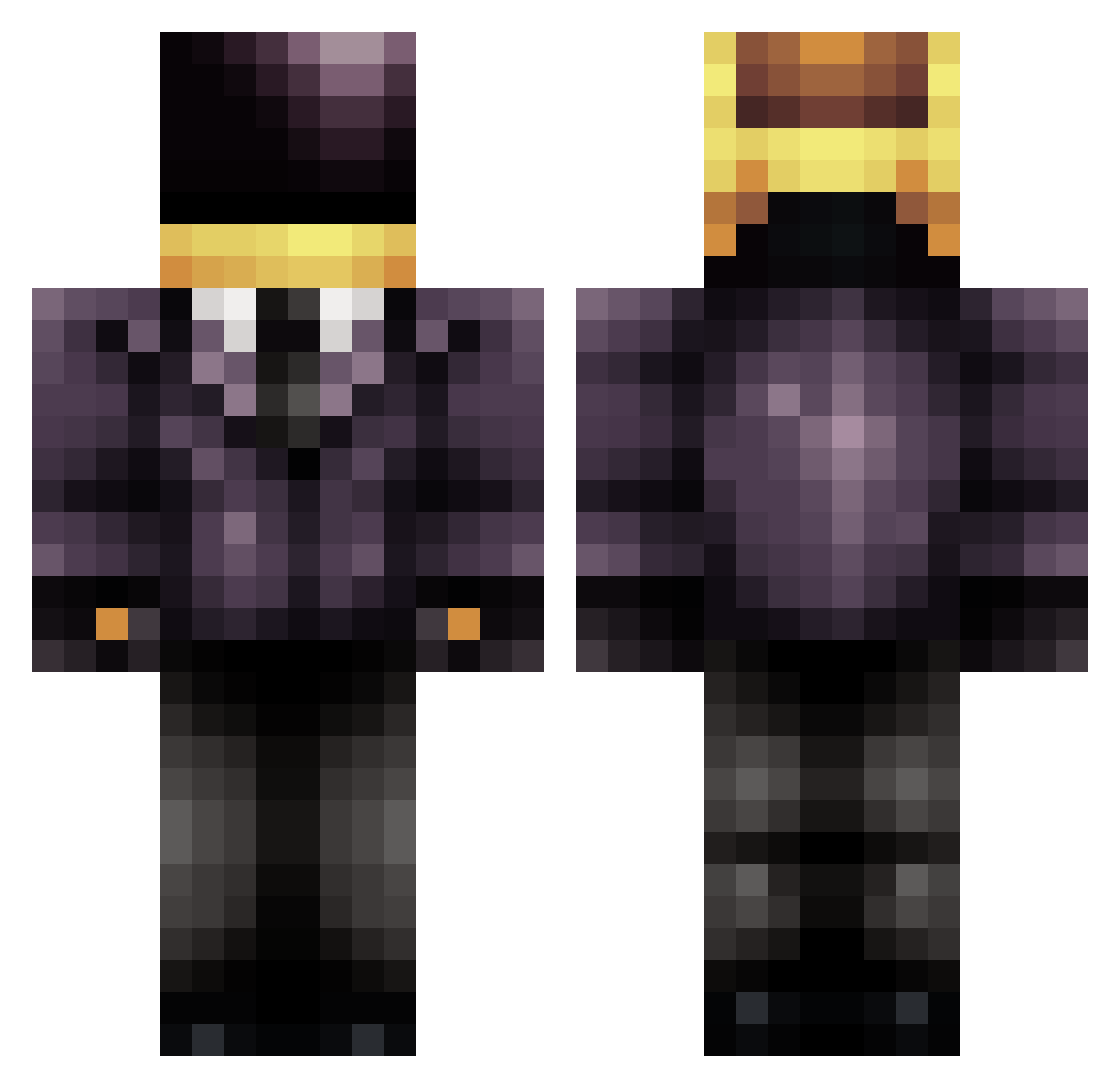
Current Minecraft skin of the player iNaig_, loaded from the official Mojang API. Rotate the 3D model with your mouse or finger, then download the skin as a PNG file and use it in Minecraft: Bedrock Edition or Java Edition for free. When iNaig_ changes their skin, this page updates automatically and the old skin stays in the history below.
Other players with this skin (709)
iNaig_ was the 241st player we have seen with this skin, first spotted on 04.09.2026. The same skin was seen on these players. Open a nickname to see their current skin and skin history.
 mcgehee13 LIBERATOEnzo PartyMoth daftpank angrydynamite StarzScrean Polar_Brute buckey55447 BonesJr99 BomDia304 python11220077 BrVnX1703 Greenkang MattAttack713 simoon68 Dracofalcon DagonL JulianVee KNCRD Weggie_ TheDJ de6c0e7d9f0e37c3 PandaGear Admiral10011 BakerDreamMaker FrankyJ27 DudePow3r Bubsy2 NockaRocka SnowManZ Sr_Urano dcStarman Hemlock1 JRin89 tangyboi _Knotty LeisureLex festertester killerklix blue_Note56 BassAndStuff bnwhtlw wizardofoz24 What_Sanity Brett_925 VICIOUS_pudding xsuperninjax123 LMS228 lolapepsi 17th_ TonyNarayan Pragmaticsphere Jinksy TheRemover wanerzatver DoesItRingABell KingPriam MikalovB tntgoesfatoosh subtlewolf
More Daft Punk Minecraft skins
How to install the iNaig_ skin
- Press the Download button above to save the skin as a PNG file.
- Minecraft: Bedrock Edition (PE): open the Dressing Room from the main menu (or tap your character → Edit Character), go to Classic Skins → Owned, press the + (new skin) button, choose the downloaded PNG and pick the Classic (Steve) model. Works on PC and mobile; consoles cannot import custom skins.
- Minecraft: Java Edition: open the Minecraft Launcher, go to the Skins tab, click New Skin, load the PNG, pick the Classic (Steve) model and press Save & Use. You can also upload it at minecraft.net → Profile → Change Skin.
The skin does not show up after import - what should I do?
Restart Minecraft and open the Dressing Room again - imported skins sometimes appear only after a restart. Also make sure you selected the imported skin and picked the Classic (Steve) model.
Which model should I choose, Classic or Slim?
This skin is designed for the Classic (Steve) model. If you pick the wrong model, the arms of the skin will look stretched or squeezed.
Is the skin of iNaig_ free to download?
Yes. Press Download, save the PNG file and use it in Minecraft: Bedrock Edition or Java Edition - no payment or registration needed. The skin also works on multiplayer servers and Realms.
More skins
Looking for more? Go back to all Minecraft skins and check the top skins of the week, month and all time, or find any player's skin by nickname.