
iIiIilililIlilll - Minecraft Skins & Skin History
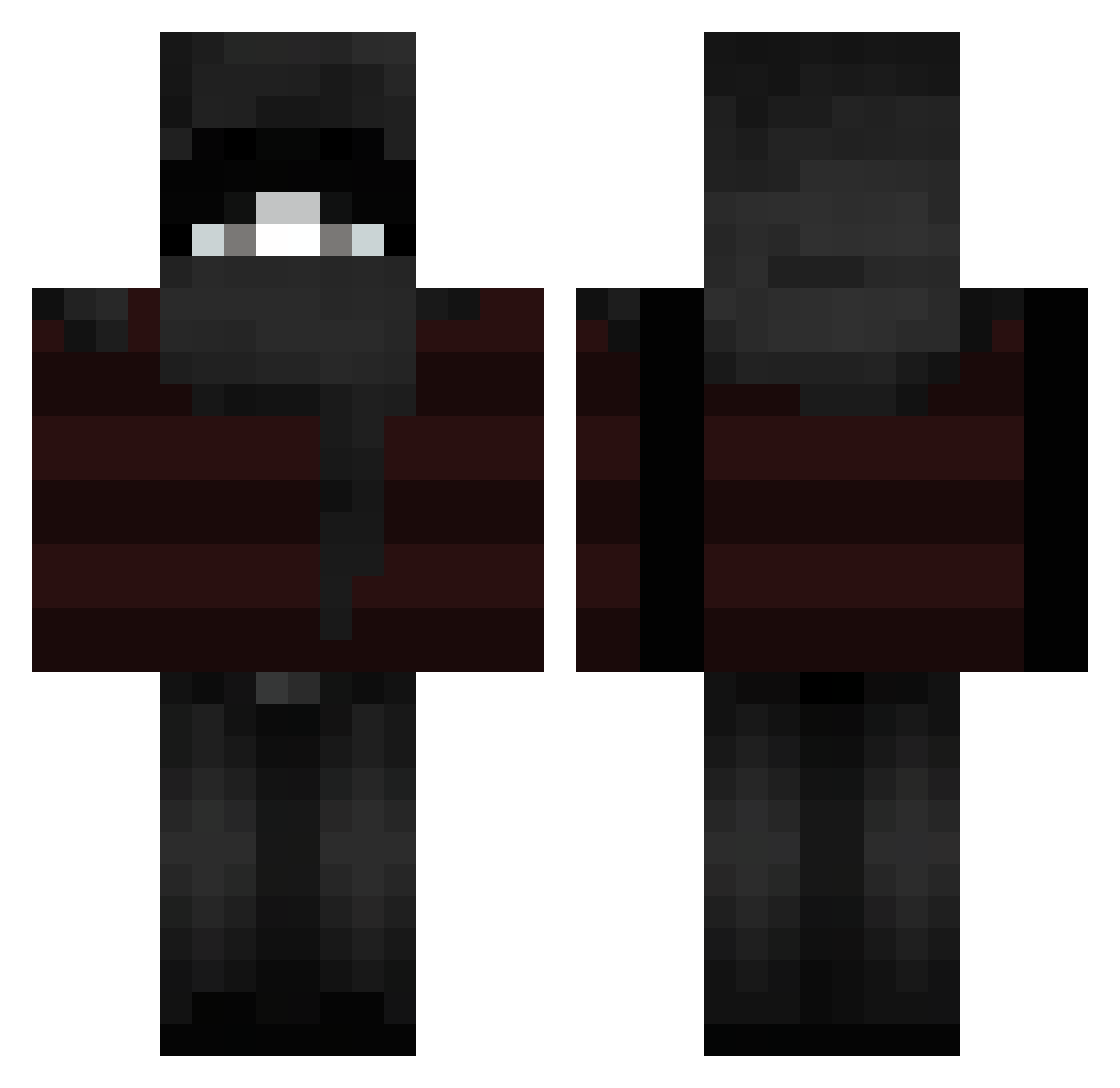
Current Minecraft skin of the player iIiIilililIlilll, loaded from the official Mojang API. Rotate the 3D model with your mouse or finger, then download the skin as a PNG file and use it in Minecraft: Bedrock Edition or Java Edition for free. When iIiIilililIlilll changes their skin, this page updates automatically and the old skin stays in the history below.
Other players with this skin (119)
iIiIilililIlilll was the 39th player we have seen with this skin, first spotted on 21.08.2026. The same skin was seen on these players. Open a nickname to see their current skin and skin history.
 Lucas_QAQ r9bbit tidallwavee samuray1480 seyre_ IsrealOnTop prm predaogatao
 fashib Shimii
 vpwd
vpwd uglyfacek1d Neo_LVcif3r the_ambient usini zwumpie_ Pweii NikotinBursche14 HagenVader cecep12 aaxj DLnuxas kursblood _Akyy Stefanziiii Ahazzaziiv dazrii nimnaA Krmixik renegadde Ash2012_ DiabloSleepy PolskiNinjaPL adykomora_
 yrwn Dimiz01 Draynix tigrisco01
 GRUMM9355 seykeeen thebelt3000 nfazzi scrape23 Enzinkk3 ONLYFANSKAYN Lasuis Forgotteenn
 sshinzu Ser1sSsSs artificielle
 Kechu1 Pax_Ellum aknaslol Liebbv naowari imYSFx jnncrtyy Lachybruh_69 qz4x HRS_GAMING69
More Striped Minecraft skins
How to install the iIiIilililIlilll skin
- Press the Download button above to save the skin as a PNG file.
- Minecraft: Bedrock Edition (PE): open the Dressing Room from the main menu (or tap your character → Edit Character), go to Classic Skins → Owned, press the + (new skin) button, choose the downloaded PNG and pick the Classic (Steve) model. Works on PC and mobile; consoles cannot import custom skins.
- Minecraft: Java Edition: open the Minecraft Launcher, go to the Skins tab, click New Skin, load the PNG, pick the Classic (Steve) model and press Save & Use. You can also upload it at minecraft.net → Profile → Change Skin.
The skin does not show up after import - what should I do?
Restart Minecraft and open the Dressing Room again - imported skins sometimes appear only after a restart. Also make sure you selected the imported skin and picked the Classic (Steve) model.
Which model should I choose, Classic or Slim?
This skin is designed for the Classic (Steve) model. If you pick the wrong model, the arms of the skin will look stretched or squeezed.
Is the skin of iIiIilililIlilll free to download?
Yes. Press Download, save the PNG file and use it in Minecraft: Bedrock Edition or Java Edition - no payment or registration needed. The skin also works on multiplayer servers and Realms.
More skins
Looking for more? Go back to all Minecraft skins and check the top skins of the week, month and all time, or find any player's skin by nickname.