
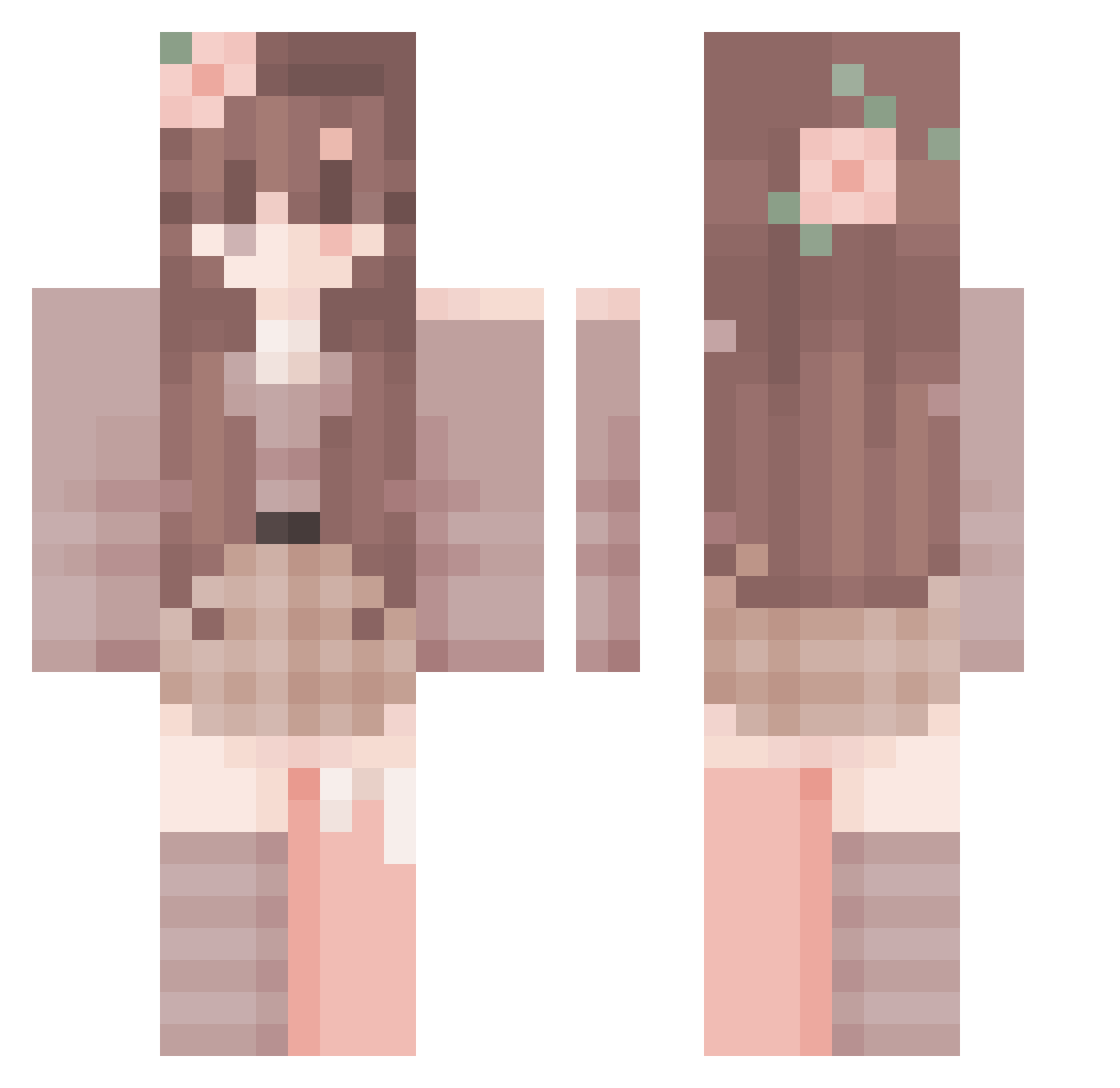
Current Minecraft skin of the player iBazo_, loaded from the official Mojang API. Rotate the 3D model with your mouse or finger, then download the skin as a PNG file and use it in Minecraft: Bedrock Edition or Java Edition for free. When iBazo_ changes their skin, this page updates automatically and the old skin stays in the history below.
Other players with this skin (247)
iBazo_ was the 171st player we have seen with this skin, first spotted on 23.09.2026. The same skin was seen on these players. Open a nickname to see their current skin and skin history.
 HzEfelinss WawaKaWawa MAPLE0419 110038 simsimcxn Psword Destori zhangaili907 Leggra skyfriendkarim Elfcikk TanjiroCool DOBITONY jason10124 Ryoshiidesu EternalVyxr bella13 FiveQuidSquid HCraft4437 beriraa GerPanos Randomperson2434 g0tabbe LustigerSessel Espoir_vie FloatingCatt Katiiix Gjoce11 Ubingg Muayjeng remainder2000 Mizakyk k_lee123 socializable iKaru_LW abichoo Xsiu_ arsksp Neshinotu SugrBrry swen2314 lavviska bai_baum SageWaifu zmhelen ITzMrasBTW Emilia_Monroe Glimmerings Vasss_ SmartieFace LYLSpongeBob XiaoXuX grejd_ Larpspear MIM_serPEDRO prodluccii MERSEUS2 p0tetil hyemin515 crayonsmicrowave
More Flower Crown Minecraft skins
See all 2944 Flower Crown skins
How to install the iBazo_ skin
- Press the Download button above to save the skin as a PNG file.
- Minecraft: Bedrock Edition (PE): open the Dressing Room from the main menu (or tap your character → Edit Character), go to Classic Skins → Owned, press the + (new skin) button, choose the downloaded PNG and pick the Classic (Steve) model. Works on PC and mobile; consoles cannot import custom skins.
- Minecraft: Java Edition: open the Minecraft Launcher, go to the Skins tab, click New Skin, load the PNG, pick the Classic (Steve) model and press Save & Use. You can also upload it at minecraft.net → Profile → Change Skin.
The skin does not show up after import - what should I do?
Restart Minecraft and open the Dressing Room again - imported skins sometimes appear only after a restart. Also make sure you selected the imported skin and picked the Classic (Steve) model.
Which model should I choose, Classic or Slim?
This skin is designed for the Classic (Steve) model. If you pick the wrong model, the arms of the skin will look stretched or squeezed.
Is the skin of iBazo_ free to download?
Yes. Press Download, save the PNG file and use it in Minecraft: Bedrock Edition or Java Edition - no payment or registration needed. The skin also works on multiplayer servers and Realms.
More skins
Looking for more? Go back to all Minecraft skins and check the top skins of the week, month and all time, or find any player's skin by nickname.