
iAhrensburgSean - Minecraft Skins & Skin History
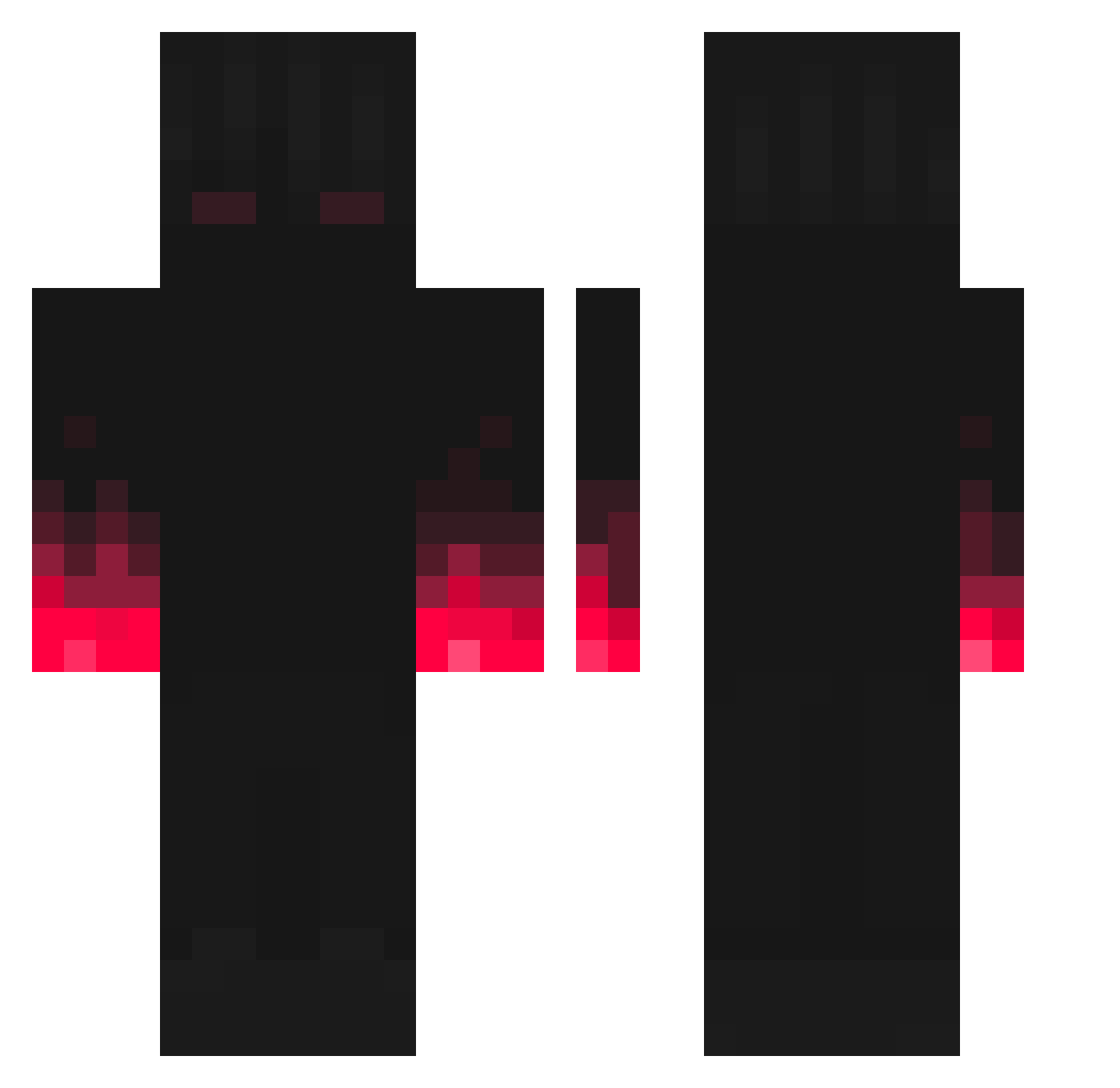
Current Minecraft skin of the player iAhrensburgSean, loaded from the official Mojang API. Rotate the 3D model with your mouse or finger, then download the skin as a PNG file and use it in Minecraft: Bedrock Edition or Java Edition for free. When iAhrensburgSean changes their skin, this page updates automatically and the old skin stays in the history below.
Other players with this skin (227)
iAhrensburgSean was the 11th player we have seen with this skin, first spotted on 29.07.2026. The same skin was seen on these players. Open a nickname to see their current skin and skin history.
 _xXTheGooseXx_ VolK_v3 LiquidOcti LockedNYC I_IFox NickTheD Radiicall_ MiNiG21 21cmPeozeoulas junE2505 YaBoiRio TiD3m0nQC Einfach_Maik fox_runner Ahtahkakoop mentality_lorms NxRqssk PoTaTo341 _ShadyCurse_ Sandiokan99 Gunslinger137 KubX218 Shima10 SicksadSeexyboi yuntianchou112 Vaxeprox MysTHICC Diamond_Mecha NightBlade321 kuzekusan Belva benztruck666 Jonewauker __madelinej__ Jay2Wavy Noryoku OxyGen_889 Dizel115 mpnikolai AnarkosG0d Musical_boy_ 3sfight Najiin95 VivaceShark5033 BigJoe17 RispN comp96 RegentMonkey312 K96_Mergim Hypervenom20 GWhite_01 luckyjackster Oggy956 Vansus GarfieldTheDevil Vadertrooper11 anxietycraftz BloodyUp ciuciek6 Derte21
More Fire Hands Minecraft skins
How to install the iAhrensburgSean skin
- Press the Download button above to save the skin as a PNG file.
- Minecraft: Bedrock Edition (PE): open the Dressing Room from the main menu (or tap your character → Edit Character), go to Classic Skins → Owned, press the + (new skin) button, choose the downloaded PNG and pick the Classic (Steve) model. Works on PC and mobile; consoles cannot import custom skins.
- Minecraft: Java Edition: open the Minecraft Launcher, go to the Skins tab, click New Skin, load the PNG, pick the Classic (Steve) model and press Save & Use. You can also upload it at minecraft.net → Profile → Change Skin.
The skin does not show up after import - what should I do?
Restart Minecraft and open the Dressing Room again - imported skins sometimes appear only after a restart. Also make sure you selected the imported skin and picked the Classic (Steve) model.
Which model should I choose, Classic or Slim?
This skin is designed for the Classic (Steve) model. If you pick the wrong model, the arms of the skin will look stretched or squeezed.
Is the skin of iAhrensburgSean free to download?
Yes. Press Download, save the PNG file and use it in Minecraft: Bedrock Edition or Java Edition - no payment or registration needed. The skin also works on multiplayer servers and Realms.
More skins
Looking for more? Go back to all Minecraft skins and check the top skins of the week, month and all time, or find any player's skin by nickname.