
hyundoo0o - Minecraft Skins & Skin History
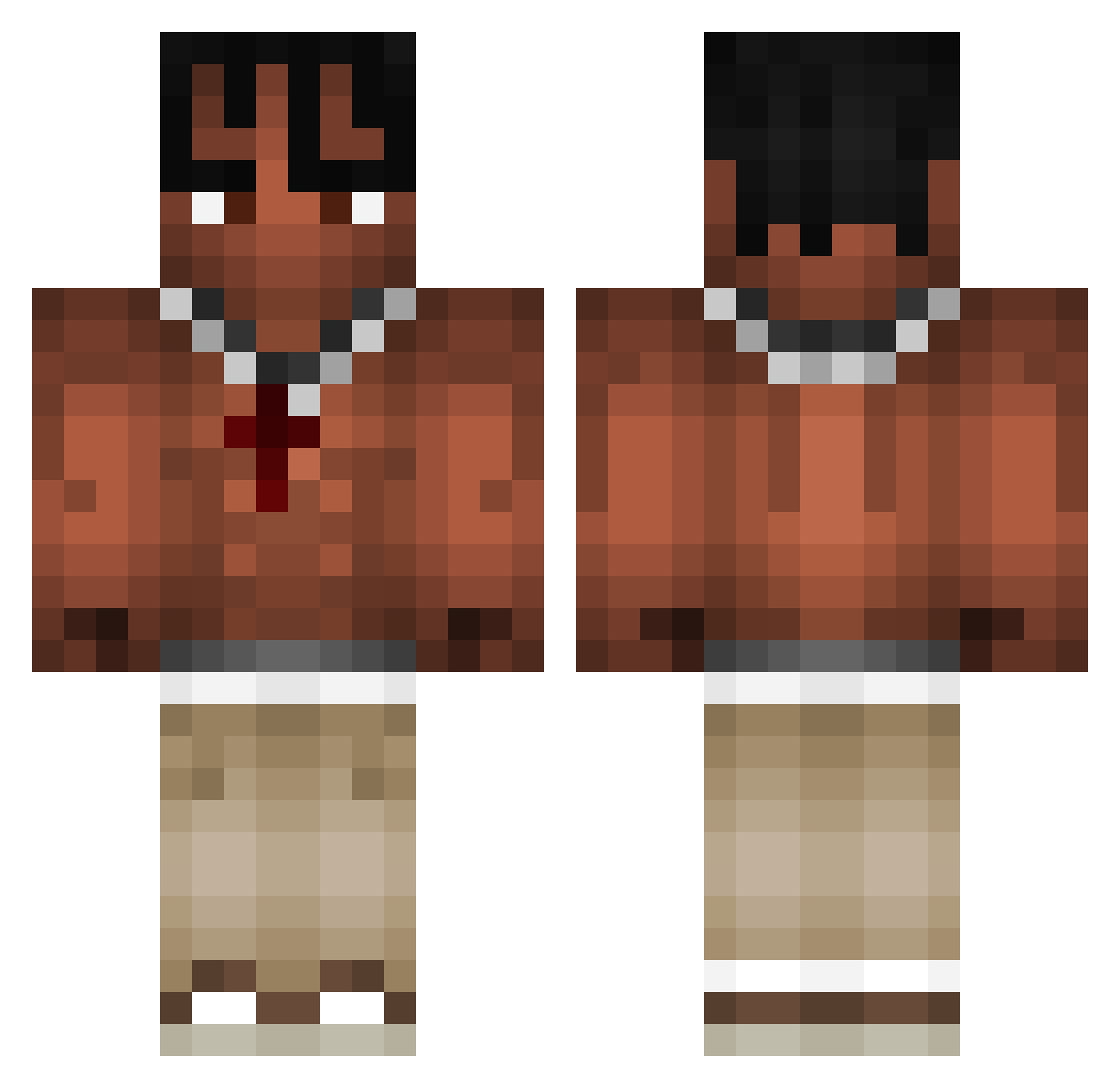
Current Minecraft skin of the player hyundoo0o, loaded from the official Mojang API. Rotate the 3D model with your mouse or finger, then download the skin as a PNG file and use it in Minecraft: Bedrock Edition or Java Edition for free. When hyundoo0o changes their skin, this page updates automatically and the old skin stays in the history below.
Other players with this skin (968)
hyundoo0o was the 442nd player we have seen with this skin, first spotted on 12.09.2026. The same skin was seen on these players. Open a nickname to see their current skin and skin history.
 bob0983158865 Cala11 FlyingColder VulgoMafu Mechaniker_ Hubbs9 HoOpo7 Legolas2Jason Carrot_Sticks1 Elgordojuan ReonThePug flexispot Gamelex8380 Dancata Ufoleandro Kekashi_6ix9ine MalcolmBates ecco23k blxckzin_pvp Snickers2710 AceEssentials Francessssss AndrewAp_2018 marzolla_ TadekSzczota benjaaaws CixuonSen Valakqc StinkySok giant8654 300k Elias_1316 StyxOnTour seojin_1234 tererf0r ZimimiProGames CharlieBaller88 StrikEr_464 honda2222 homius BrodyPettit Changonito Singhh vhZzZzZ MM_MOZSORAti Valoraxo4 Matis_kmd Donut__8 Imanust CardLeaf Jayerdas Dzamal_2004 Jarvis37 Miszczu2345 kbks7 swordega Miguepm98 Zoyx3r ArmaanBah TunahanTR46
More Xxxtentacion Minecraft skins
See all 407 Xxxtentacion skins
How to install the hyundoo0o skin
- Press the Download button above to save the skin as a PNG file.
- Minecraft: Bedrock Edition (PE): open the Dressing Room from the main menu (or tap your character → Edit Character), go to Classic Skins → Owned, press the + (new skin) button, choose the downloaded PNG and pick the Classic (Steve) model. Works on PC and mobile; consoles cannot import custom skins.
- Minecraft: Java Edition: open the Minecraft Launcher, go to the Skins tab, click New Skin, load the PNG, pick the Classic (Steve) model and press Save & Use. You can also upload it at minecraft.net → Profile → Change Skin.
The skin does not show up after import - what should I do?
Restart Minecraft and open the Dressing Room again - imported skins sometimes appear only after a restart. Also make sure you selected the imported skin and picked the Classic (Steve) model.
Which model should I choose, Classic or Slim?
This skin is designed for the Classic (Steve) model. If you pick the wrong model, the arms of the skin will look stretched or squeezed.
Is the skin of hyundoo0o free to download?
Yes. Press Download, save the PNG file and use it in Minecraft: Bedrock Edition or Java Edition - no payment or registration needed. The skin also works on multiplayer servers and Realms.
More skins
Looking for more? Go back to all Minecraft skins and check the top skins of the week, month and all time, or find any player's skin by nickname.