
hypz99 - Minecraft Skins & Skin History
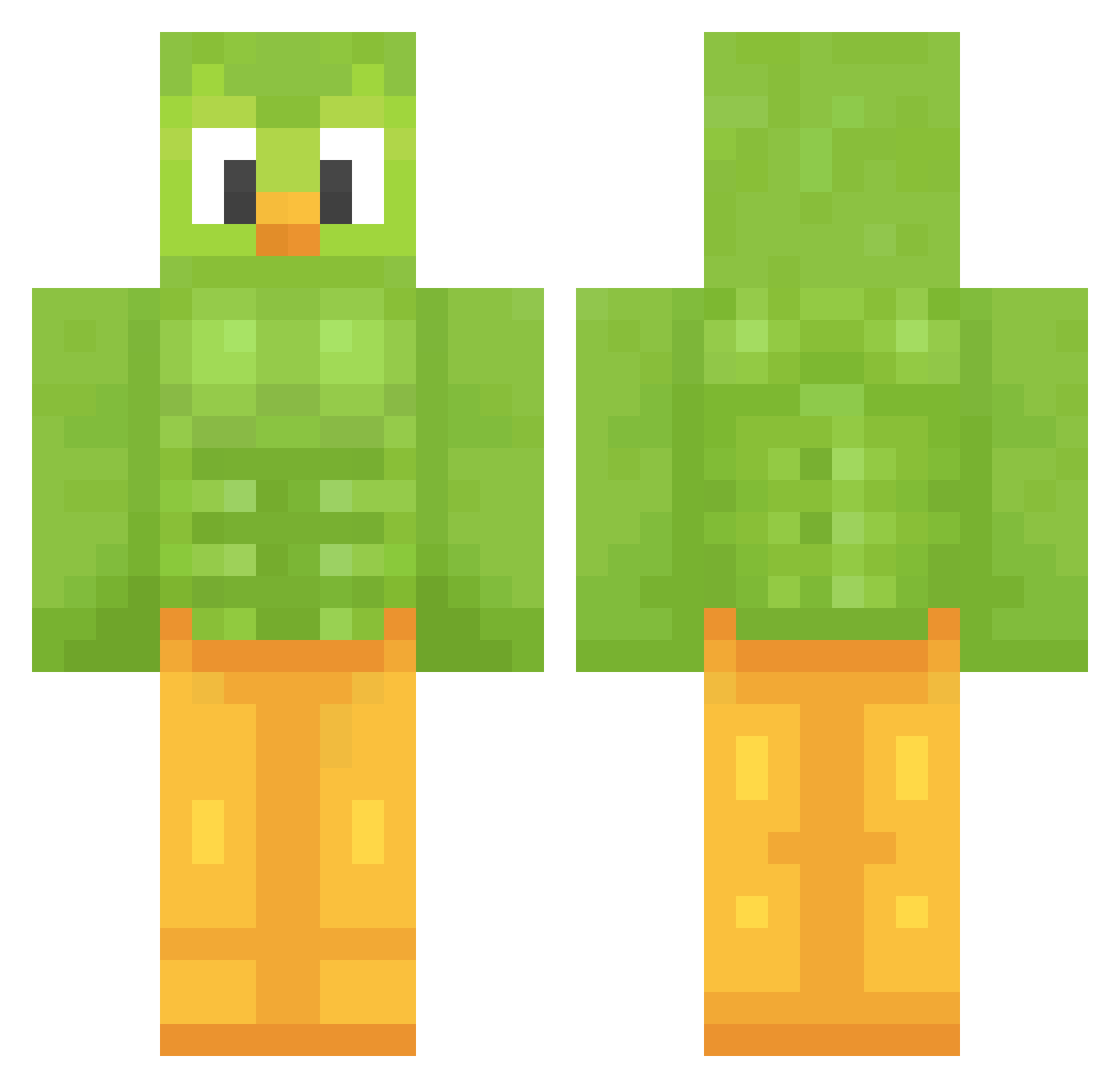
Current Minecraft skin of the player hypz99, loaded from the official Mojang API. Rotate the 3D model with your mouse or finger, then download the skin as a PNG file and use it in Minecraft: Bedrock Edition or Java Edition for free. When hypz99 changes their skin, this page updates automatically and the old skin stays in the history below.
Other players with this skin (1480)
hypz99 was the 1437th player we have seen with this skin, first spotted on 16.11.2026. The same skin was seen on these players. Open a nickname to see their current skin and skin history.
 AudurA trash_2012 catie_bear sd0328 tyhym1 GabeGabe64 Bambooche Emilio_137 TheDexi256 ObscureT TugraG ThePerson679 tsukumo2929 GenieInTheBottle Kisati Lovwes_ ZeroShine PEDROMELOOW VUKUD BeaverStretcher plypro Paracio lightningnerd KungEdvin10 XZarafX _Annie_127 waitwhat777 auronium L_ur_ RAMIP Surikata7711 iagolays vvvpola fireblazesub coucoutoi68 SxYqOli haruo123 MrBoduk rkdwnsrl1 Alfred_2012 Li1shrimpy hunner326 ElMataSuegrass hiruyu_ duheru666 Luzha_uu Cimetman ribonchan55 _codewithgabs_ Kajorb Ctos_Aiden Matdox towablefern LH9811 LkU1 kiraguy CoRnHoLeS cgigaso Amyly08 kou5454
More Duo Minecraft skins
How to install the hypz99 skin
- Press the Download button above to save the skin as a PNG file.
- Minecraft: Bedrock Edition (PE): open the Dressing Room from the main menu (or tap your character → Edit Character), go to Classic Skins → Owned, press the + (new skin) button, choose the downloaded PNG and pick the Classic (Steve) model. Works on PC and mobile; consoles cannot import custom skins.
- Minecraft: Java Edition: open the Minecraft Launcher, go to the Skins tab, click New Skin, load the PNG, pick the Classic (Steve) model and press Save & Use. You can also upload it at minecraft.net → Profile → Change Skin.
The skin does not show up after import - what should I do?
Restart Minecraft and open the Dressing Room again - imported skins sometimes appear only after a restart. Also make sure you selected the imported skin and picked the Classic (Steve) model.
Which model should I choose, Classic or Slim?
This skin is designed for the Classic (Steve) model. If you pick the wrong model, the arms of the skin will look stretched or squeezed.
Is the skin of hypz99 free to download?
Yes. Press Download, save the PNG file and use it in Minecraft: Bedrock Edition or Java Edition - no payment or registration needed. The skin also works on multiplayer servers and Realms.
More skins
Looking for more? Go back to all Minecraft skins and check the top skins of the week, month and all time, or find any player's skin by nickname.