
huoyqid - Minecraft Skins & Skin History
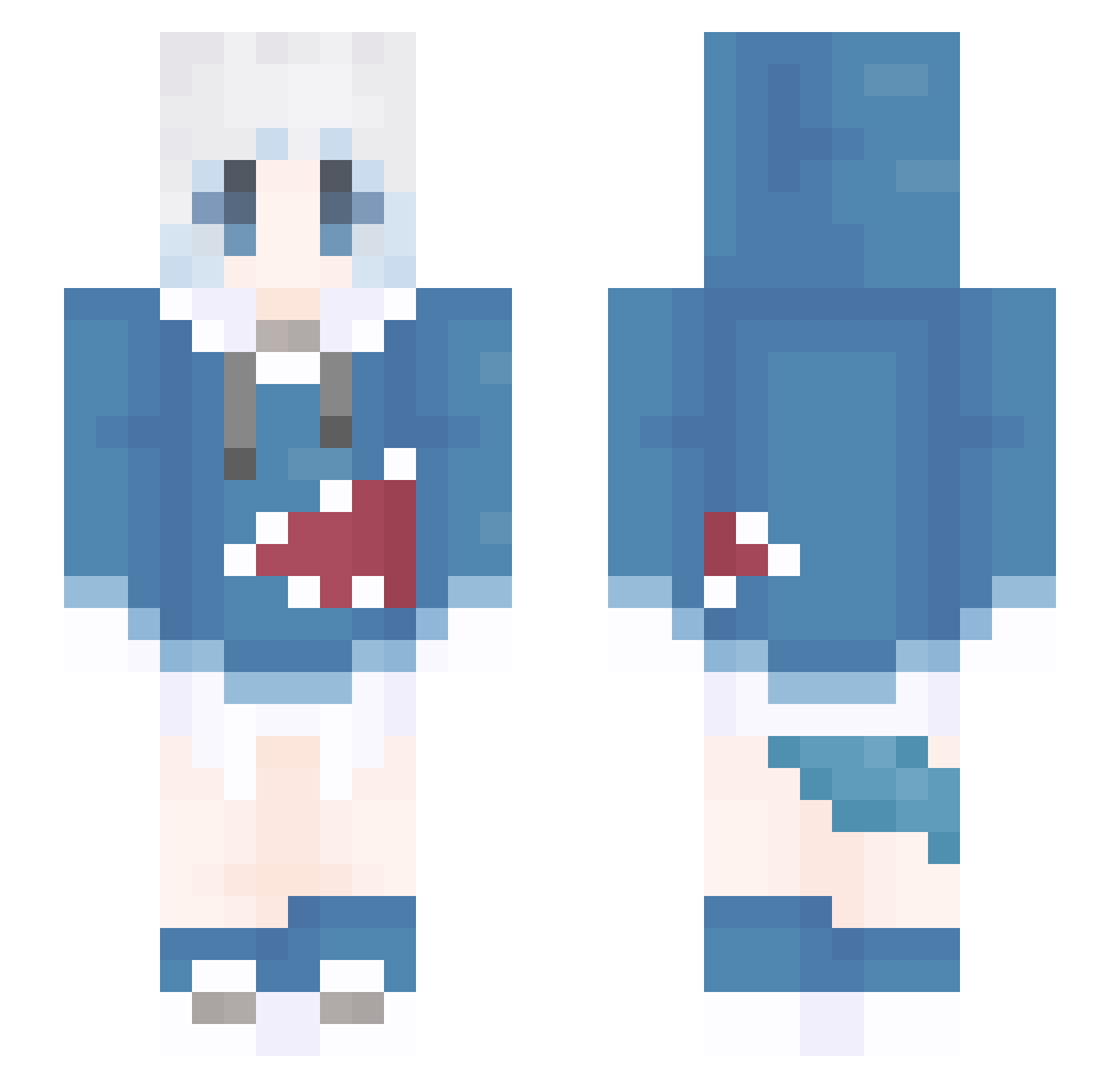
Current Minecraft skin of the player huoyqid, loaded from the official Mojang API. Rotate the 3D model with your mouse or finger, then download the skin as a PNG file and use it in Minecraft: Bedrock Edition or Java Edition for free. When huoyqid changes their skin, this page updates automatically and the old skin stays in the history below.
Other players with this skin (1309)
huoyqid was the 1183rd player we have seen with this skin, first spotted on 27.10.2026. The same skin was seen on these players. Open a nickname to see their current skin and skin history.
 iam_Redy wodnjs151 Nice_bull Cnm_Lgb Micayrj ParkGandhi Toomiao muhakkou annnnnnnnnny MalvonOsu123 dhcxk12 qiushui555 jtvel MRBBS _etch_1 zfbb angg662 darozi linglingaishijie MartinPark YouXing11 MEZINHA1234 ZXHKCDK QQ_Look kotori030 guminga QwQrepeater burn_all PaMeow ETHAN48763 mhggg YIHAN_huiying qingshan1214 hogan940215 Ferco_No03 pyunbeak ball2 tianjin93 toto0907 ProKing0713 CyberShark22 mingzhu111 Nobodyloves5 Minecon2013Girl AmyGZ hikakin085 a910808 Qiyu__ kai_shawn_ Tokiyazu Espanol_ modi520 TurnerKhan xsfpdxj Kusanali_ Starknight76r landie233 NobelAsia XuLisao binah332
More Gawr Gura Minecraft skins
How to install the huoyqid skin
- Press the Download button above to save the skin as a PNG file.
- Minecraft: Bedrock Edition (PE): open the Dressing Room from the main menu (or tap your character → Edit Character), go to Classic Skins → Owned, press the + (new skin) button, choose the downloaded PNG and pick the Slim (Alex) model. Works on PC and mobile; consoles cannot import custom skins.
- Minecraft: Java Edition: open the Minecraft Launcher, go to the Skins tab, click New Skin, load the PNG, pick the Slim (Alex) model and press Save & Use. You can also upload it at minecraft.net → Profile → Change Skin.
The skin does not show up after import - what should I do?
Restart Minecraft and open the Dressing Room again - imported skins sometimes appear only after a restart. Also make sure you selected the imported skin and picked the Slim (Alex) model.
Which model should I choose, Classic or Slim?
This skin is designed for the Slim (Alex) model. If you pick the wrong model, the arms of the skin will look stretched or squeezed.
Is the skin of huoyqid free to download?
Yes. Press Download, save the PNG file and use it in Minecraft: Bedrock Edition or Java Edition - no payment or registration needed. The skin also works on multiplayer servers and Realms.
More skins
Looking for more? Go back to all Minecraft skins and check the top skins of the week, month and all time, or find any player's skin by nickname.