
hun5498 - Minecraft Skins & Skin History
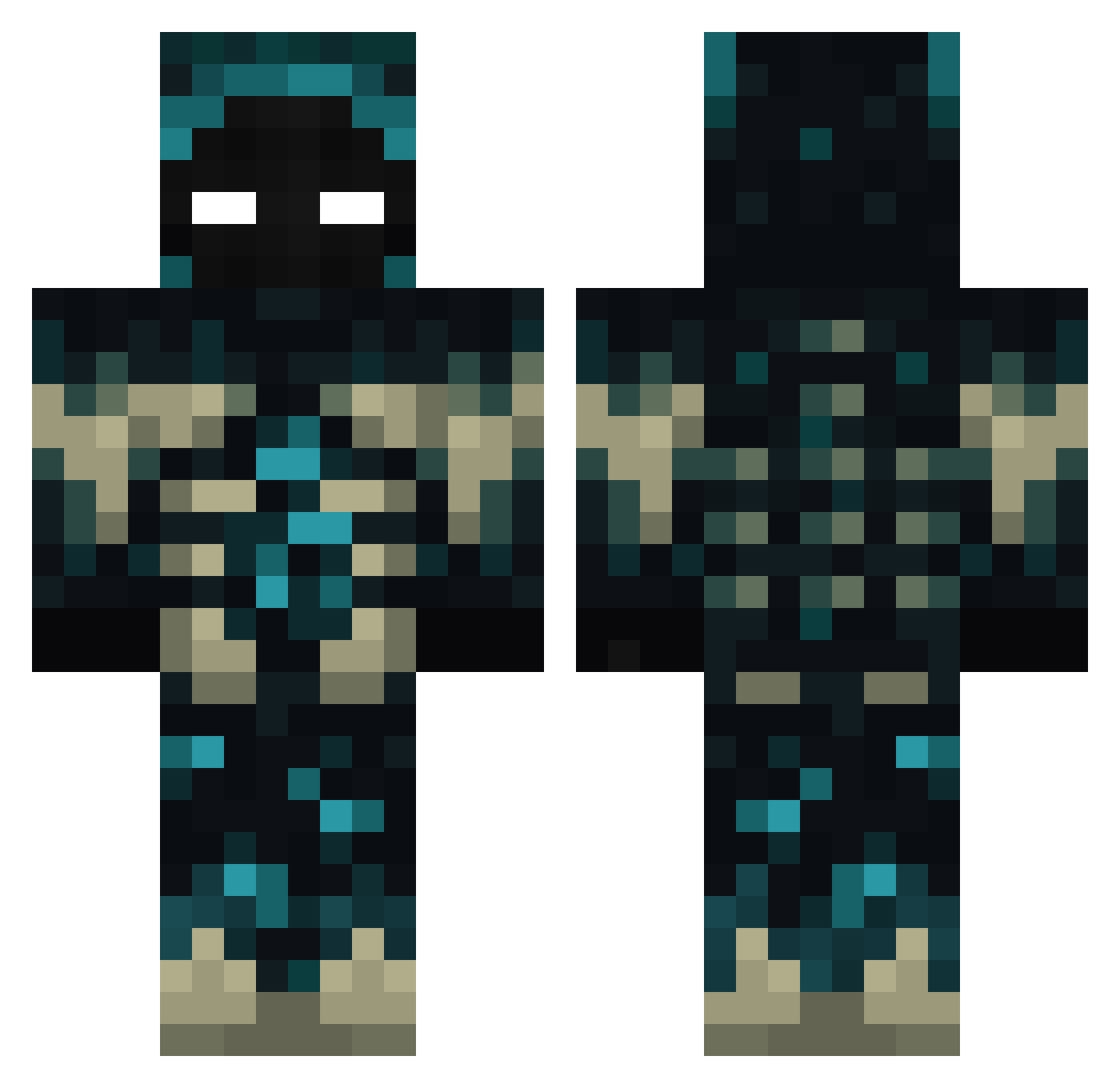
Current Minecraft skin of the player hun5498, loaded from the official Mojang API. Rotate the 3D model with your mouse or finger, then download the skin as a PNG file and use it in Minecraft: Bedrock Edition or Java Edition for free. When hun5498 changes their skin, this page updates automatically and the old skin stays in the history below.
Other players with this skin (386)
hun5498 was the 29th player we have seen with this skin, first spotted on 30.07.2026. The same skin was seen on these players. Open a nickname to see their current skin and skin history.
 Johan_1508 FiFouzeV2 ANTONIOJG07 TheMrLemon terremoto207 CazadOREO XJosueD James_Dess SALO121 IfItWiggles MrWardenkeeper11 Cabin07 Black1Nightmare Frank_357
 BRKIM Uleyk ayumu_saikyo ItsEino Drakhen777 XenonX_5 LASCETTIA SoliderBr1317 KuziaX Voyzoir DaftBlowfish609 TheDenchik999 Menkakon RZNexeee Kacanek koby0_0 andyste21 carlace011110 SimplWardenn djmediko 70D71g0 YoThereRNoNames Speisesalz1 CasadelOso kohyunwoo _Allay enx9a Thiago5671 ZIIK00 LiveDrop18 EvilSolaris PadawanEH ransengg KayZee114 ludobaw PececitoUwU GouB_DouJ Kyle__Crane sokyoto Retr0Sloth1 phtofa Craftinx Thawne12206 Supergamer9 Noowerk _0pium_
More Sculk Minecraft skins
How to install the hun5498 skin
- Press the Download button above to save the skin as a PNG file.
- Minecraft: Bedrock Edition (PE): open the Dressing Room from the main menu (or tap your character → Edit Character), go to Classic Skins → Owned, press the + (new skin) button, choose the downloaded PNG and pick the Classic (Steve) model. Works on PC and mobile; consoles cannot import custom skins.
- Minecraft: Java Edition: open the Minecraft Launcher, go to the Skins tab, click New Skin, load the PNG, pick the Classic (Steve) model and press Save & Use. You can also upload it at minecraft.net → Profile → Change Skin.
The skin does not show up after import - what should I do?
Restart Minecraft and open the Dressing Room again - imported skins sometimes appear only after a restart. Also make sure you selected the imported skin and picked the Classic (Steve) model.
Which model should I choose, Classic or Slim?
This skin is designed for the Classic (Steve) model. If you pick the wrong model, the arms of the skin will look stretched or squeezed.
Is the skin of hun5498 free to download?
Yes. Press Download, save the PNG file and use it in Minecraft: Bedrock Edition or Java Edition - no payment or registration needed. The skin also works on multiplayer servers and Realms.
More skins
Looking for more? Go back to all Minecraft skins and check the top skins of the week, month and all time, or find any player's skin by nickname.