
hugoelverdugo11 - Minecraft Skins & Skin History
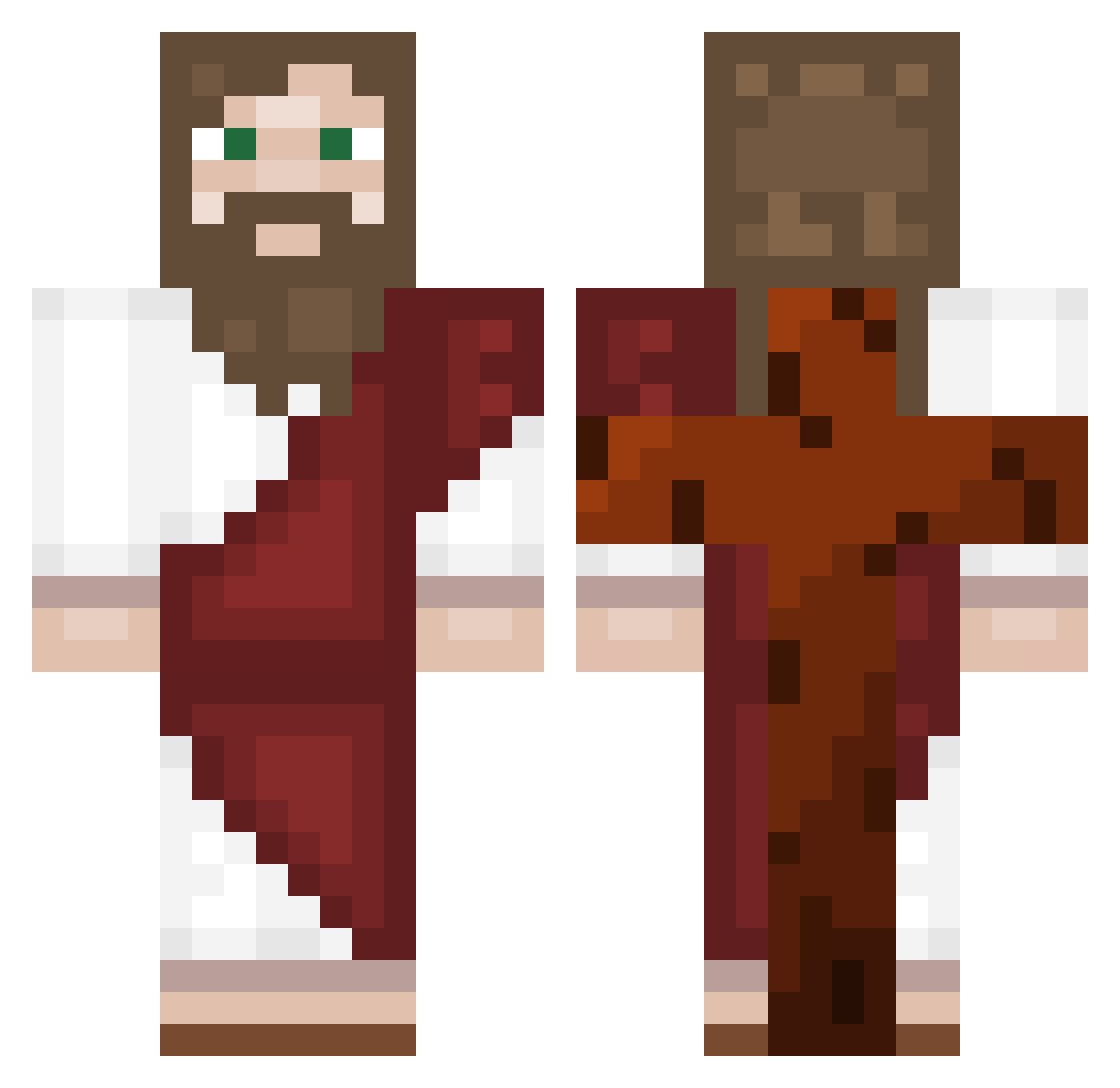
Current Minecraft skin of the player hugoelverdugo11, loaded from the official Mojang API. Rotate the 3D model with your mouse or finger, then download the skin as a PNG file and use it in Minecraft: Bedrock Edition or Java Edition for free. When hugoelverdugo11 changes their skin, this page updates automatically and the old skin stays in the history below.
Other players with this skin (557)
hugoelverdugo11 was the 451st player we have seen with this skin, first spotted on 16.10.2026. The same skin was seen on these players. Open a nickname to see their current skin and skin history.
 Auqi34 theghoulfromhell Boro522 P1q_ OdunTANRISI dmscks514 s444r spyro1019 UAV_0 Murask EnchantedScythe paopao5269 Arett0 Combiledsmile93 Jqndy_ Rotating_Pigeon LvK45_ asian_drivers09 Kameramilano luis9472 Patryckkkk1 Sniper_Terror84 brdegamerbr kdh5597 Vikendi159 SkibibiFranek Craft_IamPinkcu vSleepzz Inky_way chu0711 Fx12378 Fernandes_Dess BlopLeChelou Mleczny monkeyboi6942069 AlbertCarlos137 Freches_Lama Guspr99 A0sTe thelunarfarmer Titiyoo Apolllo_ ndo034 FROSTY_KOR ElPeluche07 flenselis iDatWombo_PvP_ Zazara_ czerwiec1234 DONMIRO96 Uhfref NeedlessPix MisterDrGoobie99 mkultra_victim47 Chadwickasseater LinkTooru Gaspinto NuCraftxx08 wileydaninja belbelbelbelbel
More Biblical Minecraft skins
How to install the hugoelverdugo11 skin
- Press the Download button above to save the skin as a PNG file.
- Minecraft: Bedrock Edition (PE): open the Dressing Room from the main menu (or tap your character → Edit Character), go to Classic Skins → Owned, press the + (new skin) button, choose the downloaded PNG and pick the Classic (Steve) model. Works on PC and mobile; consoles cannot import custom skins.
- Minecraft: Java Edition: open the Minecraft Launcher, go to the Skins tab, click New Skin, load the PNG, pick the Classic (Steve) model and press Save & Use. You can also upload it at minecraft.net → Profile → Change Skin.
The skin does not show up after import - what should I do?
Restart Minecraft and open the Dressing Room again - imported skins sometimes appear only after a restart. Also make sure you selected the imported skin and picked the Classic (Steve) model.
Which model should I choose, Classic or Slim?
This skin is designed for the Classic (Steve) model. If you pick the wrong model, the arms of the skin will look stretched or squeezed.
Is the skin of hugoelverdugo11 free to download?
Yes. Press Download, save the PNG file and use it in Minecraft: Bedrock Edition or Java Edition - no payment or registration needed. The skin also works on multiplayer servers and Realms.
More skins
Looking for more? Go back to all Minecraft skins and check the top skins of the week, month and all time, or find any player's skin by nickname.