
hqkp - Minecraft Skins & Skin History
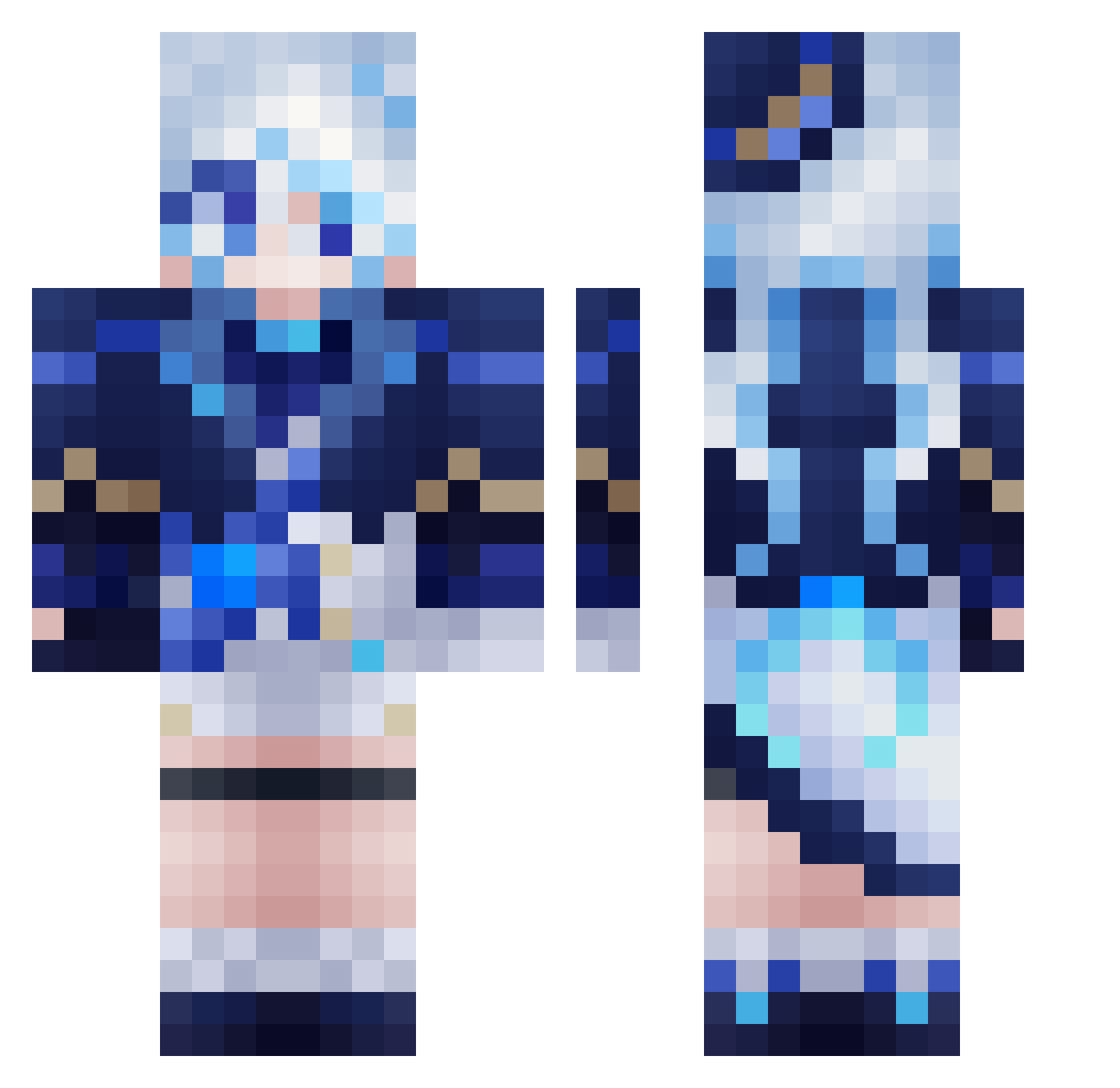
Current Minecraft skin of the player hqkp, loaded from the official Mojang API. Rotate the 3D model with your mouse or finger, then download the skin as a PNG file and use it in Minecraft: Bedrock Edition or Java Edition for free. When hqkp changes their skin, this page updates automatically and the old skin stays in the history below.
Other players with this skin (560)
hqkp was the 247th player we have seen with this skin, first spotted on 12.09.2026. The same skin was seen on these players. Open a nickname to see their current skin and skin history.
 violet_en panzerwerfer mingo10 Eeeess omnetky JediKitkat Volxy39 TsuiC JQluming ProbablyLotus AXMDLM LookOutTimTim 2123yutosuke MrWhale2048 69kill69 ZHAOMH233 MimicSign416487 ygygygygygyg dinhlongmaiblue GalaxyLord39 huayouxian daydreamer32 Lnyew Miss_Claudia xCyndi imjunhwan123 CFYLLR XXbqj Cosmoth lycheeoz Mr__Snowy deskeix PEKKACarl Yumanira AquariusWrath heilian_KAI DesselLP HighLandCobra93 Rubenly Night_FBK Somen20 SRK1757 REBEROK aki_katsu1224 LilGatack bijuhao akdrp4 KimMixTH MagicMango_ keiki678 hung0808 jojo1333 Raimu1020 Oceanman896 HappinessLOVE SmallerYins tiroru55 Parallel0813 nano_jpeg Yunker_Star
More Furina Minecraft skins
How to install the hqkp skin
- Press the Download button above to save the skin as a PNG file.
- Minecraft: Bedrock Edition (PE): open the Dressing Room from the main menu (or tap your character → Edit Character), go to Classic Skins → Owned, press the + (new skin) button, choose the downloaded PNG and pick the Classic (Steve) model. Works on PC and mobile; consoles cannot import custom skins.
- Minecraft: Java Edition: open the Minecraft Launcher, go to the Skins tab, click New Skin, load the PNG, pick the Classic (Steve) model and press Save & Use. You can also upload it at minecraft.net → Profile → Change Skin.
The skin does not show up after import - what should I do?
Restart Minecraft and open the Dressing Room again - imported skins sometimes appear only after a restart. Also make sure you selected the imported skin and picked the Classic (Steve) model.
Which model should I choose, Classic or Slim?
This skin is designed for the Classic (Steve) model. If you pick the wrong model, the arms of the skin will look stretched or squeezed.
Is the skin of hqkp free to download?
Yes. Press Download, save the PNG file and use it in Minecraft: Bedrock Edition or Java Edition - no payment or registration needed. The skin also works on multiplayer servers and Realms.
More skins
Looking for more? Go back to all Minecraft skins and check the top skins of the week, month and all time, or find any player's skin by nickname.