
hotshot4578 - Minecraft Skins & Skin History
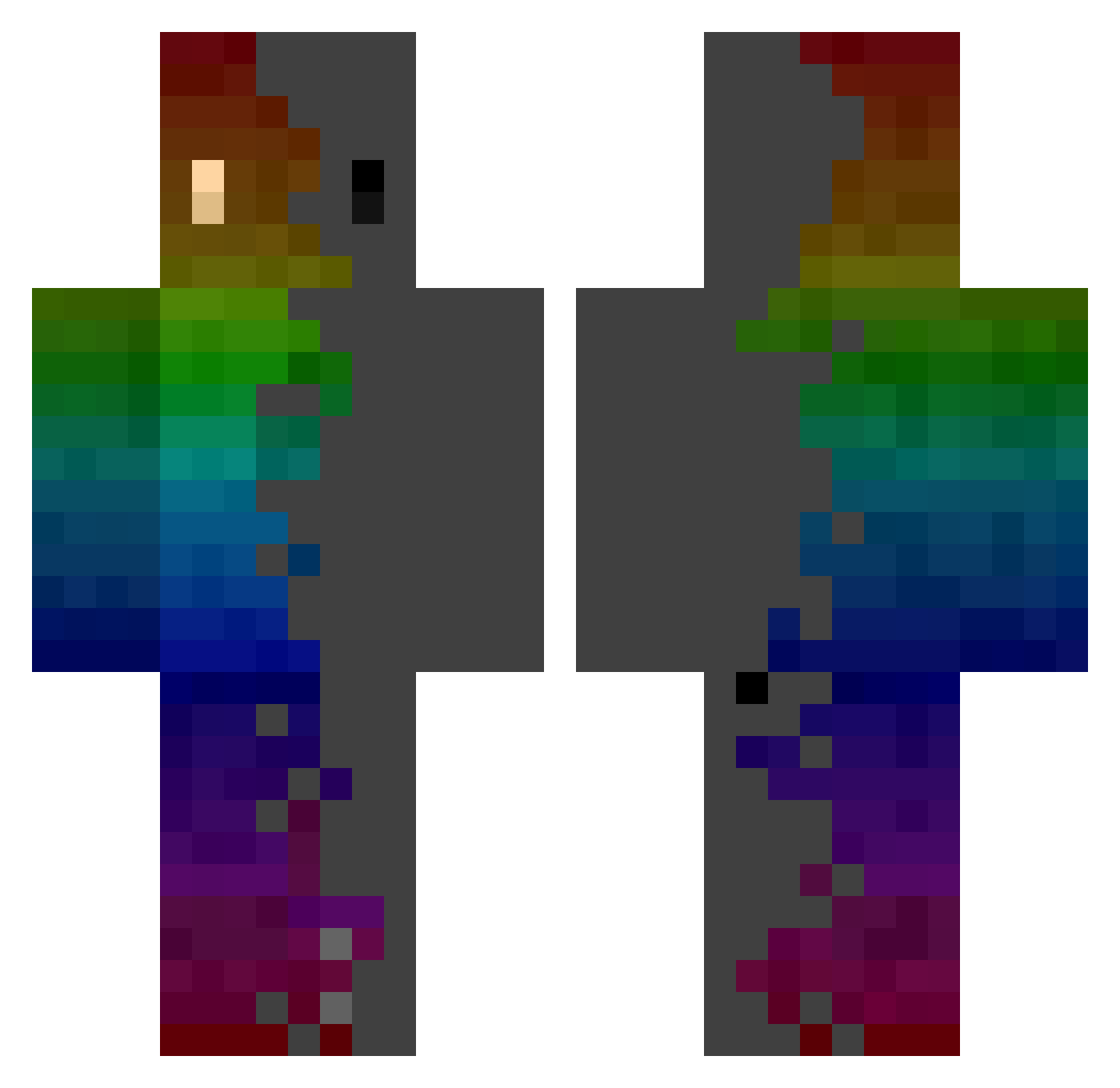
Current Minecraft skin of the player hotshot4578, loaded from the official Mojang API. Rotate the 3D model with your mouse or finger, then download the skin as a PNG file and use it in Minecraft: Bedrock Edition or Java Edition for free. When hotshot4578 changes their skin, this page updates automatically and the old skin stays in the history below.
Other players with this skin (770)
hotshot4578 was the 50th player we have seen with this skin, first spotted on 01.08.2026. The same skin was seen on these players. Open a nickname to see their current skin and skin history.
 Bloodyavalon AmongusDrip1 Ptidiablo Tiolgmi maoni NatanaElfo TLB_PR0
 MartiNeitor8008 foxygamers101 hb1688 Kireeshkin Ausart Tempward wlgns0328 cainuobaka Minecraft_HUN LijdaM AnoldT Joaquin05 Lanfra94dani LENY38 Dalpix JTerrorx LEKom Haxioss olympus_AF Hermanosgp Shina171 JungerJunge
 xBlackterror Nowalel6666 iMorio Wellycraft Danidjg Adruhn PoltroncinaUwU cyberpepe Amaretsu DefiniteLoser69 Maiicia_ Skelysian 523jmj by_valle sumi0675 Easyhoon123
 squirtle0908 Zalckin Marcosterlo LaKse31 Tag_A_Log Kaowill okami_head ChooChoo303 mxmaqx Volatuz dik22 cooper0602 MicroX_NekoKin Guzerogt Hausmeister89
How to install the hotshot4578 skin
- Press the Download button above to save the skin as a PNG file.
- Minecraft: Bedrock Edition (PE): open the Dressing Room from the main menu (or tap your character → Edit Character), go to Classic Skins → Owned, press the + (new skin) button, choose the downloaded PNG and pick the Classic (Steve) model. Works on PC and mobile; consoles cannot import custom skins.
- Minecraft: Java Edition: open the Minecraft Launcher, go to the Skins tab, click New Skin, load the PNG, pick the Classic (Steve) model and press Save & Use. You can also upload it at minecraft.net → Profile → Change Skin.
The skin does not show up after import - what should I do?
Restart Minecraft and open the Dressing Room again - imported skins sometimes appear only after a restart. Also make sure you selected the imported skin and picked the Classic (Steve) model.
Which model should I choose, Classic or Slim?
This skin is designed for the Classic (Steve) model. If you pick the wrong model, the arms of the skin will look stretched or squeezed.
Is the skin of hotshot4578 free to download?
Yes. Press Download, save the PNG file and use it in Minecraft: Bedrock Edition or Java Edition - no payment or registration needed. The skin also works on multiplayer servers and Realms.
More skins
Looking for more? Go back to all Minecraft skins and check the top skins of the week, month and all time, or find any player's skin by nickname.