
hosun_01 - Minecraft Skins & Skin History
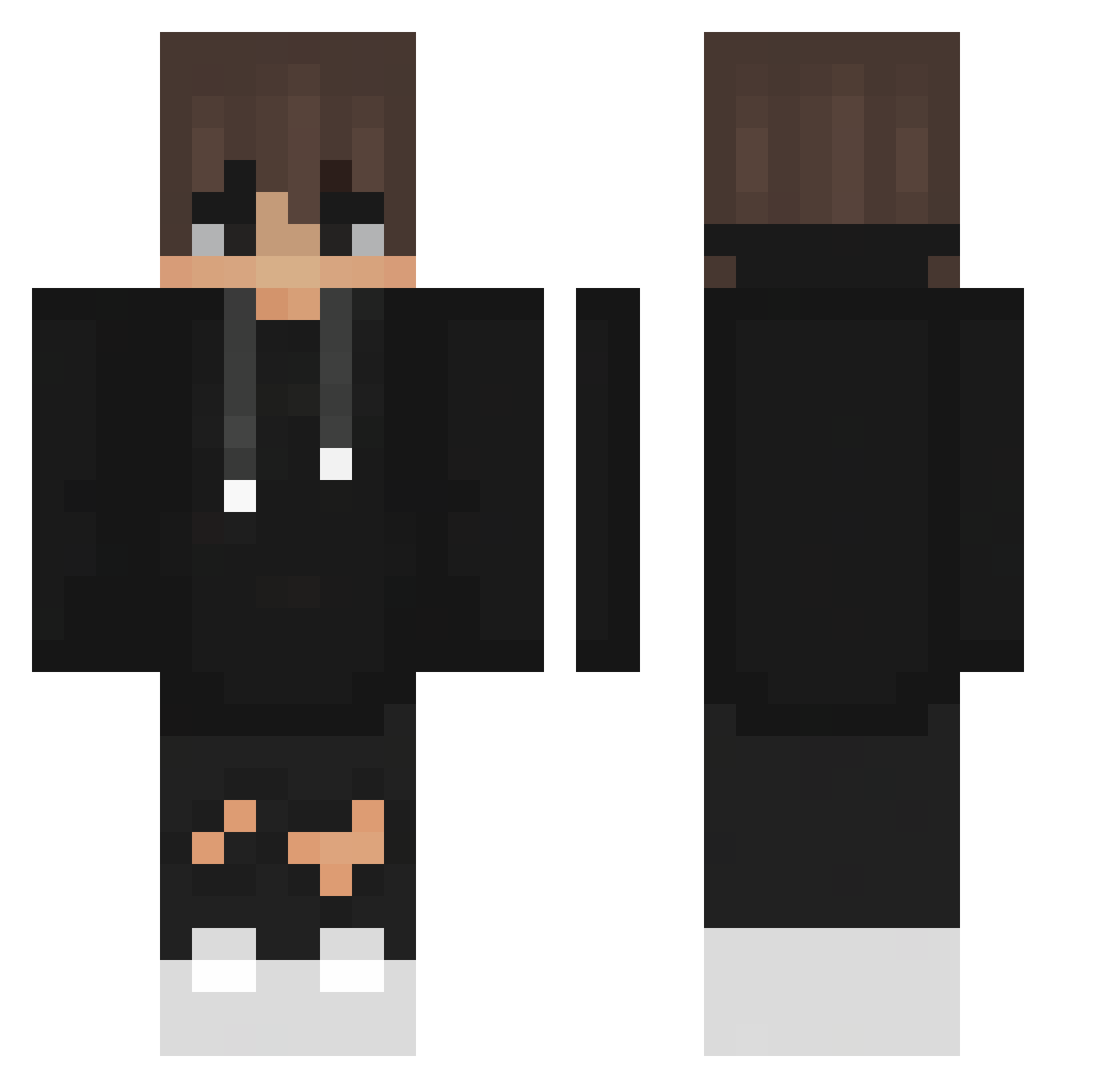
Current Minecraft skin of the player hosun_01, loaded from the official Mojang API. Rotate the 3D model with your mouse or finger, then download the skin as a PNG file and use it in Minecraft: Bedrock Edition or Java Edition for free. When hosun_01 changes their skin, this page updates automatically and the old skin stays in the history below.
Other players with this skin (355)
hosun_01 was the 200th player we have seen with this skin, first spotted on 19.09.2026. The same skin was seen on these players. Open a nickname to see their current skin and skin history.
 Erenrivriv Svartkor cheris4761 bignuts2700 _TECHOS_ Dofkiuxx_ CAPYBARA_BEST WAH3R_T3letubis AXEWITEE Jelly_is_cool119 CptBiscuits OP_SEBAS Abadissa Milomagkekse Jake02_ Ake3906 Tyl2021 DEADSHOT_07 Timmeeee96 ebs_axe Won_Jin tevcola gabriel_mss SirJesh Collell Coda1357 _LeKa StopherV2 Zeeeee123 ujjwal AriethPlay Nakki227 titoblox serpvnt aniki001 Mateoxe denisilie Ado717 7Amp7 HuyDino InkyAndAfraid Spoko8785 Moogracht VercityK zsxai16 ZiemniakPvP Machitorr TheNonKung Jansuro Arbuz12345 NanXiao2001 Roque2115 sudan64 Ludo_d nefsie pixie_meat cohlchaos dragonflair203 Shadowberry_98 kachala020408
How to install the hosun_01 skin
- Press the Download button above to save the skin as a PNG file.
- Minecraft: Bedrock Edition (PE): open the Dressing Room from the main menu (or tap your character → Edit Character), go to Classic Skins → Owned, press the + (new skin) button, choose the downloaded PNG and pick the Classic (Steve) model. Works on PC and mobile; consoles cannot import custom skins.
- Minecraft: Java Edition: open the Minecraft Launcher, go to the Skins tab, click New Skin, load the PNG, pick the Classic (Steve) model and press Save & Use. You can also upload it at minecraft.net → Profile → Change Skin.
The skin does not show up after import - what should I do?
Restart Minecraft and open the Dressing Room again - imported skins sometimes appear only after a restart. Also make sure you selected the imported skin and picked the Classic (Steve) model.
Which model should I choose, Classic or Slim?
This skin is designed for the Classic (Steve) model. If you pick the wrong model, the arms of the skin will look stretched or squeezed.
Is the skin of hosun_01 free to download?
Yes. Press Download, save the PNG file and use it in Minecraft: Bedrock Edition or Java Edition - no payment or registration needed. The skin also works on multiplayer servers and Realms.
More skins
Looking for more? Go back to all Minecraft skins and check the top skins of the week, month and all time, or find any player's skin by nickname.