
hornet15 - Minecraft Skins & Skin History
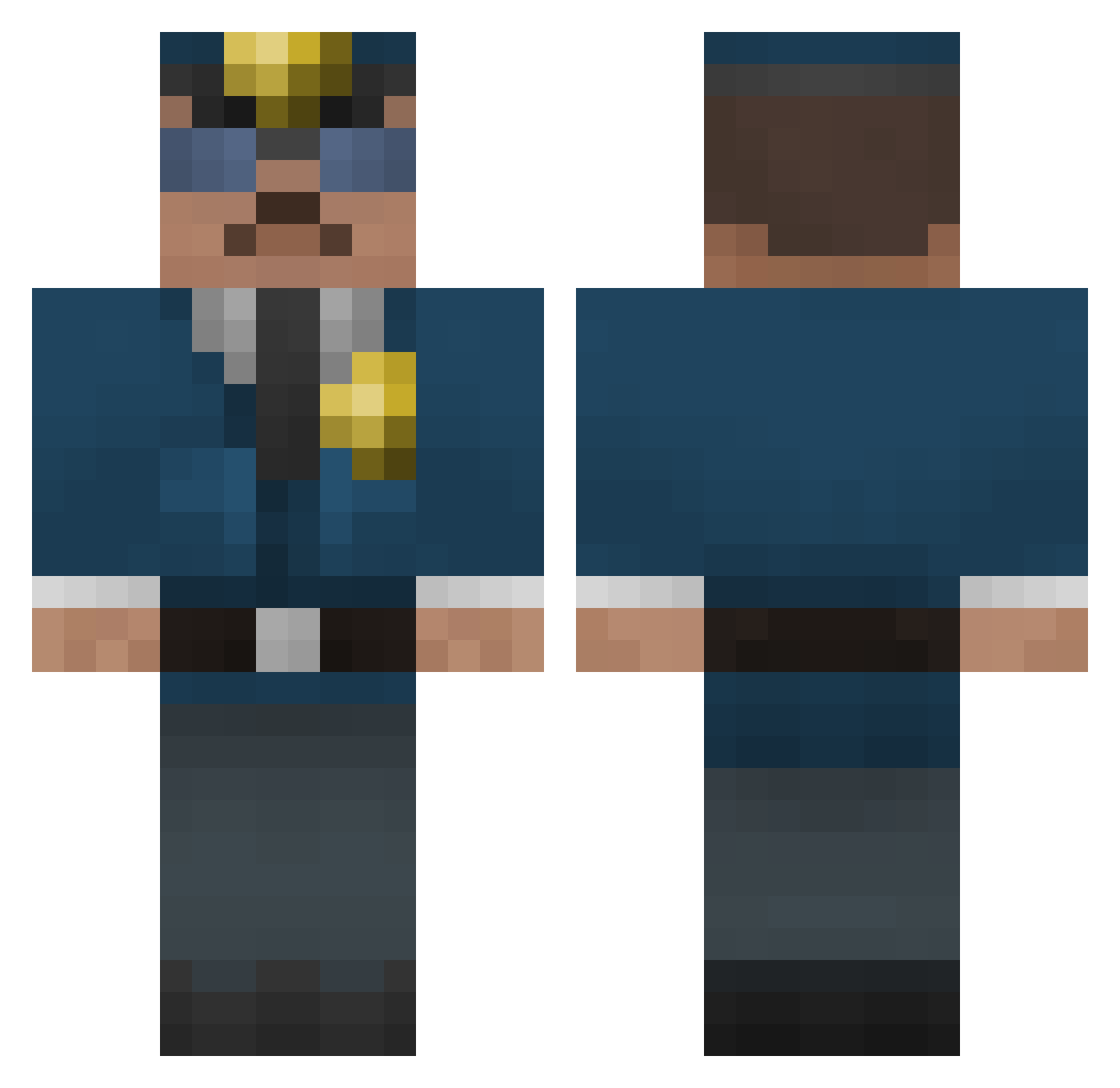
Current Minecraft skin of the player hornet15, loaded from the official Mojang API. Rotate the 3D model with your mouse or finger, then download the skin as a PNG file and use it in Minecraft: Bedrock Edition or Java Edition for free. When hornet15 changes their skin, this page updates automatically and the old skin stays in the history below.
Other players with this skin (287)
hornet15 was the 268th player we have seen with this skin, first spotted on 14.10.2026. The same skin was seen on these players. Open a nickname to see their current skin and skin history.
 flatline293 Epeli5 minimich15 Jeppss0n Jakob6255 Pac_Man02 GrapeMountain johnmomac victor12360 zxBULLETTIMExz SoNN65 ebbsk4 kalleg1234 steezyskier111 CupquakeDeath OrSGoR Gjermstad123 InfinityBow1 Bryc3 volozhanin TJBenji touxel Tiark2000 extremecars ednermanslaya12 ConcordMax GTOLSSON zetarockrock echo5oscar MinecraftMarcel2 cwp1222 TimpaaW AlexandreBar11 IntraElement xdrxdr Crocbigfan TooBadAss J_A2804 TheLastGoodCop MinecraftBack Szymon_Lis jeromebinot 290cats FBI_Stevo minecraftdad715 pnjjjjj Lawman1820 JustBearReloaded Desperado_Arno Hombreverdee seanbrowning Bibiline Kahvipapu typical12 DiamondBrizz Boogs21 Jayden13 AmazingStrong Prelian123 _Rik_2004_
More Cop Minecraft skins
How to install the hornet15 skin
- Press the Download button above to save the skin as a PNG file.
- Minecraft: Bedrock Edition (PE): open the Dressing Room from the main menu (or tap your character → Edit Character), go to Classic Skins → Owned, press the + (new skin) button, choose the downloaded PNG and pick the Classic (Steve) model. Works on PC and mobile; consoles cannot import custom skins.
- Minecraft: Java Edition: open the Minecraft Launcher, go to the Skins tab, click New Skin, load the PNG, pick the Classic (Steve) model and press Save & Use. You can also upload it at minecraft.net → Profile → Change Skin.
The skin does not show up after import - what should I do?
Restart Minecraft and open the Dressing Room again - imported skins sometimes appear only after a restart. Also make sure you selected the imported skin and picked the Classic (Steve) model.
Which model should I choose, Classic or Slim?
This skin is designed for the Classic (Steve) model. If you pick the wrong model, the arms of the skin will look stretched or squeezed.
Is the skin of hornet15 free to download?
Yes. Press Download, save the PNG file and use it in Minecraft: Bedrock Edition or Java Edition - no payment or registration needed. The skin also works on multiplayer servers and Realms.
More skins
Looking for more? Go back to all Minecraft skins and check the top skins of the week, month and all time, or find any player's skin by nickname.