
holubicebila - Minecraft Skins & Skin History
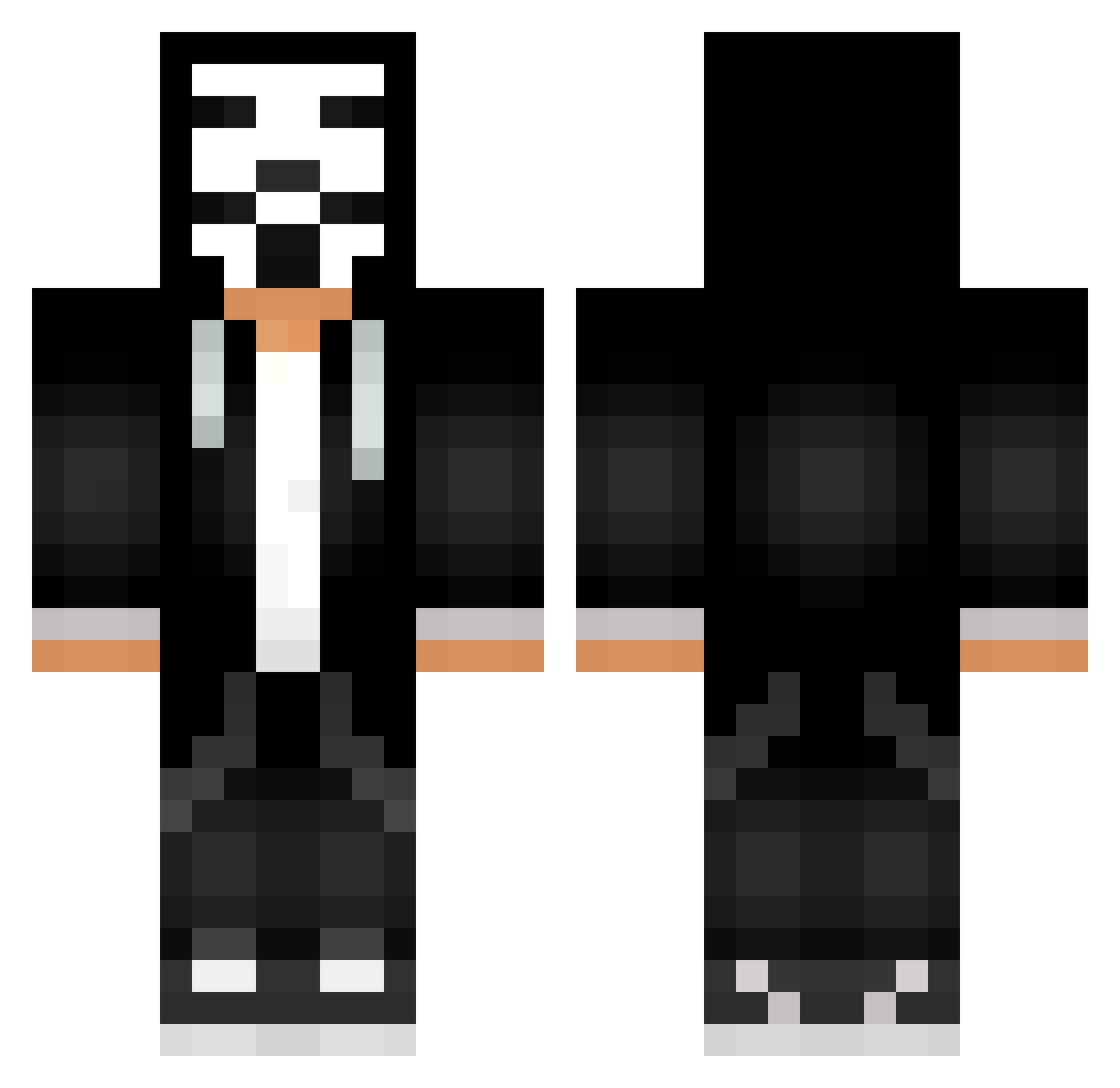
Current Minecraft skin of the player holubicebila, loaded from the official Mojang API. Rotate the 3D model with your mouse or finger, then download the skin as a PNG file and use it in Minecraft: Bedrock Edition or Java Edition for free. When holubicebila changes their skin, this page updates automatically and the old skin stays in the history below.
Other players with this skin (685)
holubicebila was the 528th player we have seen with this skin, first spotted on 19.10.2026. The same skin was seen on these players. Open a nickname to see their current skin and skin history.
 SASHABANDITY leon211015 bogohul Sir_Hacker_here dedel_56 Hacker_Denis PaulinhoSVV Notch101 TeshunXD Mikkieyolo Drache8547 TrajHard CarcassGnawer Timoxa230804 Jibrilos Bieluszek zzzlipes2 SnipeRusher Dn4k07 Stergos1 Dieegonnzalez D1GACUU artun072 Anton190408 DOKTOR_EMIRHAN MotorcuAdam Pastas_BoxouS ItsAlvinDK Noni220 KOT_778 batore4i20 BielzinhoCraft1 RZV11 Zackou44 CactusTech RodneyNextDoor DrowsyWRLD TOWizend DemianJax CaioAlcantara gotuhtop1 JorginhoGamePrey teteu12344 KawaT322678 djyuhan Stanc10 maarques Cruizcredopa Nagfin TYSkywalker0307 Ghosed Jxkee123 Victor_Drawn xChildofBodomx lootsik MiningMarine ProJect_MeGa leoxo31 vo0ov777 Shmiga_
More Anonymous Minecraft skins
How to install the holubicebila skin
- Press the Download button above to save the skin as a PNG file.
- Minecraft: Bedrock Edition (PE): open the Dressing Room from the main menu (or tap your character → Edit Character), go to Classic Skins → Owned, press the + (new skin) button, choose the downloaded PNG and pick the Classic (Steve) model. Works on PC and mobile; consoles cannot import custom skins.
- Minecraft: Java Edition: open the Minecraft Launcher, go to the Skins tab, click New Skin, load the PNG, pick the Classic (Steve) model and press Save & Use. You can also upload it at minecraft.net → Profile → Change Skin.
The skin does not show up after import - what should I do?
Restart Minecraft and open the Dressing Room again - imported skins sometimes appear only after a restart. Also make sure you selected the imported skin and picked the Classic (Steve) model.
Which model should I choose, Classic or Slim?
This skin is designed for the Classic (Steve) model. If you pick the wrong model, the arms of the skin will look stretched or squeezed.
Is the skin of holubicebila free to download?
Yes. Press Download, save the PNG file and use it in Minecraft: Bedrock Edition or Java Edition - no payment or registration needed. The skin also works on multiplayer servers and Realms.
More skins
Looking for more? Go back to all Minecraft skins and check the top skins of the week, month and all time, or find any player's skin by nickname.