
hodaQ8 - Minecraft Skins & Skin History
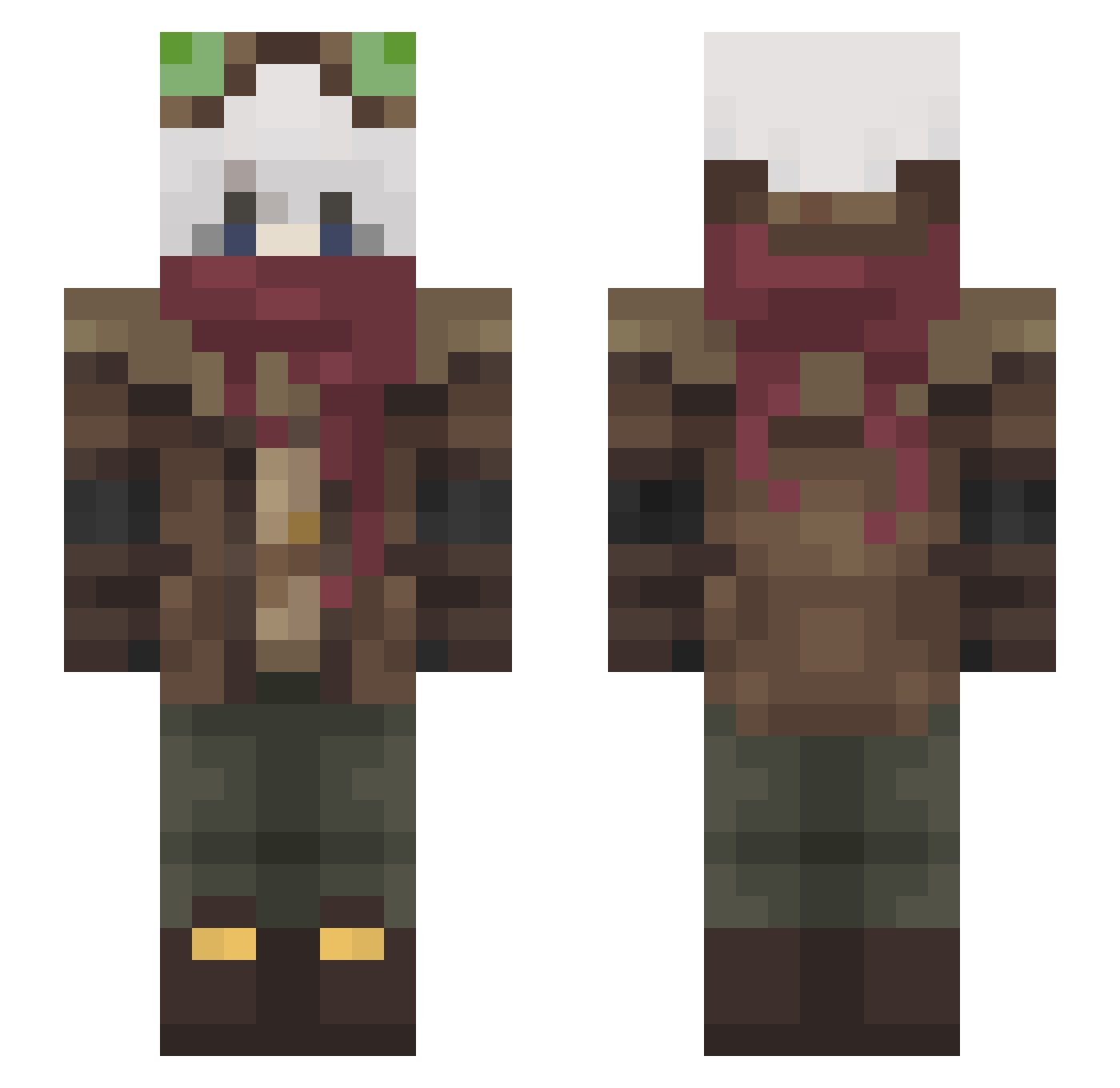
Current Minecraft skin of the player hodaQ8, loaded from the official Mojang API. Rotate the 3D model with your mouse or finger, then download the skin as a PNG file and use it in Minecraft: Bedrock Edition or Java Edition for free. When hodaQ8 changes their skin, this page updates automatically and the old skin stays in the history below.
Other players with this skin (465)
hodaQ8 was the 284th player we have seen with this skin, first spotted on 29.09.2026. The same skin was seen on these players. Open a nickname to see their current skin and skin history.
 Vernul_nal Xiritos11 TROPADOPAUMEDIO Vinquish LoPo_56 SoulxYash TannyZx Sguleng Poizniv He3E FoxHiashi Choco176 CrazyOli8 willox37 sunworks MoonyNZ Niktiras 1doki1 LaynZeru madloki3 megalobo21 F4RK4 haunting_pluto Ellesekid PoupouOni Idayoski Bushuu Battlefield_Ace Kayumanis DedDragon700 xjaa runlinbaobao Slingreen Chromon Armor_Bro xRin8 CErySoly onurtnka ArshzZ sshrimp_house BloodyHoundy Tricksterish Shinichi404 CKbrother kumamonnie Ninya_00 XTheHotCakeX Emeku100 ToxicSnobler Kenyakatt CiberDemon13 Szheeee kotatsunekoPC athagero SpicyBoi_ll lNOKl RagenLee Jari_Bou ForgotMomoNova DsGordox
More Pilot Minecraft skins
How to install the hodaQ8 skin
- Press the Download button above to save the skin as a PNG file.
- Minecraft: Bedrock Edition (PE): open the Dressing Room from the main menu (or tap your character → Edit Character), go to Classic Skins → Owned, press the + (new skin) button, choose the downloaded PNG and pick the Slim (Alex) model. Works on PC and mobile; consoles cannot import custom skins.
- Minecraft: Java Edition: open the Minecraft Launcher, go to the Skins tab, click New Skin, load the PNG, pick the Slim (Alex) model and press Save & Use. You can also upload it at minecraft.net → Profile → Change Skin.
The skin does not show up after import - what should I do?
Restart Minecraft and open the Dressing Room again - imported skins sometimes appear only after a restart. Also make sure you selected the imported skin and picked the Slim (Alex) model.
Which model should I choose, Classic or Slim?
This skin is designed for the Slim (Alex) model. If you pick the wrong model, the arms of the skin will look stretched or squeezed.
Is the skin of hodaQ8 free to download?
Yes. Press Download, save the PNG file and use it in Minecraft: Bedrock Edition or Java Edition - no payment or registration needed. The skin also works on multiplayer servers and Realms.
More skins
Looking for more? Go back to all Minecraft skins and check the top skins of the week, month and all time, or find any player's skin by nickname.