
ho000 - Minecraft Skins & Skin History
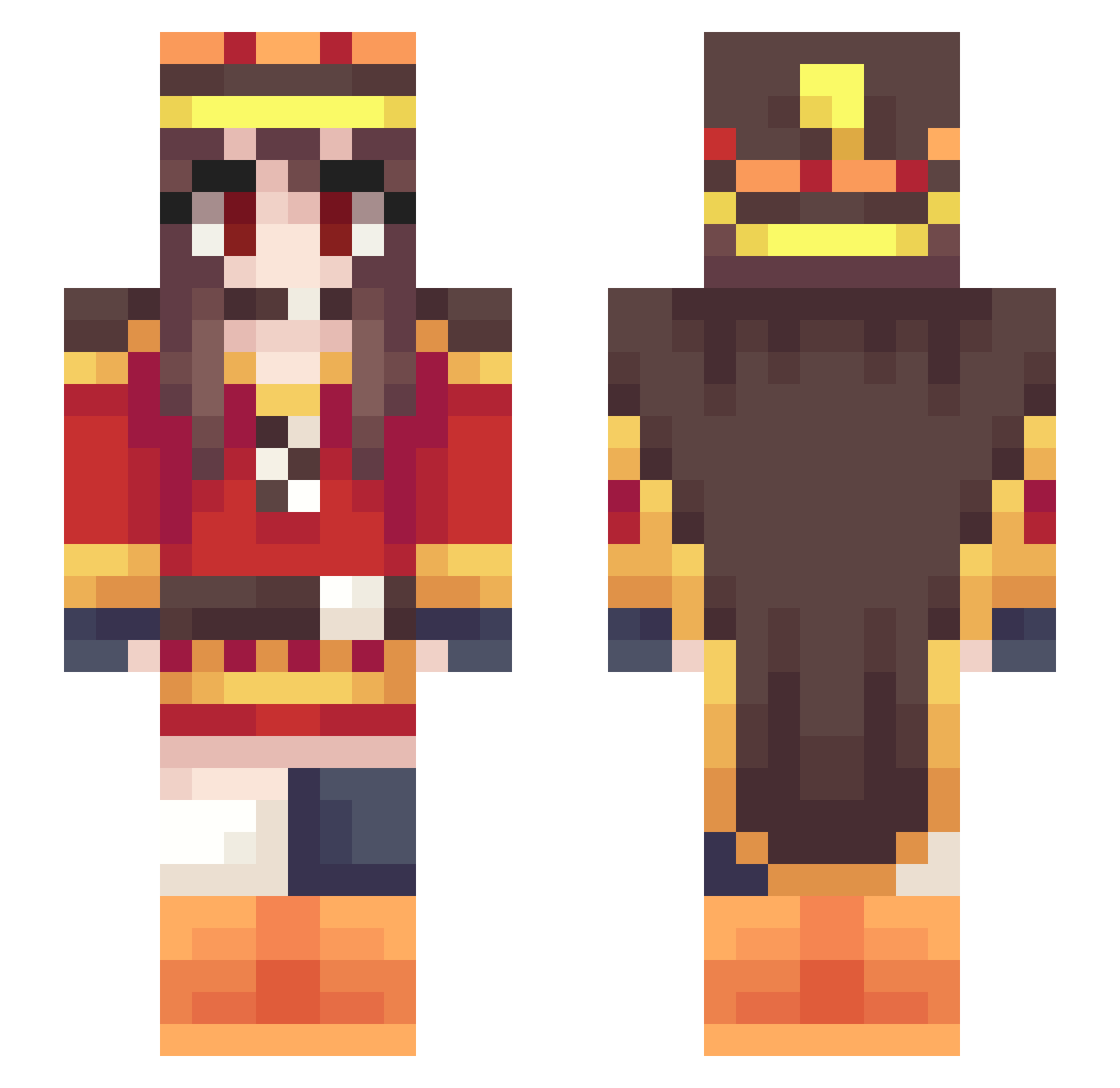
Current Minecraft skin of the player ho000, loaded from the official Mojang API. Rotate the 3D model with your mouse or finger, then download the skin as a PNG file and use it in Minecraft: Bedrock Edition or Java Edition for free. When ho000 changes their skin, this page updates automatically and the old skin stays in the history below.
Other players with this skin (305)
ho000 was the 78th player we have seen with this skin, first spotted on 20.08.2026. The same skin was seen on these players. Open a nickname to see their current skin and skin history.
 naimao Dayum_Daniel COdyS1mpsDream_ shlart senior0302 KUR0SAK1SHUN daryl11 RyujiSenpai _Iuso_ Megumin2002 Marcel_HS haresiba insidiousmaya 151621 Ahror BaBaBOY0 mokemoke321 SCIILiberty pinpin212 zhesiang DOAdacha ChrisLiuQQ SH_Hanron Cheng_Xia_o7 Ziiomaa Dasamich NerdarAlabast VacuityVeil Inabasan siroune ___L1X Yario0602 kuroro39 lchml Bechrisslol srungs Saisakii WarHanser meiDsan raina1228 IsabellaVVC System_Error_405 KYniiru TTK_Hamu Dream_net SORATAAAAA sohai051223 Dam0n1 Burstlimit Thenei AdonaiFTW Torhue coolmouse919 noah_23ck OtakuBobo_0401 wangzaai HyS4r lilmonix5 ugechan121 Ryoyaxuan
More Royalty Minecraft skins
How to install the ho000 skin
- Press the Download button above to save the skin as a PNG file.
- Minecraft: Bedrock Edition (PE): open the Dressing Room from the main menu (or tap your character → Edit Character), go to Classic Skins → Owned, press the + (new skin) button, choose the downloaded PNG and pick the Slim (Alex) model. Works on PC and mobile; consoles cannot import custom skins.
- Minecraft: Java Edition: open the Minecraft Launcher, go to the Skins tab, click New Skin, load the PNG, pick the Slim (Alex) model and press Save & Use. You can also upload it at minecraft.net → Profile → Change Skin.
The skin does not show up after import - what should I do?
Restart Minecraft and open the Dressing Room again - imported skins sometimes appear only after a restart. Also make sure you selected the imported skin and picked the Slim (Alex) model.
Which model should I choose, Classic or Slim?
This skin is designed for the Slim (Alex) model. If you pick the wrong model, the arms of the skin will look stretched or squeezed.
Is the skin of ho000 free to download?
Yes. Press Download, save the PNG file and use it in Minecraft: Bedrock Edition or Java Edition - no payment or registration needed. The skin also works on multiplayer servers and Realms.
More skins
Looking for more? Go back to all Minecraft skins and check the top skins of the week, month and all time, or find any player's skin by nickname.