
hiwnf - Minecraft Skins & Skin History
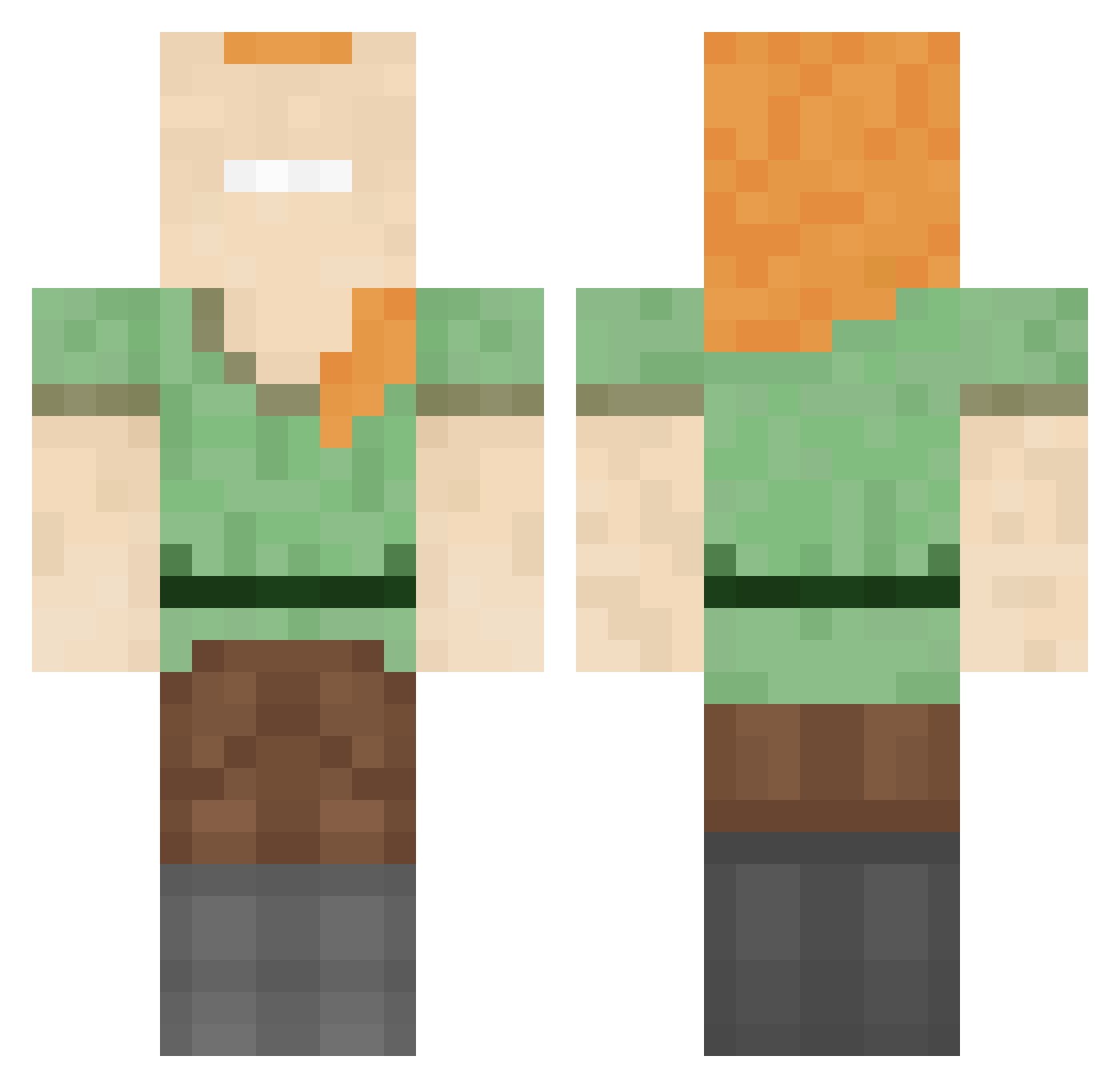
Current Minecraft skin of the player hiwnf, loaded from the official Mojang API. Rotate the 3D model with your mouse or finger, then download the skin as a PNG file and use it in Minecraft: Bedrock Edition or Java Edition for free. When hiwnf changes their skin, this page updates automatically and the old skin stays in the history below.
Other players with this skin (162)
hiwnf was the 122nd player we have seen with this skin, first spotted on 22.10.2026. The same skin was seen on these players. Open a nickname to see their current skin and skin history.
 megadestruidor25 REALBOBINATOR ItchyFly Saoirse831 Ralf0354 RodrigoChad67 WirklichSpitze Riyto_8 Pabs420 jesuisunedeesse PrincessKim33 _hschl SwagYeet thexpdf dicwithnoballs mattgamm CAPTkatski knguyen31 bkDiamondHusky LaFougere00 strontklontje TikkiTiki cogus0125 GOeasySTRIKAH Periodontitis ChxyBoi vikmyn Lucky876 BuzzyyWuzzy KanYeEastssss koral200820 TNTDerek Steely994 Analoq 0hKarczeq HardGame2001 29koko03 nasubou4 KARASIZAMURAI Par0wUz SantiJesus19 kaiossa7 luhkoz Happydude1700 Just_Build_Lol Orochi_Doppo PizzaOfDoom123 pooh_0822 Ingtita Mistetch Enoking0909 bigwillyhaver46 mayueno scornedbythenine RogerBoule Glimmer_16 The_Sin_Lord NimmEinGummi stutzkestutzke Algorhythmics
How to install the hiwnf skin
- Press the Download button above to save the skin as a PNG file.
- Minecraft: Bedrock Edition (PE): open the Dressing Room from the main menu (or tap your character → Edit Character), go to Classic Skins → Owned, press the + (new skin) button, choose the downloaded PNG and pick the Classic (Steve) model. Works on PC and mobile; consoles cannot import custom skins.
- Minecraft: Java Edition: open the Minecraft Launcher, go to the Skins tab, click New Skin, load the PNG, pick the Classic (Steve) model and press Save & Use. You can also upload it at minecraft.net → Profile → Change Skin.
The skin does not show up after import - what should I do?
Restart Minecraft and open the Dressing Room again - imported skins sometimes appear only after a restart. Also make sure you selected the imported skin and picked the Classic (Steve) model.
Which model should I choose, Classic or Slim?
This skin is designed for the Classic (Steve) model. If you pick the wrong model, the arms of the skin will look stretched or squeezed.
Is the skin of hiwnf free to download?
Yes. Press Download, save the PNG file and use it in Minecraft: Bedrock Edition or Java Edition - no payment or registration needed. The skin also works on multiplayer servers and Realms.
More skins
Looking for more? Go back to all Minecraft skins and check the top skins of the week, month and all time, or find any player's skin by nickname.