
hiak - Minecraft Skins & Skin History
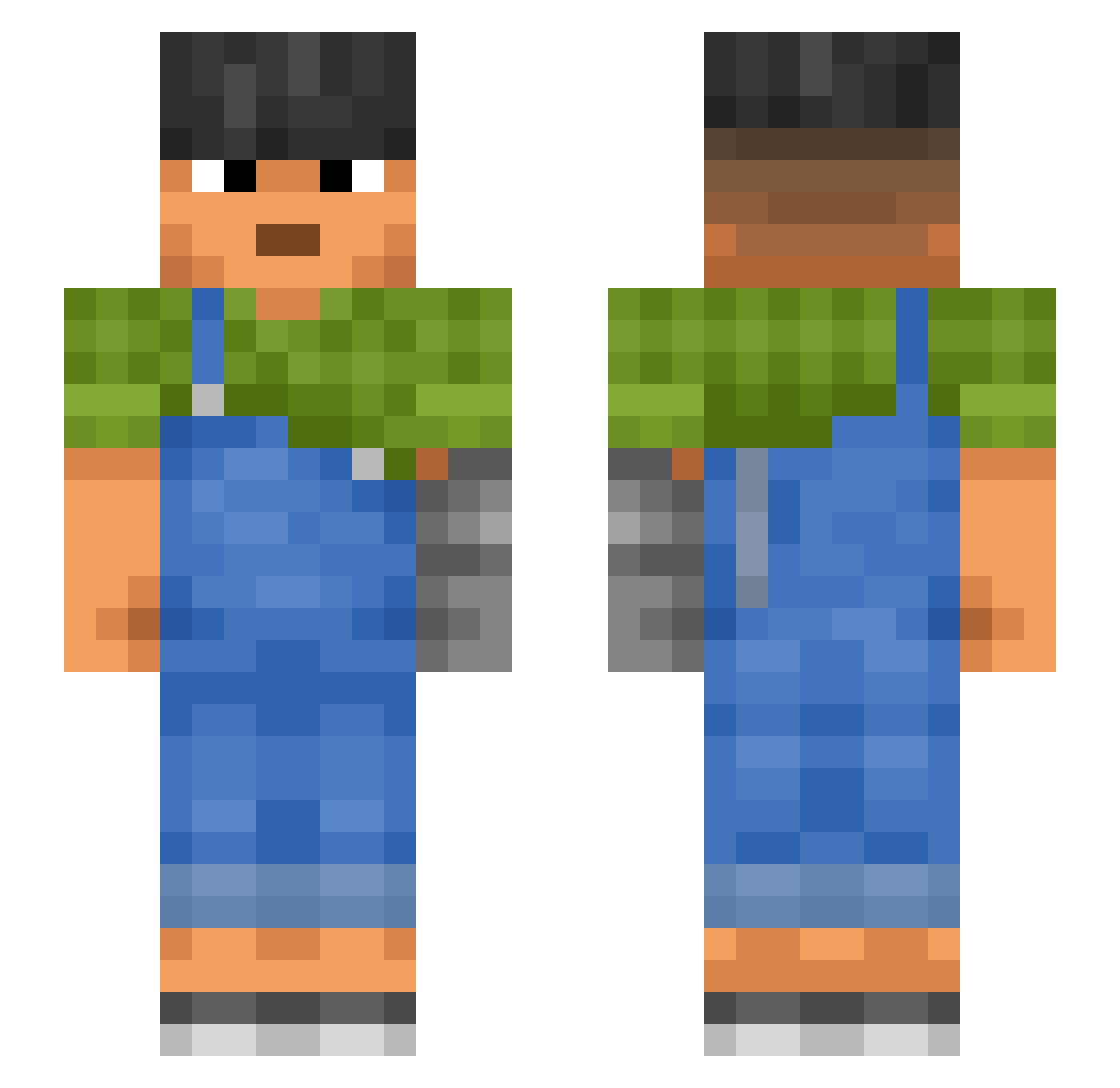
Current Minecraft skin of the player hiak, loaded from the official Mojang API. Rotate the 3D model with your mouse or finger, then download the skin as a PNG file and use it in Minecraft: Bedrock Edition or Java Edition for free. When hiak changes their skin, this page updates automatically and the old skin stays in the history below.
Other players with this skin (1187)
hiak was the 1132nd player we have seen with this skin, first spotted on 16.11.2026. The same skin was seen on these players. Open a nickname to see their current skin and skin history.
 Proggers DCHoff Triumf frenillo69 grandads omasa Albo8288 CinTer Confectionery Traviss TeutoManiac PuxaMarzee Markdown iterate Autisti_ Tanishth YOOOOOOOON DoxCarik Forstaken_cheese wardrober CntSwm instinctful IMeGaI Infesting invaiiN iamdhf Hector_Chuky san4ou7 Resuscitator KEIND_YT228 Synthesizer jhott11 bratthemaster iiiiilllllii drain WishNess lurksz justin22610_7422 rustyback trephine Christo51 TurboLugnut downstate Zissantrix LeoDuck2012 Hype_Fusion s1mba DENOMINATION svobodmen hielamon tilings d1mpq F3ROMON45 Becomingly Dimedone rizzlergodxd Satyrid demonisms The_lil_Floete harvard
More Prosthetic Arm Minecraft skins
See all 84 Prosthetic Arm skins
How to install the hiak skin
- Press the Download button above to save the skin as a PNG file.
- Minecraft: Bedrock Edition (PE): open the Dressing Room from the main menu (or tap your character → Edit Character), go to Classic Skins → Owned, press the + (new skin) button, choose the downloaded PNG and pick the Slim (Alex) model. Works on PC and mobile; consoles cannot import custom skins.
- Minecraft: Java Edition: open the Minecraft Launcher, go to the Skins tab, click New Skin, load the PNG, pick the Slim (Alex) model and press Save & Use. You can also upload it at minecraft.net → Profile → Change Skin.
The skin does not show up after import - what should I do?
Restart Minecraft and open the Dressing Room again - imported skins sometimes appear only after a restart. Also make sure you selected the imported skin and picked the Slim (Alex) model.
Which model should I choose, Classic or Slim?
This skin is designed for the Slim (Alex) model. If you pick the wrong model, the arms of the skin will look stretched or squeezed.
Is the skin of hiak free to download?
Yes. Press Download, save the PNG file and use it in Minecraft: Bedrock Edition or Java Edition - no payment or registration needed. The skin also works on multiplayer servers and Realms.
More skins
Looking for more? Go back to all Minecraft skins and check the top skins of the week, month and all time, or find any player's skin by nickname.