
hhazards99 - Minecraft Skins & Skin History
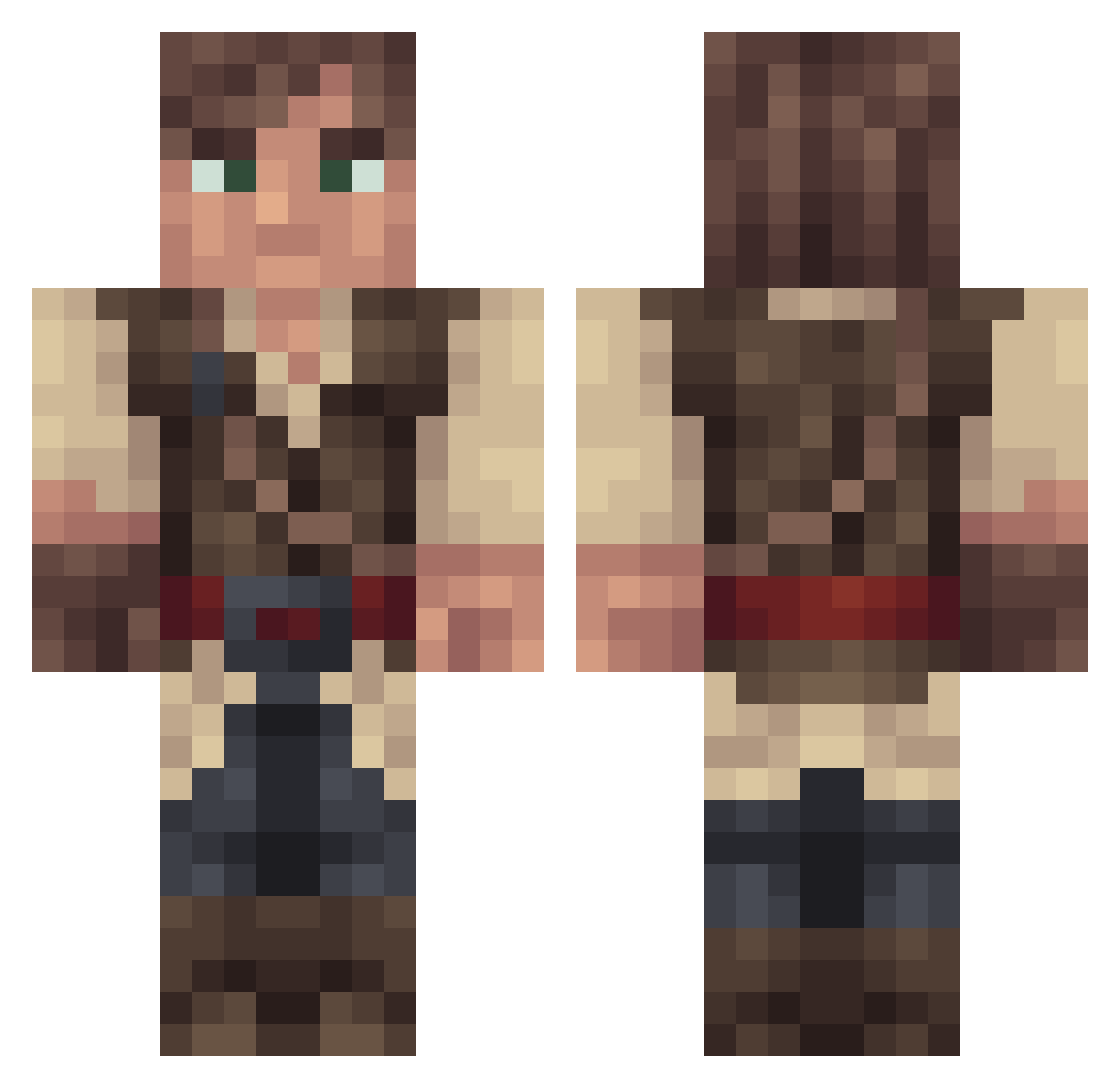
Current Minecraft skin of the player hhazards99, loaded from the official Mojang API. Rotate the 3D model with your mouse or finger, then download the skin as a PNG file and use it in Minecraft: Bedrock Edition or Java Edition for free. When hhazards99 changes their skin, this page updates automatically and the old skin stays in the history below.
Other players with this skin (317)
hhazards99 was the 53rd player we have seen with this skin, first spotted on 15.08.2026. The same skin was seen on these players. Open a nickname to see their current skin and skin history.
 Lambda_Code trkvas cyanskunk9 Time_to_Bleed darthboer jaypasricha Rulo770 Bluedolphin264 SIR_SNOWMAN39 DRschnaps2 Erdan_Grejmar TimIrwing coffee_salad Nephalian frozeneyeballrg8 Eradrag0n TheBeast4052 BigTings74 SilentStreamer Daggerlas AyTeej J3rmb0b Mr__EggMan bluezappy22 Szuszi742 Muv__ Jakgor dunder58 Smiz Jonesy1022 silwesterabram Splatt4 tUrnpinP 00Rick_Deckard00 Hakuon genghisknom IcyFlurry Smoofty Herryn BrianM8685 MeaCulpa_96 timethatswasted ShanghaiTurtle DerGeilePeter TheDualPitolas Draoth93 MarlowVoid Assasinshock Mr_Mellon10 jokazoku RyanGiddy maddininja W4RxCHILD Rampheus Hognic PrecedentWig53 Sam724 RoyalAssassian Leo_Super MontyPySlugs
More Nathan Drake Minecraft skins
See all 115 Nathan Drake skins
How to install the hhazards99 skin
- Press the Download button above to save the skin as a PNG file.
- Minecraft: Bedrock Edition (PE): open the Dressing Room from the main menu (or tap your character → Edit Character), go to Classic Skins → Owned, press the + (new skin) button, choose the downloaded PNG and pick the Classic (Steve) model. Works on PC and mobile; consoles cannot import custom skins.
- Minecraft: Java Edition: open the Minecraft Launcher, go to the Skins tab, click New Skin, load the PNG, pick the Classic (Steve) model and press Save & Use. You can also upload it at minecraft.net → Profile → Change Skin.
The skin does not show up after import - what should I do?
Restart Minecraft and open the Dressing Room again - imported skins sometimes appear only after a restart. Also make sure you selected the imported skin and picked the Classic (Steve) model.
Which model should I choose, Classic or Slim?
This skin is designed for the Classic (Steve) model. If you pick the wrong model, the arms of the skin will look stretched or squeezed.
Is the skin of hhazards99 free to download?
Yes. Press Download, save the PNG file and use it in Minecraft: Bedrock Edition or Java Edition - no payment or registration needed. The skin also works on multiplayer servers and Realms.
More skins
Looking for more? Go back to all Minecraft skins and check the top skins of the week, month and all time, or find any player's skin by nickname.