
hexandwhy - Minecraft Skins & Skin History
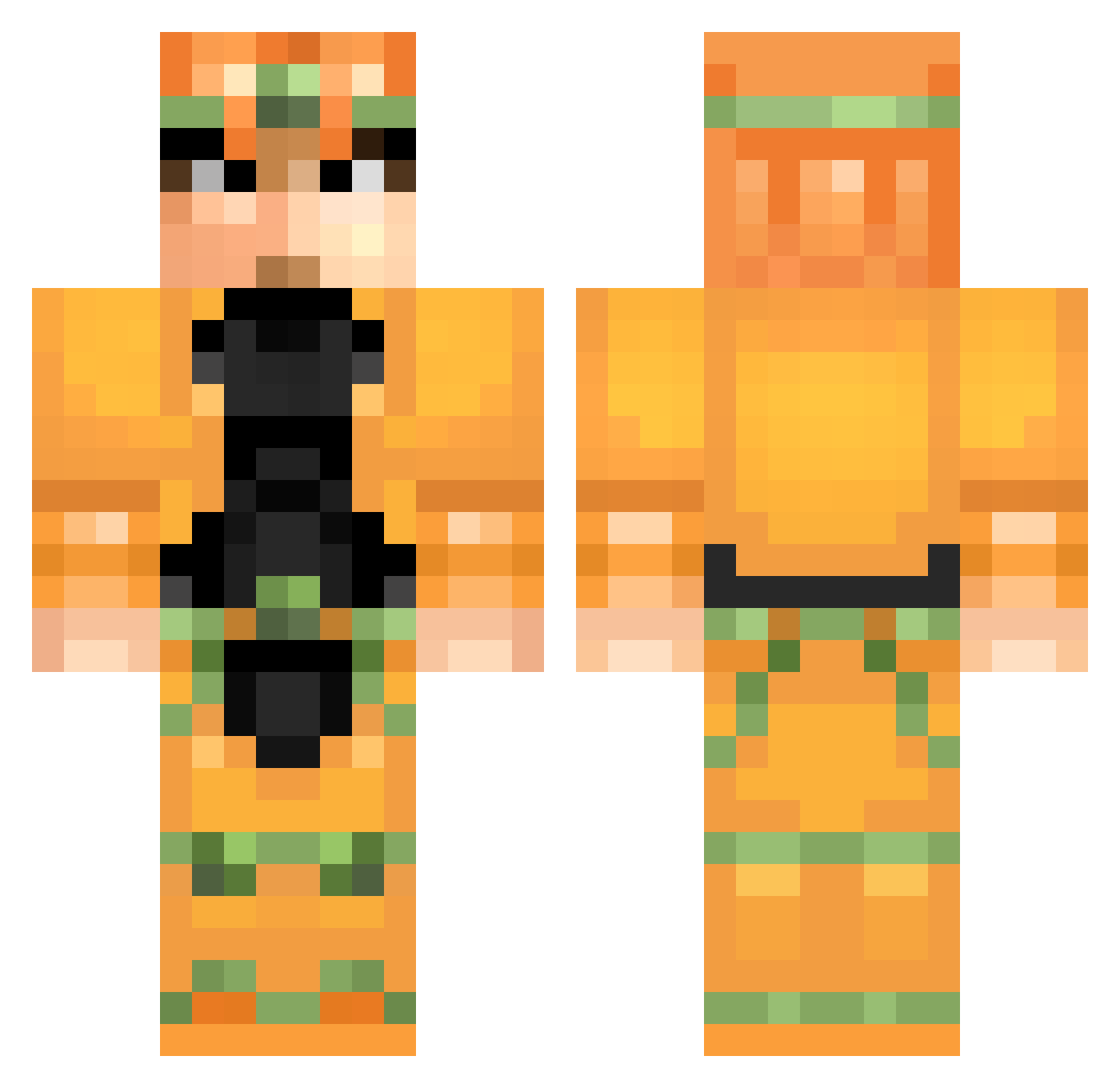
Current Minecraft skin of the player hexandwhy, loaded from the official Mojang API. Rotate the 3D model with your mouse or finger, then download the skin as a PNG file and use it in Minecraft: Bedrock Edition or Java Edition for free. When hexandwhy changes their skin, this page updates automatically and the old skin stays in the history below.
Other players with this skin (109)
hexandwhy was the 39th player we have seen with this skin, first spotted on 24.08.2026. The same skin was seen on these players. Open a nickname to see their current skin and skin history.
 Bamboot NeutralHomer DismalPanda evev13 TinyPineappl Gladios69 Marrs SuperKaibaMan Turpenstein Xerdawn Pengles AetherCloud ManiacalManiac_ DPKane10 CptPonche TheMorteRossa JoJoStar0210 Kqnzai Bobby76352 WRYYYYYYYYYYYYYY DioBrandoChan CondemneDio SunnySenor Bison_The_Third SnipedXD4321 NIS_boiler_chief Skullkst kyophone Jutsei travisWh kasugoh theworld0376 DQC_CoraZon Supahhappy silverneo666 mahow12 Bonecrusher9500 Filip4gaming Kagi105 vidyadawg TheKVirus Kaiuc Girafoloide miner0598 Viscereus TheGigoslav Bokuisreal varkgames_YT Dio_Brando MegaDji DioBrando_Sama luluchti Fr1end Mynamajeffxd NeroEnigma GrayKuma Fulbaster cischo IvanTheSomething kgoyo
More Dio Brando Minecraft skins
How to install the hexandwhy skin
- Press the Download button above to save the skin as a PNG file.
- Minecraft: Bedrock Edition (PE): open the Dressing Room from the main menu (or tap your character → Edit Character), go to Classic Skins → Owned, press the + (new skin) button, choose the downloaded PNG and pick the Classic (Steve) model. Works on PC and mobile; consoles cannot import custom skins.
- Minecraft: Java Edition: open the Minecraft Launcher, go to the Skins tab, click New Skin, load the PNG, pick the Classic (Steve) model and press Save & Use. You can also upload it at minecraft.net → Profile → Change Skin.
The skin does not show up after import - what should I do?
Restart Minecraft and open the Dressing Room again - imported skins sometimes appear only after a restart. Also make sure you selected the imported skin and picked the Classic (Steve) model.
Which model should I choose, Classic or Slim?
This skin is designed for the Classic (Steve) model. If you pick the wrong model, the arms of the skin will look stretched or squeezed.
Is the skin of hexandwhy free to download?
Yes. Press Download, save the PNG file and use it in Minecraft: Bedrock Edition or Java Edition - no payment or registration needed. The skin also works on multiplayer servers and Realms.
More skins
Looking for more? Go back to all Minecraft skins and check the top skins of the week, month and all time, or find any player's skin by nickname.