
herman011 - Minecraft Skins & Skin History
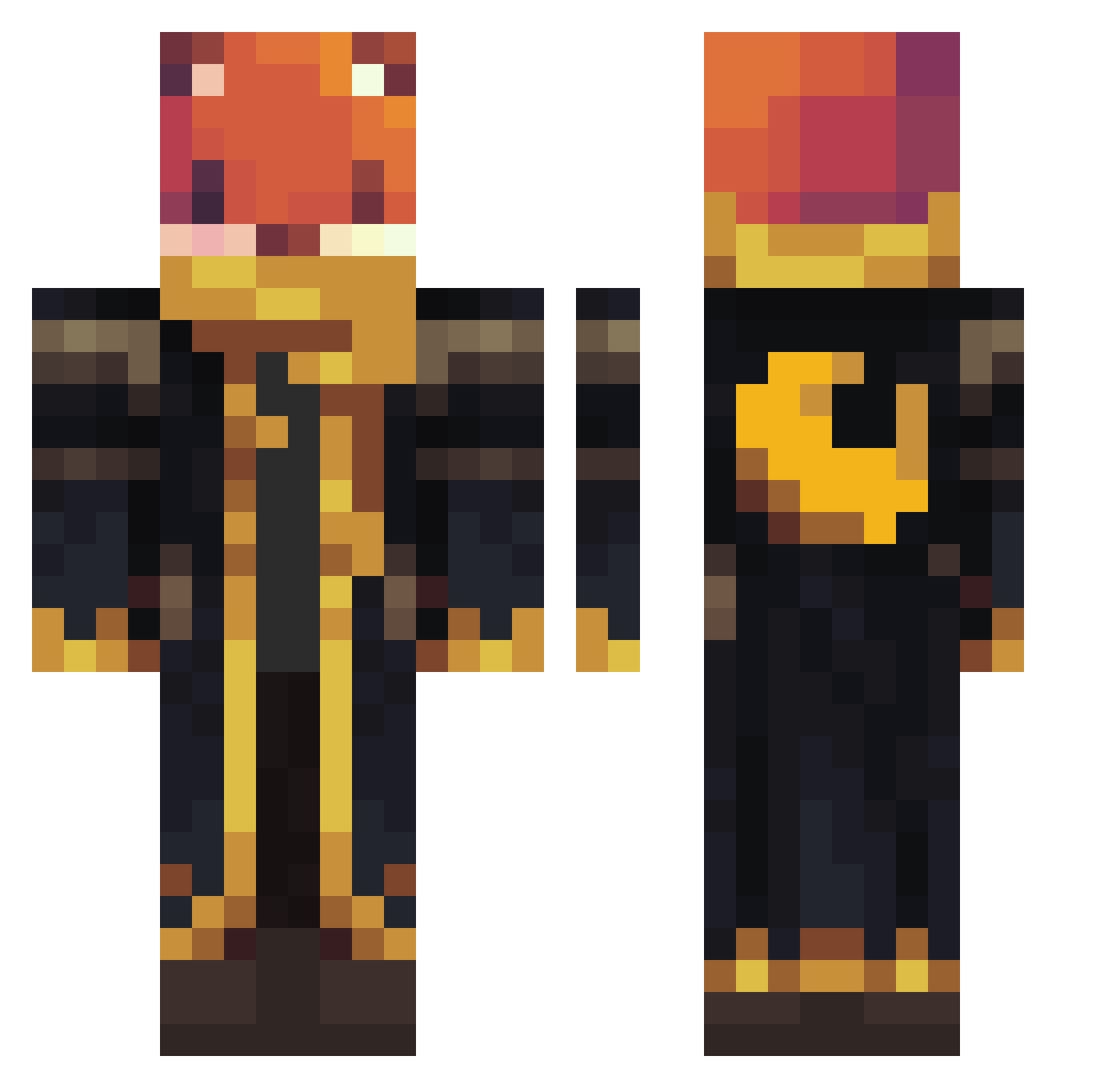
Current Minecraft skin of the player herman011, loaded from the official Mojang API. Rotate the 3D model with your mouse or finger, then download the skin as a PNG file and use it in Minecraft: Bedrock Edition or Java Edition for free. When herman011 changes their skin, this page updates automatically and the old skin stays in the history below.
Other players with this skin (907)
herman011 was the 375th player we have seen with this skin, first spotted on 30.08.2026. The same skin was seen on these players. Open a nickname to see their current skin and skin history.
 Arm11nd27
 _PurpleMaster_ Domono21 12345qu Moggado_gg EarthStorm84242 romulobarrospi poisonxxkiwi Formless2015 HaramHeisenberg Schnabeltier890 Treefrags ffoeg5 exec567
 TheTheo9 SAVEMYSOUL666 Diamanti6 ZanderPanda16 jaxonth2 Qodrox SleepyRush PapaToz93 JiggglyPuffff RIDHVIK Sheeepy__ shligg MagisterInzynier SocialPuppet Poming0687 DonVenkman G0ustaff METE_0R Wizzygirl2013 50nny01s _Jasonplayz Daisek BONGLIPIANG tuskydragon barsamgame DashBash26 OHharuO naha002
 SuperKlach
 Oliver456789123 PrezentDude
 PERSI2111 SinistreHero29
 evyatar2014 LeLichemeister robinkalb Supidupi2010 Jacen0404 Jeremskyvitch aboadon America300 Squilliam18 Kingston0330 kaileyturner66
 o3en rainerc
More Crescent Moon Minecraft skins
See all 249 Crescent Moon skins
How to install the herman011 skin
- Press the Download button above to save the skin as a PNG file.
- Minecraft: Bedrock Edition (PE): open the Dressing Room from the main menu (or tap your character → Edit Character), go to Classic Skins → Owned, press the + (new skin) button, choose the downloaded PNG and pick the Classic (Steve) model. Works on PC and mobile; consoles cannot import custom skins.
- Minecraft: Java Edition: open the Minecraft Launcher, go to the Skins tab, click New Skin, load the PNG, pick the Classic (Steve) model and press Save & Use. You can also upload it at minecraft.net → Profile → Change Skin.
The skin does not show up after import - what should I do?
Restart Minecraft and open the Dressing Room again - imported skins sometimes appear only after a restart. Also make sure you selected the imported skin and picked the Classic (Steve) model.
Which model should I choose, Classic or Slim?
This skin is designed for the Classic (Steve) model. If you pick the wrong model, the arms of the skin will look stretched or squeezed.
Is the skin of herman011 free to download?
Yes. Press Download, save the PNG file and use it in Minecraft: Bedrock Edition or Java Edition - no payment or registration needed. The skin also works on multiplayer servers and Realms.
More skins
Looking for more? Go back to all Minecraft skins and check the top skins of the week, month and all time, or find any player's skin by nickname.