
heidar95 - Minecraft Skins & Skin History
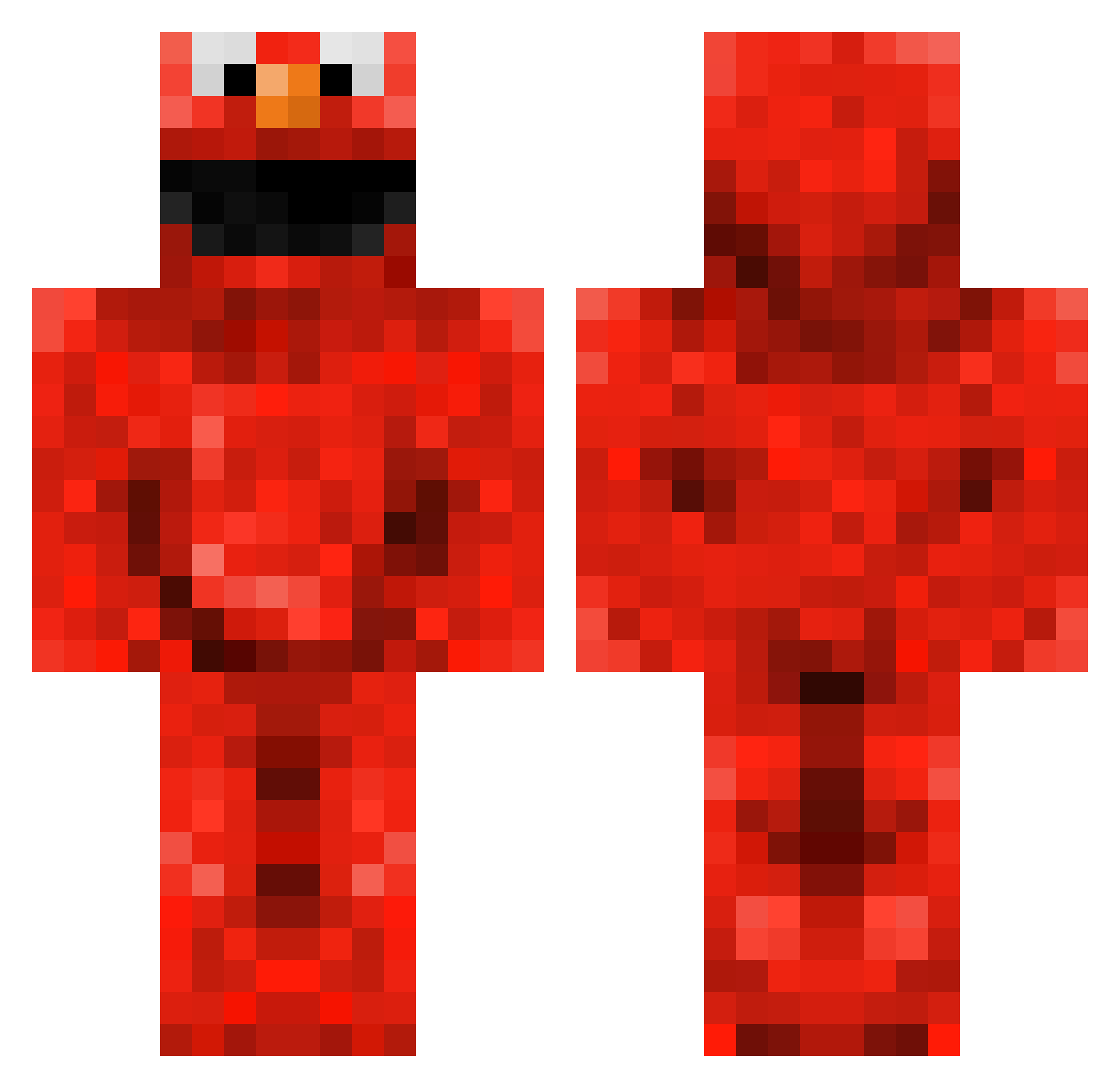
Current Minecraft skin of the player heidar95, loaded from the official Mojang API. Rotate the 3D model with your mouse or finger, then download the skin as a PNG file and use it in Minecraft: Bedrock Edition or Java Edition for free. When heidar95 changes their skin, this page updates automatically and the old skin stays in the history below.
Other players with this skin (230)
heidar95 was the 96th player we have seen with this skin, first spotted on 09.09.2026. The same skin was seen on these players. Open a nickname to see their current skin and skin history.
 Shadows0101 drewopossum HELPME3218 paprikastokje Sunshine_Hunter IngeB_ Gelf513 Garh SisiNobubbles blackoffers swatts1987 MichelZelf WIZZU_ENTERPRICE welovehenry 2112lana nullsys burritoman105 TayCay sokrates12 Firre1337 Slade1221 xEllmo NoTFaMoUsEeT monmonpruis alexcoolio2121 PCDoyle96 nahaya093 tazer_teeth xBreakk MuppetMaster42 Theelmohunter Aleexolotl Deeser danieltiger_21 simply_metz FergusDJames ISpankElmo joey_milla12 Crazydude2021 Wutif Luc1400 James5594 Ploppeter BrickShee sambrecker CadeC07 Evalaster milewski1 tommister3000 Kiwiana_aroha kyled3 cHiCkEnMaStEr4 TaraPower13 LeviOtto SniperChris6 Alexlee2010 AMaloun41 GredickHD messs m_wonink
More Elmo Minecraft skins
How to install the heidar95 skin
- Press the Download button above to save the skin as a PNG file.
- Minecraft: Bedrock Edition (PE): open the Dressing Room from the main menu (or tap your character → Edit Character), go to Classic Skins → Owned, press the + (new skin) button, choose the downloaded PNG and pick the Classic (Steve) model. Works on PC and mobile; consoles cannot import custom skins.
- Minecraft: Java Edition: open the Minecraft Launcher, go to the Skins tab, click New Skin, load the PNG, pick the Classic (Steve) model and press Save & Use. You can also upload it at minecraft.net → Profile → Change Skin.
The skin does not show up after import - what should I do?
Restart Minecraft and open the Dressing Room again - imported skins sometimes appear only after a restart. Also make sure you selected the imported skin and picked the Classic (Steve) model.
Which model should I choose, Classic or Slim?
This skin is designed for the Classic (Steve) model. If you pick the wrong model, the arms of the skin will look stretched or squeezed.
Is the skin of heidar95 free to download?
Yes. Press Download, save the PNG file and use it in Minecraft: Bedrock Edition or Java Edition - no payment or registration needed. The skin also works on multiplayer servers and Realms.
More skins
Looking for more? Go back to all Minecraft skins and check the top skins of the week, month and all time, or find any player's skin by nickname.