
hasklig - Minecraft Skins & Skin History
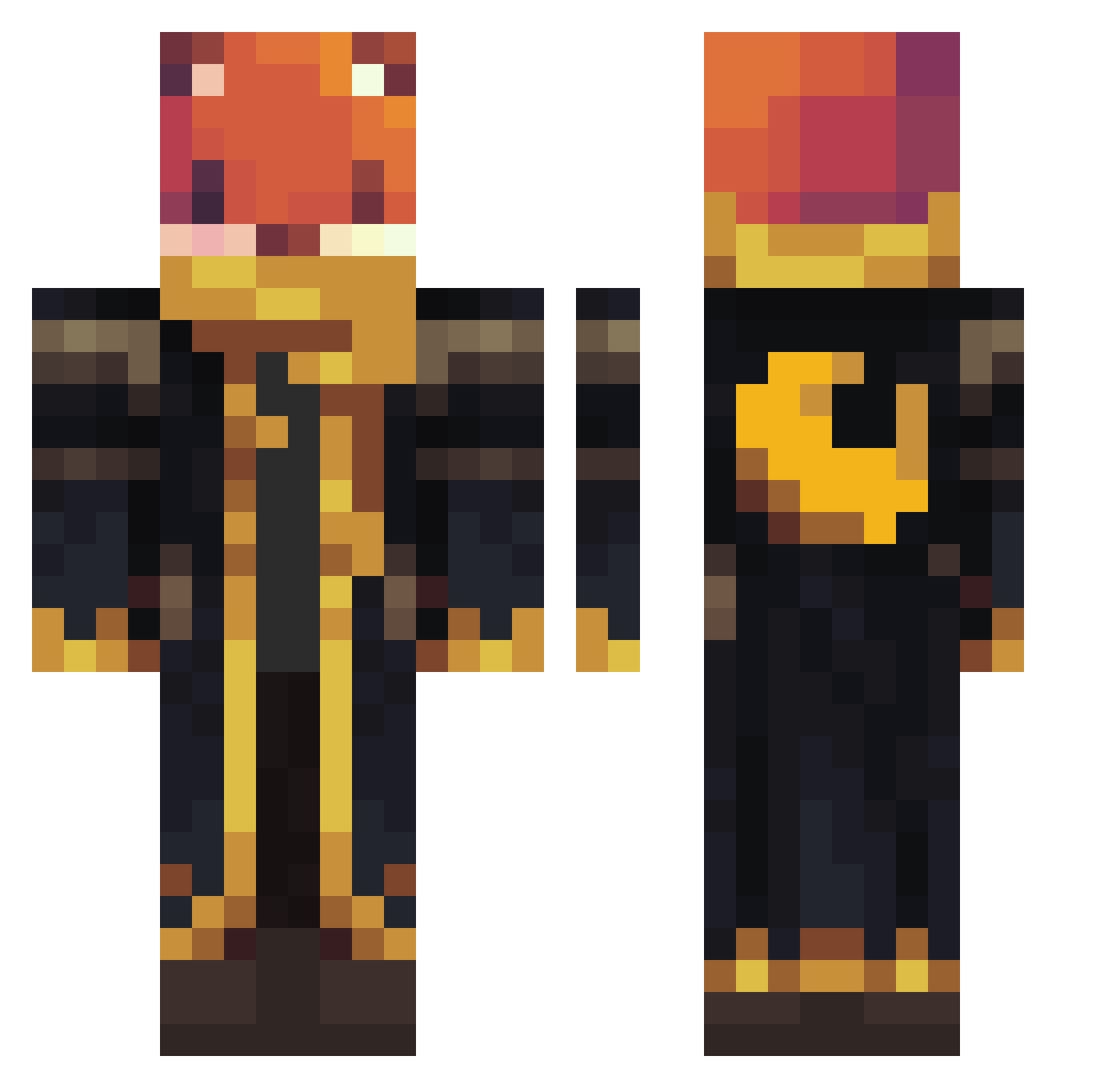
Current Minecraft skin of the player hasklig, loaded from the official Mojang API. Rotate the 3D model with your mouse or finger, then download the skin as a PNG file and use it in Minecraft: Bedrock Edition or Java Edition for free. When hasklig changes their skin, this page updates automatically and the old skin stays in the history below.
Other players with this skin (923)
hasklig was the 281st player we have seen with this skin, first spotted on 22.08.2026. The same skin was seen on these players. Open a nickname to see their current skin and skin history.
 dragondylan6770 radioshack790 Luckynolster1 mythium1 DACB01 Rodri529 przemekpro221 LANGERIM CJdaOne antonioisawsome mine_craftttt Joaqo169
 Glumanda23 orng7200
 snake_ATTACK330 SheepTickler3000 Vrikolakes MatsMiau FateBest Cabbai 1r6_Dark_wgi NoahBD123 wolfgang_1938 Dooder17 Sandolo PressLee100 darktwo2
 LOU8LOU Atsuko22 estebanmore Miloolo1206 Niktsen Snare_destroyerg SaxyFi Intin HalcyonCenturies felix9191 Xhispat Goodrygo UnKnownBreeze420 ohsnapdragon22 guizzo20111 JNikolaus stormingwither skymonster10 FoxyFyGaming08 Pizza_box4135 JF4HH Dadancraft XxBarackObamaXx1 Sejboy Zenotora suckyballz wedturtle Artistas Ririda420 Ribito1 Assassin07010 brunin230
 ___Mrpato___
More Crescent Moon Minecraft skins
See all 254 Crescent Moon skins
How to install the hasklig skin
- Press the Download button above to save the skin as a PNG file.
- Minecraft: Bedrock Edition (PE): open the Dressing Room from the main menu (or tap your character → Edit Character), go to Classic Skins → Owned, press the + (new skin) button, choose the downloaded PNG and pick the Classic (Steve) model. Works on PC and mobile; consoles cannot import custom skins.
- Minecraft: Java Edition: open the Minecraft Launcher, go to the Skins tab, click New Skin, load the PNG, pick the Classic (Steve) model and press Save & Use. You can also upload it at minecraft.net → Profile → Change Skin.
The skin does not show up after import - what should I do?
Restart Minecraft and open the Dressing Room again - imported skins sometimes appear only after a restart. Also make sure you selected the imported skin and picked the Classic (Steve) model.
Which model should I choose, Classic or Slim?
This skin is designed for the Classic (Steve) model. If you pick the wrong model, the arms of the skin will look stretched or squeezed.
Is the skin of hasklig free to download?
Yes. Press Download, save the PNG file and use it in Minecraft: Bedrock Edition or Java Edition - no payment or registration needed. The skin also works on multiplayer servers and Realms.
More skins
Looking for more? Go back to all Minecraft skins and check the top skins of the week, month and all time, or find any player's skin by nickname.