
harperoxz - Minecraft Skins & Skin History
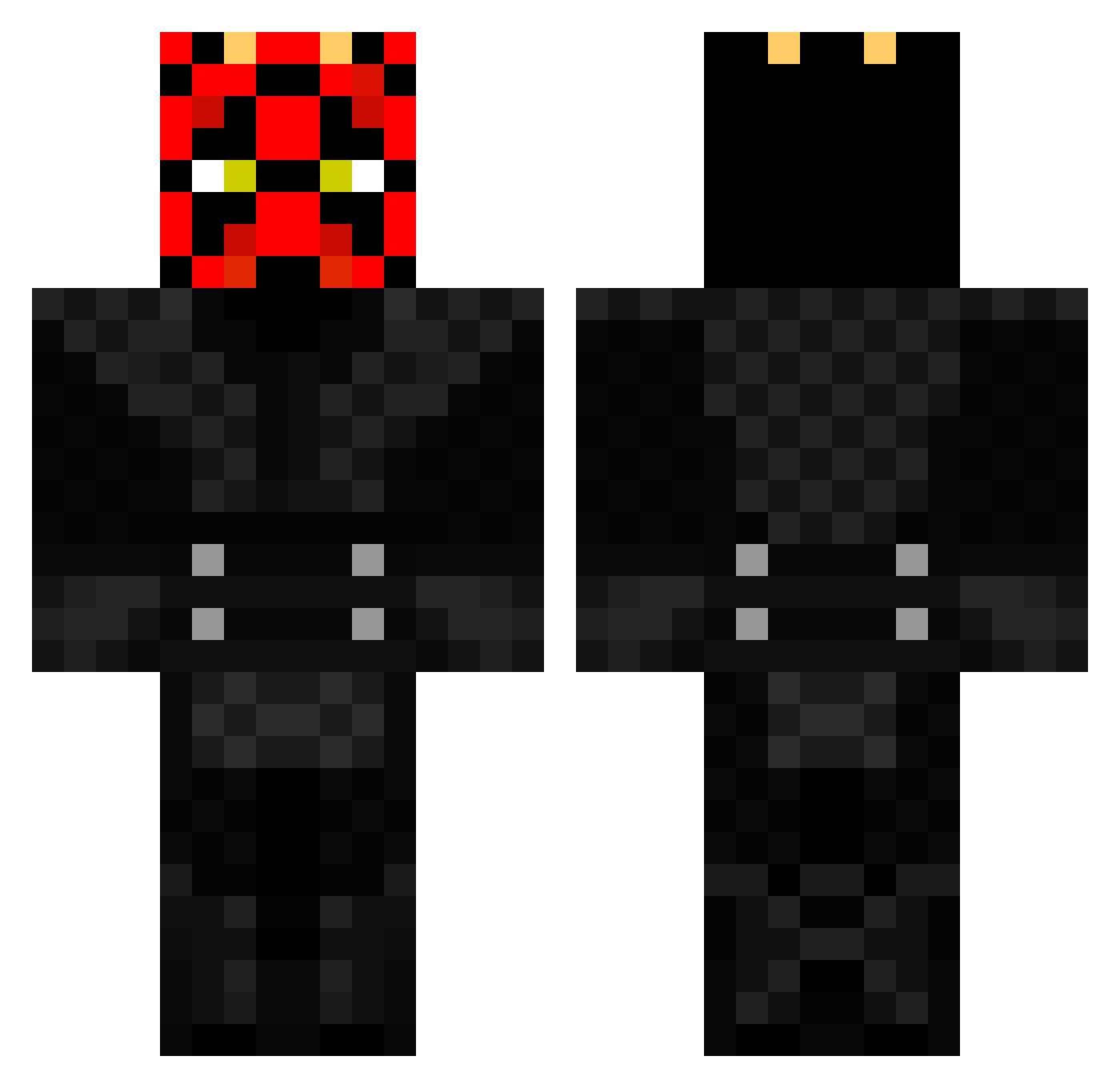
Current Minecraft skin of the player harperoxz, loaded from the official Mojang API. Rotate the 3D model with your mouse or finger, then download the skin as a PNG file and use it in Minecraft: Bedrock Edition or Java Edition for free. When harperoxz changes their skin, this page updates automatically and the old skin stays in the history below.
Other players with this skin (370)
harperoxz was the 262nd player we have seen with this skin, first spotted on 02.10.2026. The same skin was seen on these players. Open a nickname to see their current skin and skin history.
 stabbymp Petroc JimEnstrom gudwin17 JonahEph AndyOberc LuckyDuck365 ZebraCakes1234 Warpath_v1 JonasL2014 Typhoter hendi27 100Riley konnlong Xx_PvPer_MC_xX ahab3363 Timthe1st popcornman36 nathaniel1559v4 flykid140 dbryan529 darksithlord37 nils004 TheBlackShadow1 WISHIAMGAE MrRacso2007 TJWs WACKstu Sweeto94 MissLouili Irondaemon Shinji_Uchiha opp29 ISwearImWorking legoboysmall2 Fanhu Revanite234 RHLegendz Joydii reydepeleas MessiahBram danes8 RapAttack123 BeakerJr KreaTiveBuildz Quawzil outlawwilby Daraliel DoubleTzZz LtPickle97 Ukkeloidi Mekre redhanded97 ExaminedThunder DJ_Gamer639 Rukonian marijuaja Skoie_Schofield Knightmare777 TheKingDing66
More Darth Maul Minecraft skins
How to install the harperoxz skin
- Press the Download button above to save the skin as a PNG file.
- Minecraft: Bedrock Edition (PE): open the Dressing Room from the main menu (or tap your character → Edit Character), go to Classic Skins → Owned, press the + (new skin) button, choose the downloaded PNG and pick the Classic (Steve) model. Works on PC and mobile; consoles cannot import custom skins.
- Minecraft: Java Edition: open the Minecraft Launcher, go to the Skins tab, click New Skin, load the PNG, pick the Classic (Steve) model and press Save & Use. You can also upload it at minecraft.net → Profile → Change Skin.
The skin does not show up after import - what should I do?
Restart Minecraft and open the Dressing Room again - imported skins sometimes appear only after a restart. Also make sure you selected the imported skin and picked the Classic (Steve) model.
Which model should I choose, Classic or Slim?
This skin is designed for the Classic (Steve) model. If you pick the wrong model, the arms of the skin will look stretched or squeezed.
Is the skin of harperoxz free to download?
Yes. Press Download, save the PNG file and use it in Minecraft: Bedrock Edition or Java Edition - no payment or registration needed. The skin also works on multiplayer servers and Realms.
More skins
Looking for more? Go back to all Minecraft skins and check the top skins of the week, month and all time, or find any player's skin by nickname.