
hardcase14 - Minecraft Skins & Skin History
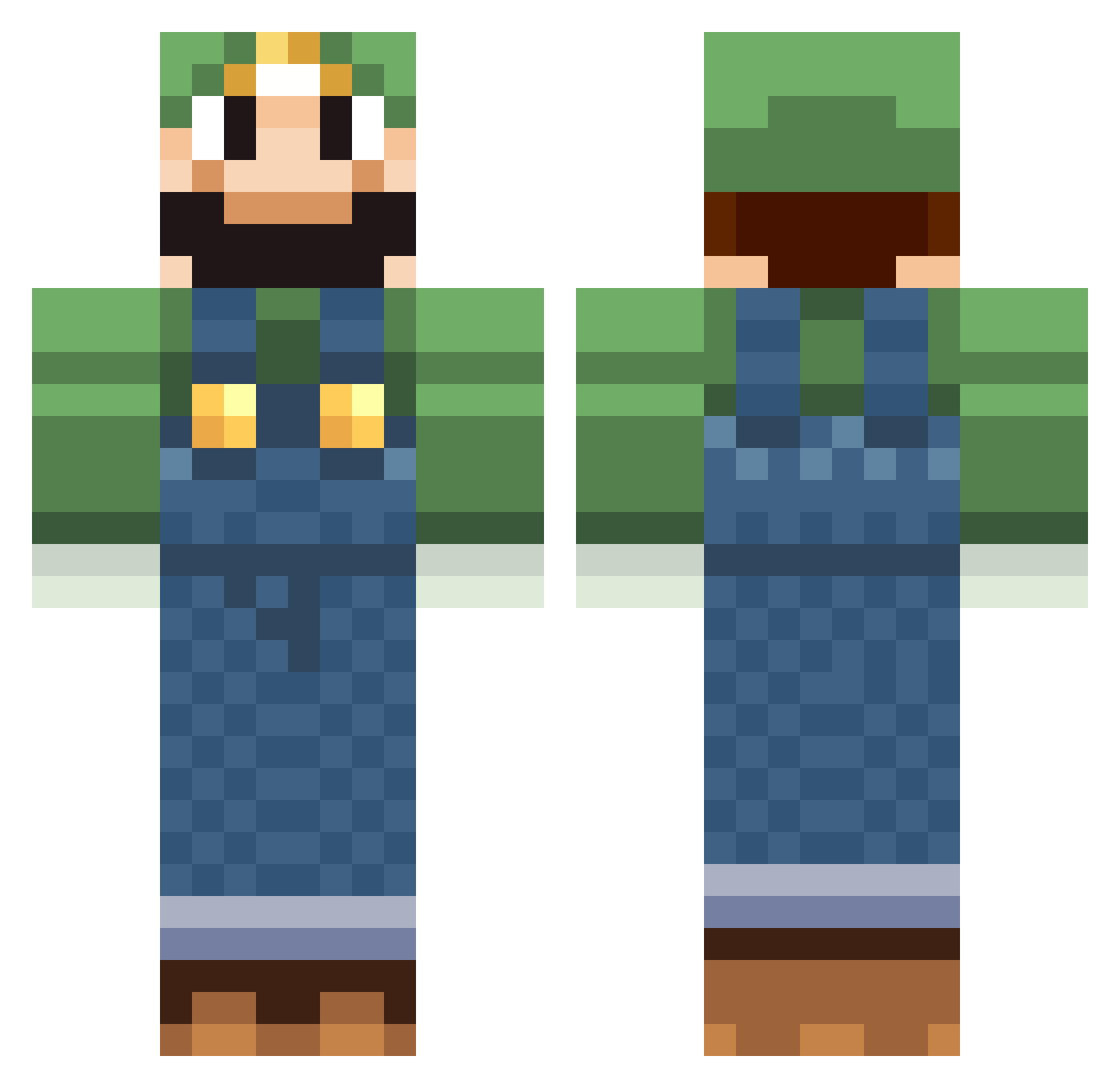
Current Minecraft skin of the player hardcase14, loaded from the official Mojang API. Rotate the 3D model with your mouse or finger, then download the skin as a PNG file and use it in Minecraft: Bedrock Edition or Java Edition for free. When hardcase14 changes their skin, this page updates automatically and the old skin stays in the history below.
Other players with this skin (518)
hardcase14 was the 71st player we have seen with this skin, first spotted on 07.08.2026. The same skin was seen on these players. Open a nickname to see their current skin and skin history.
 damonkv CHEESESTICK1310 Giantkin Axelander01 Fungus12 yeagerTY silaev123 xFischlo cellwien koolkid003 hagermanboys2007 djh225 Her0tik Dave7211 mhentschel Gendo54 luigimezzo12 Airelina Crostis KoopaWithAGun airman4113 jakee406 pandamaci22 GetSum95 RaDiCaL380 MedicLuigi SunTree123 Whutless GotDoxed beezzor Tbone139 quaki microblue Yawnas gruikette jackso_n at7311 kiantsu Laser128128 Xandris Luigidm1 WooferStyle poltergust2001 poku777 Mitchellgod2003 Icebox30 xXFuminovaXx LGTBIQ FugYeahY Rampage07 Jukka1302 The2TON FranktheTank096 tbanwart wertus emmsan03 Flames620 chesapekanicka KieDonz Nimoinard
More Luigi Minecraft skins
How to install the hardcase14 skin
- Press the Download button above to save the skin as a PNG file.
- Minecraft: Bedrock Edition (PE): open the Dressing Room from the main menu (or tap your character → Edit Character), go to Classic Skins → Owned, press the + (new skin) button, choose the downloaded PNG and pick the Classic (Steve) model. Works on PC and mobile; consoles cannot import custom skins.
- Minecraft: Java Edition: open the Minecraft Launcher, go to the Skins tab, click New Skin, load the PNG, pick the Classic (Steve) model and press Save & Use. You can also upload it at minecraft.net → Profile → Change Skin.
The skin does not show up after import - what should I do?
Restart Minecraft and open the Dressing Room again - imported skins sometimes appear only after a restart. Also make sure you selected the imported skin and picked the Classic (Steve) model.
Which model should I choose, Classic or Slim?
This skin is designed for the Classic (Steve) model. If you pick the wrong model, the arms of the skin will look stretched or squeezed.
Is the skin of hardcase14 free to download?
Yes. Press Download, save the PNG file and use it in Minecraft: Bedrock Edition or Java Edition - no payment or registration needed. The skin also works on multiplayer servers and Realms.
More skins
Looking for more? Go back to all Minecraft skins and check the top skins of the week, month and all time, or find any player's skin by nickname.