
hanyuan49 - Minecraft Skins & Skin History
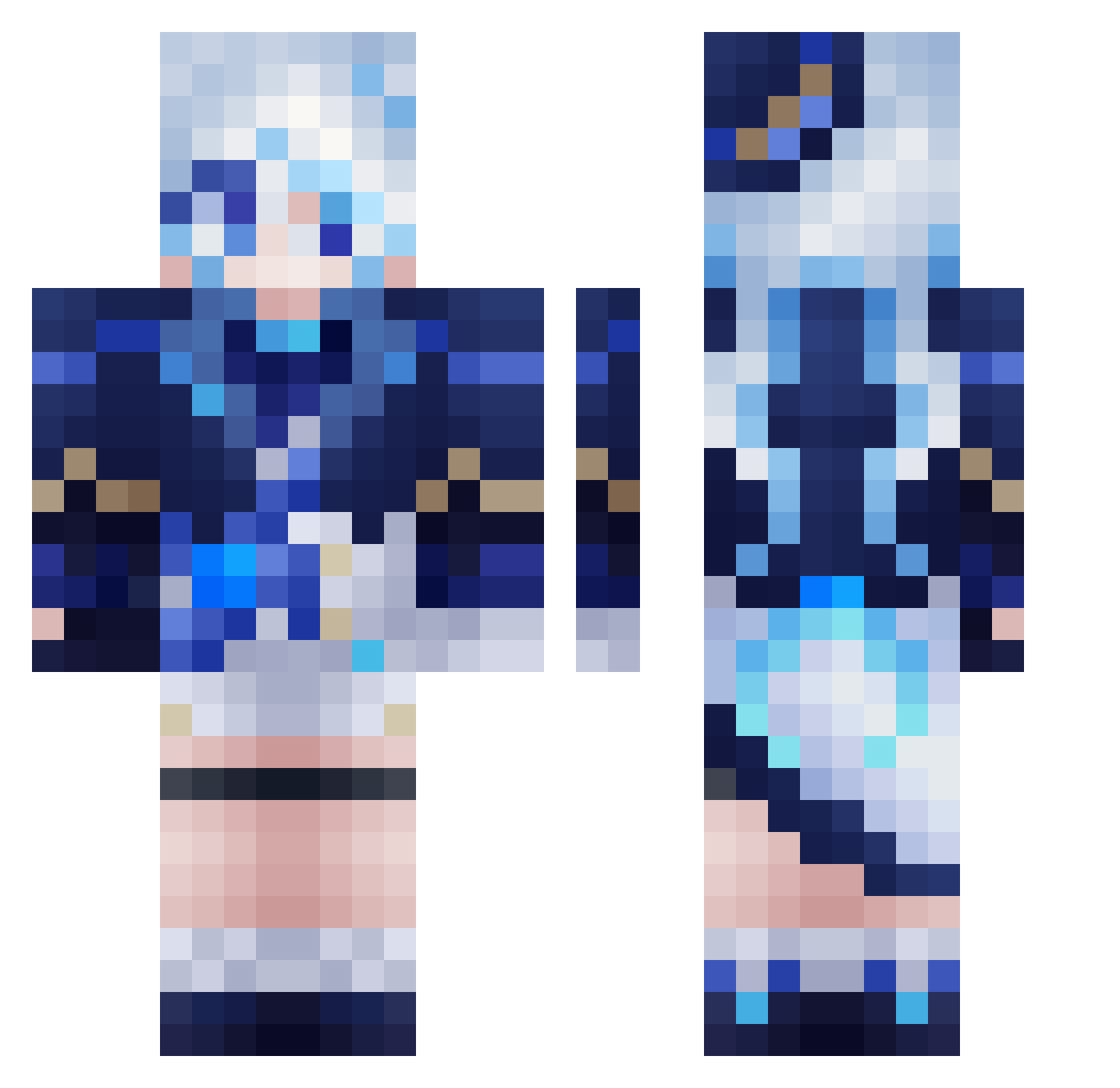
Current Minecraft skin of the player hanyuan49, loaded from the official Mojang API. Rotate the 3D model with your mouse or finger, then download the skin as a PNG file and use it in Minecraft: Bedrock Edition or Java Edition for free. When hanyuan49 changes their skin, this page updates automatically and the old skin stays in the history below.
Other players with this skin (560)
hanyuan49 was the 293rd player we have seen with this skin, first spotted on 21.09.2026. The same skin was seen on these players. Open a nickname to see their current skin and skin history.
 AYANAMI818 PrxtzVNX lump_sugar Txnklx_Furi334 Lucas_BZ Snokn __Furina Kamesan_9 Lulufy _Cyan_Ghost_ Martin1211 MoYuLW fusu2006 TWILIGHT_OP framboise909 yayameng JSMartin2 Grimsley_45 jiushengqingmeng Im_Andrei nano_jpeg Parallel0813 tiroru55 You__shan Carole6425 SmallerYins nkettysoodle HappinessLOVE Oceanman896 Raimu1020 Stargta WuYouWuLu KazumaDirt KimMixTH nimpsy Gwen74 ylbj mango0928 akdrp4 je_min_ Furina0039456 radamante957 WIND0341 aki_katsu1224 giuklee REBEROK SRK1757 Somen20 kapipi MaiZhang Rirka IceIcebbg WishboW Rubenly HighLandCobra93 DesselLP praynext heilian_KAI FurinaDFontaine BUHYEON
More Furina Minecraft skins
How to install the hanyuan49 skin
- Press the Download button above to save the skin as a PNG file.
- Minecraft: Bedrock Edition (PE): open the Dressing Room from the main menu (or tap your character → Edit Character), go to Classic Skins → Owned, press the + (new skin) button, choose the downloaded PNG and pick the Classic (Steve) model. Works on PC and mobile; consoles cannot import custom skins.
- Minecraft: Java Edition: open the Minecraft Launcher, go to the Skins tab, click New Skin, load the PNG, pick the Classic (Steve) model and press Save & Use. You can also upload it at minecraft.net → Profile → Change Skin.
The skin does not show up after import - what should I do?
Restart Minecraft and open the Dressing Room again - imported skins sometimes appear only after a restart. Also make sure you selected the imported skin and picked the Classic (Steve) model.
Which model should I choose, Classic or Slim?
This skin is designed for the Classic (Steve) model. If you pick the wrong model, the arms of the skin will look stretched or squeezed.
Is the skin of hanyuan49 free to download?
Yes. Press Download, save the PNG file and use it in Minecraft: Bedrock Edition or Java Edition - no payment or registration needed. The skin also works on multiplayer servers and Realms.
More skins
Looking for more? Go back to all Minecraft skins and check the top skins of the week, month and all time, or find any player's skin by nickname.