
halonya - Minecraft Skins & Skin History
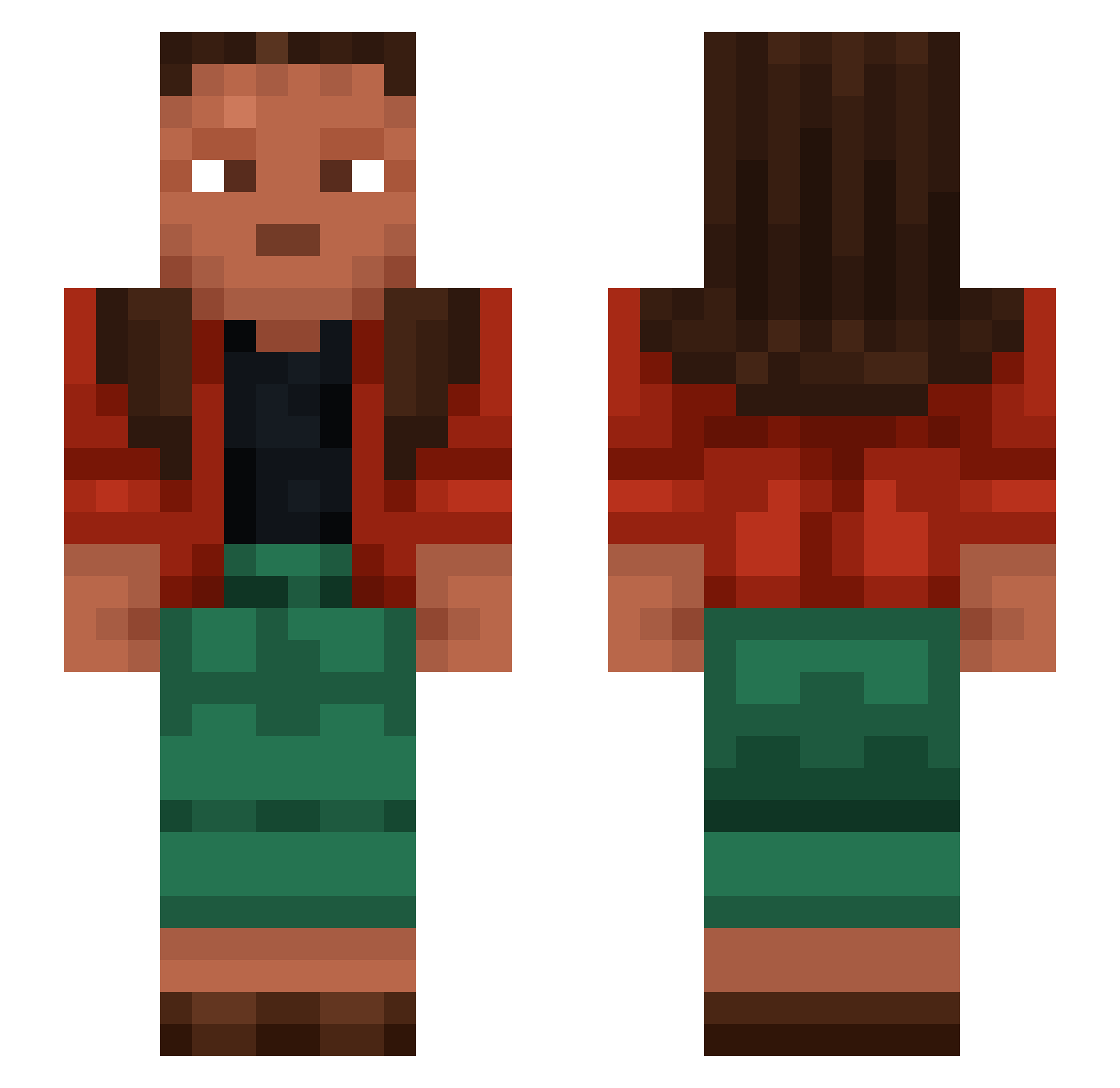
Current Minecraft skin of the player halonya, loaded from the official Mojang API. Rotate the 3D model with your mouse or finger, then download the skin as a PNG file and use it in Minecraft: Bedrock Edition or Java Edition for free. When halonya changes their skin, this page updates automatically and the old skin stays in the history below.
Other players with this skin (1454)
halonya was the 1165th player we have seen with this skin, first spotted on 28.10.2026. The same skin was seen on these players. Open a nickname to see their current skin and skin history.
 bushlands Tailspin DarknoSyn kocikpsocik Smotter SightofSilence Tilk123 RzY09 krasnoyarsk124 Edufaktor95 zzxgp_HDbRp Astrocolors A_Moleiro Hutao_QMP690 serenata ZE3T Troggin PoppedByVinz wow2763 lcliffo2 Revenge_____ rodr1__ Scutellaria necia kpang meipi nNATANTt Evaluating picuris Sagene Jekkil robotstar BertoltBrecht Veronal bellator_13 Imban Stopple epic_bryson tzi_eq8vB_10_26 JoSeCRK55 Davivelex Expeditive zweitgeborene_ Christed topepo Matias_Holm FerooZz _brendo Thorias Wontonq lmk23 Negu22 __iiWii__ Mad_Arab23 semiband discorporate Miliano0 steely1893 Mandolas Preternaturally
How to install the halonya skin
- Press the Download button above to save the skin as a PNG file.
- Minecraft: Bedrock Edition (PE): open the Dressing Room from the main menu (or tap your character → Edit Character), go to Classic Skins → Owned, press the + (new skin) button, choose the downloaded PNG and pick the Slim (Alex) model. Works on PC and mobile; consoles cannot import custom skins.
- Minecraft: Java Edition: open the Minecraft Launcher, go to the Skins tab, click New Skin, load the PNG, pick the Slim (Alex) model and press Save & Use. You can also upload it at minecraft.net → Profile → Change Skin.
The skin does not show up after import - what should I do?
Restart Minecraft and open the Dressing Room again - imported skins sometimes appear only after a restart. Also make sure you selected the imported skin and picked the Slim (Alex) model.
Which model should I choose, Classic or Slim?
This skin is designed for the Slim (Alex) model. If you pick the wrong model, the arms of the skin will look stretched or squeezed.
Is the skin of halonya free to download?
Yes. Press Download, save the PNG file and use it in Minecraft: Bedrock Edition or Java Edition - no payment or registration needed. The skin also works on multiplayer servers and Realms.
More skins
Looking for more? Go back to all Minecraft skins and check the top skins of the week, month and all time, or find any player's skin by nickname.