
hakjoon42 - Minecraft Skins & Skin History
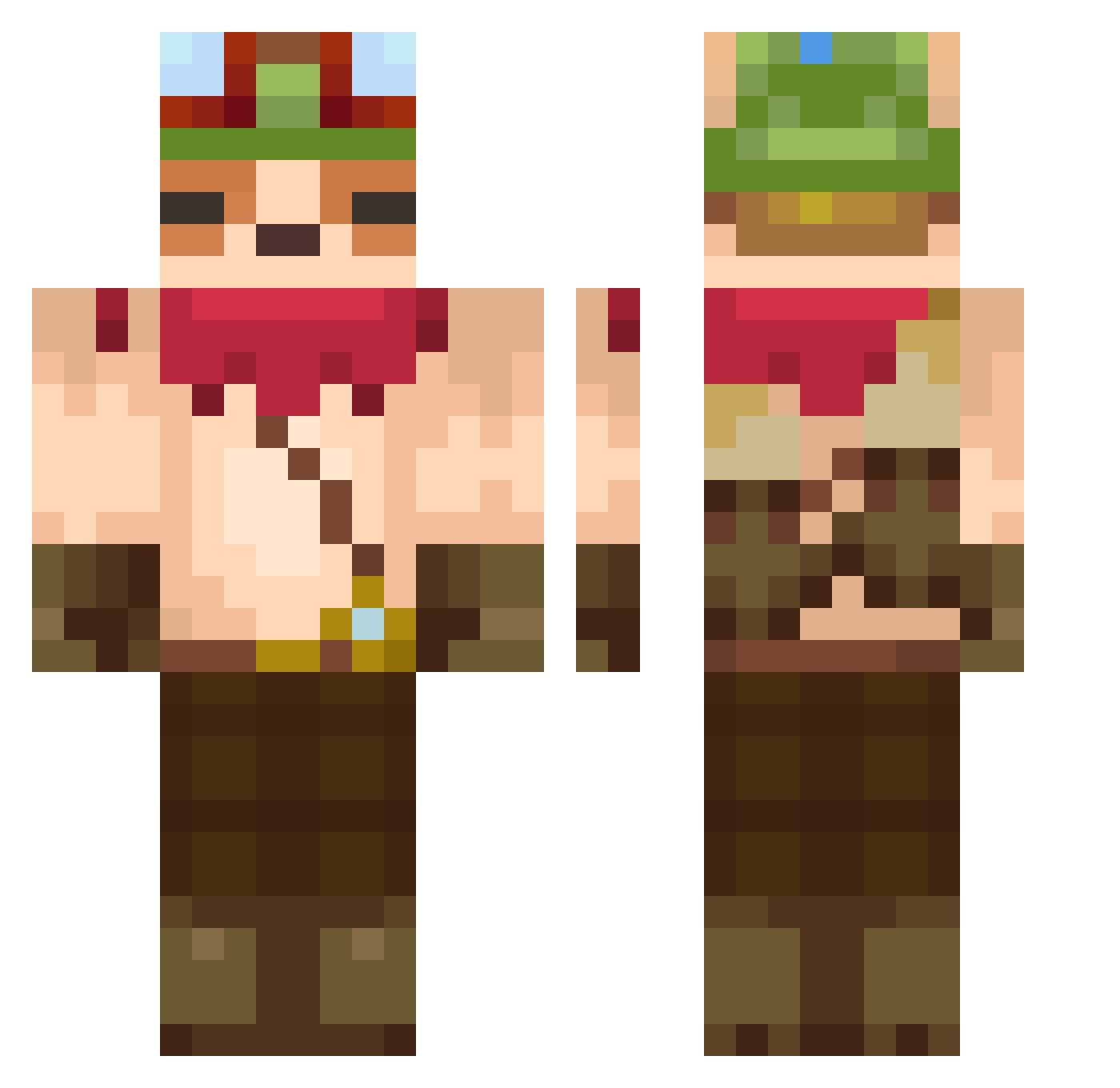
Current Minecraft skin of the player hakjoon42, loaded from the official Mojang API. Rotate the 3D model with your mouse or finger, then download the skin as a PNG file and use it in Minecraft: Bedrock Edition or Java Edition for free. When hakjoon42 changes their skin, this page updates automatically and the old skin stays in the history below.
Other players with this skin (607)
hakjoon42 was the 30th player we have seen with this skin, first spotted on 30.07.2026. The same skin was seen on these players. Open a nickname to see their current skin and skin history.
 frenchfriesbaby kuronekochan118 Terrorym__ Sempej Jeong0212 Rodospi19 BrunoKahil Muttar25 sp_wang DeDDDDDD JUGGUMI1030 MATRIX0980 karochan_810 Percussion_Blue SebaxBel michaelscott6 Taimo_WHO Rolypoock LIMEUSZ Escalera105 NeySama6018 AleKontrerass Timebreaker kiwi_jammm Zearoe BRUNO7_ tH1Rty oxis34 brensley Samsensibl 77nn Frozeeu Kod0kuna Forty321 McLovin__01__ Teemo_3 PepeLaughx orthodox_71 Pasutaaaah Edymajo JoeyNguyen rhkdgma FireKeeperS MeTeemo zakohann nikopita superaz2001 NickTakis superkasiula chanm05 Boccas taiheifu SpookyDude456 juwee jiwoo2536 gakusun ohinhyuk b3nnyWoo TheJocky2077 _Minchan_
More Bandana Minecraft skins
How to install the hakjoon42 skin
- Press the Download button above to save the skin as a PNG file.
- Minecraft: Bedrock Edition (PE): open the Dressing Room from the main menu (or tap your character → Edit Character), go to Classic Skins → Owned, press the + (new skin) button, choose the downloaded PNG and pick the Classic (Steve) model. Works on PC and mobile; consoles cannot import custom skins.
- Minecraft: Java Edition: open the Minecraft Launcher, go to the Skins tab, click New Skin, load the PNG, pick the Classic (Steve) model and press Save & Use. You can also upload it at minecraft.net → Profile → Change Skin.
The skin does not show up after import - what should I do?
Restart Minecraft and open the Dressing Room again - imported skins sometimes appear only after a restart. Also make sure you selected the imported skin and picked the Classic (Steve) model.
Which model should I choose, Classic or Slim?
This skin is designed for the Classic (Steve) model. If you pick the wrong model, the arms of the skin will look stretched or squeezed.
Is the skin of hakjoon42 free to download?
Yes. Press Download, save the PNG file and use it in Minecraft: Bedrock Edition or Java Edition - no payment or registration needed. The skin also works on multiplayer servers and Realms.
More skins
Looking for more? Go back to all Minecraft skins and check the top skins of the week, month and all time, or find any player's skin by nickname.