
had3d - Minecraft Skins & Skin History
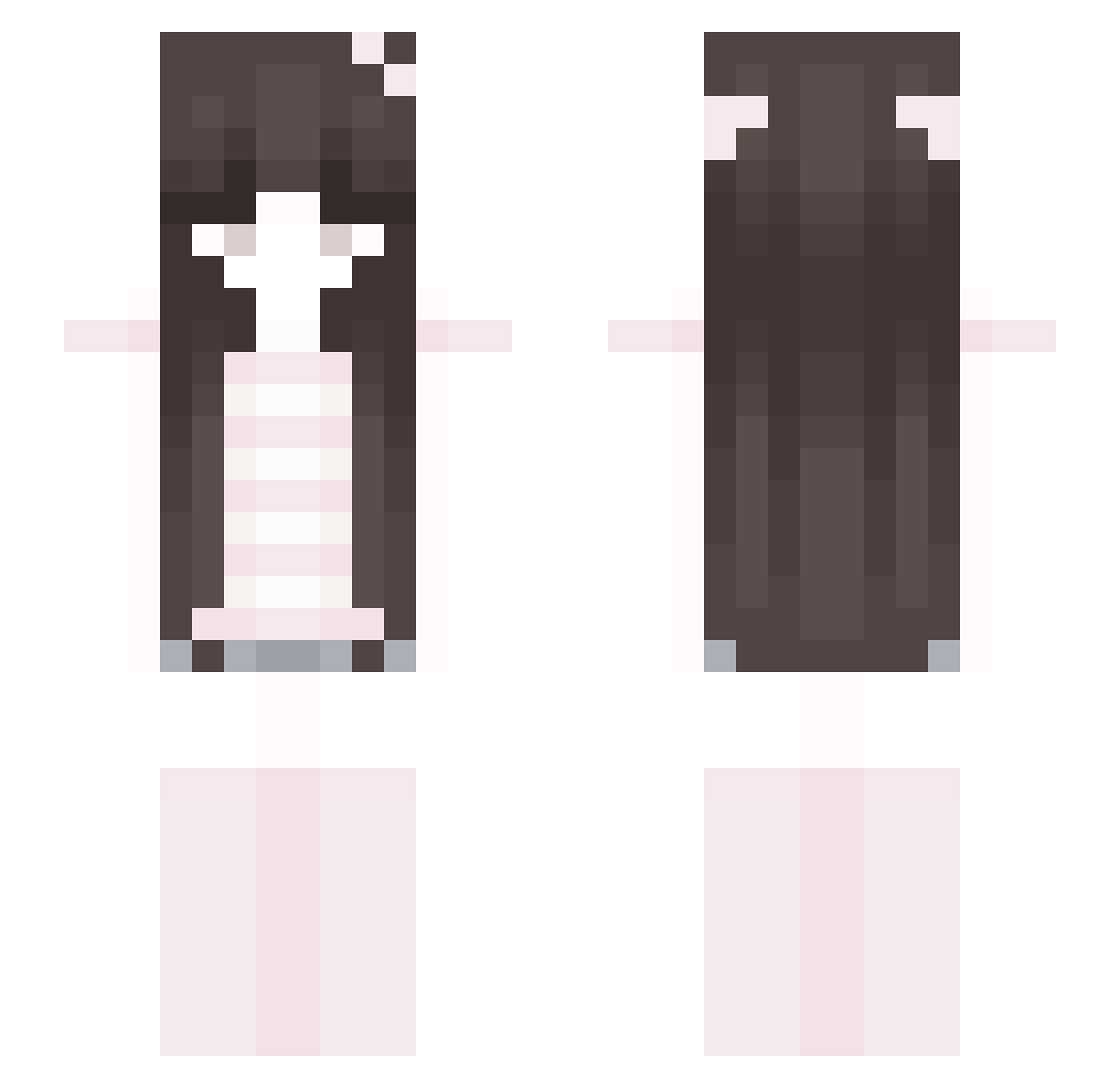
Current Minecraft skin of the player had3d, loaded from the official Mojang API. Rotate the 3D model with your mouse or finger, then download the skin as a PNG file and use it in Minecraft: Bedrock Edition or Java Edition for free. When had3d changes their skin, this page updates automatically and the old skin stays in the history below.
Other players with this skin (47)
had3d was the 40th player we have seen with this skin, first spotted on 17.10.2026. The same skin was seen on these players. Open a nickname to see their current skin and skin history.
 zuzano1 1valeris cattzinha l1vnh Konduktor_Sasha kxyylin Nayrod20 DotBerry Nolvixq nar5o Cherri_Blossm Karima5 solemni ItsLian TOA_233 shinycat86 runatunaa qxz8u stefaniaaax gougou_99 anjell Noadels Seolhwa275 tamagotchipet sophiias lvskrmi mioomilq kageuy jordanoww ff1zzyy christinaat Paivaazk lian121212 felixjustusho
 Strawbearrhea Meresze_ kittygirl8025 izz44 MrAfgan dohlsarc VinyCastle16625 FULI13
 Lusty qkwg FLXV__ daycare crcme
Previous skins of had3d
Skins that had3d wore before, newest first. Click a skin to open its page and download it.
More Cat Ears Minecraft skins
How to install the had3d skin
- Press the Download button above to save the skin as a PNG file.
- Minecraft: Bedrock Edition (PE): open the Dressing Room from the main menu (or tap your character → Edit Character), go to Classic Skins → Owned, press the + (new skin) button, choose the downloaded PNG and pick the Slim (Alex) model. Works on PC and mobile; consoles cannot import custom skins.
- Minecraft: Java Edition: open the Minecraft Launcher, go to the Skins tab, click New Skin, load the PNG, pick the Slim (Alex) model and press Save & Use. You can also upload it at minecraft.net → Profile → Change Skin.
The skin does not show up after import - what should I do?
Restart Minecraft and open the Dressing Room again - imported skins sometimes appear only after a restart. Also make sure you selected the imported skin and picked the Slim (Alex) model.
Which model should I choose, Classic or Slim?
This skin is designed for the Slim (Alex) model. If you pick the wrong model, the arms of the skin will look stretched or squeezed.
Is the skin of had3d free to download?
Yes. Press Download, save the PNG file and use it in Minecraft: Bedrock Edition or Java Edition - no payment or registration needed. The skin also works on multiplayer servers and Realms.
More skins
Looking for more? Go back to all Minecraft skins and check the top skins of the week, month and all time, or find any player's skin by nickname.