
habibi_deniz - Minecraft Skins & Skin History
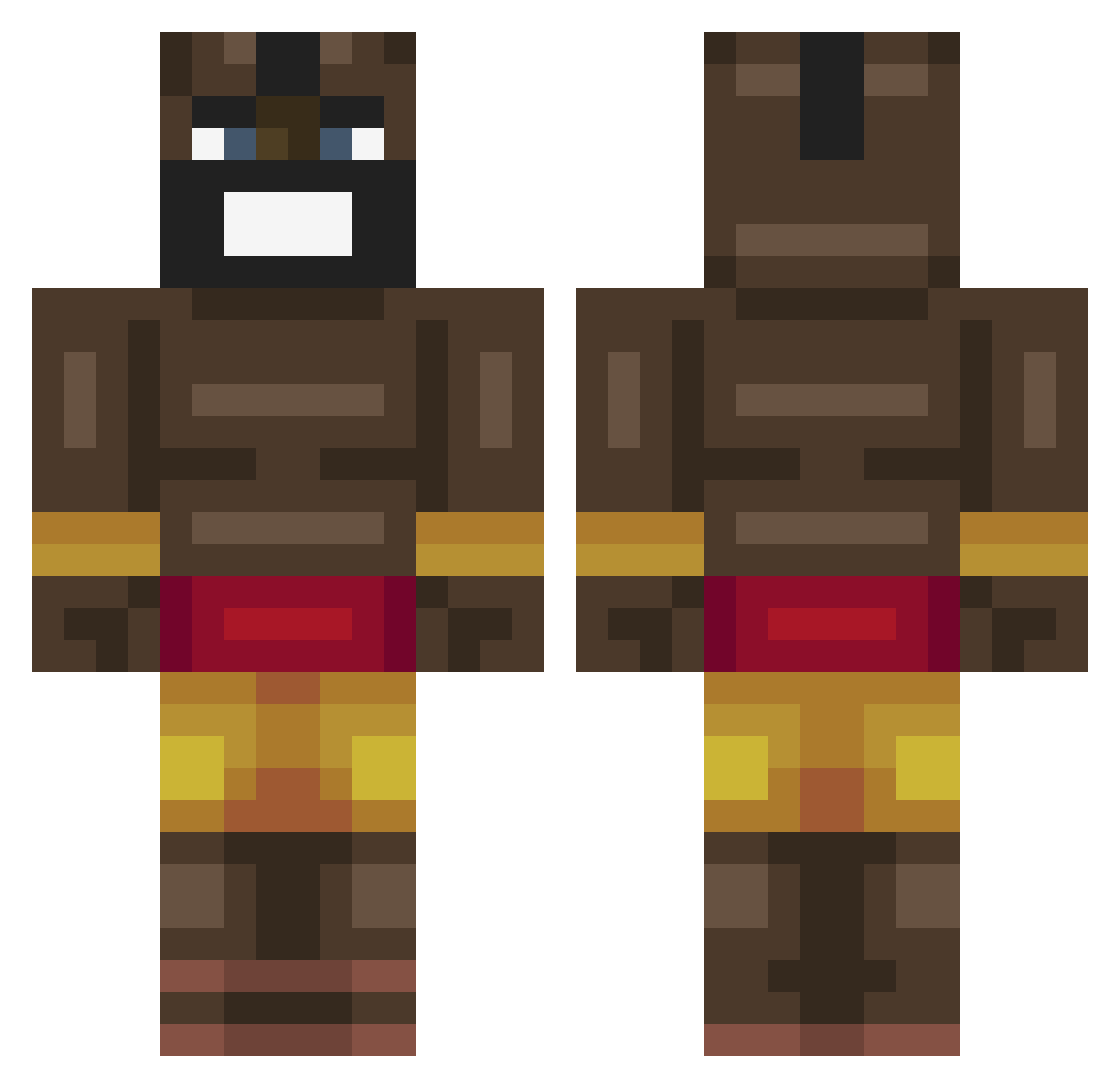
Current Minecraft skin of the player habibi_deniz, loaded from the official Mojang API. Rotate the 3D model with your mouse or finger, then download the skin as a PNG file and use it in Minecraft: Bedrock Edition or Java Edition for free. When habibi_deniz changes their skin, this page updates automatically and the old skin stays in the history below.
Other players with this skin (463)
habibi_deniz was the 263rd player we have seen with this skin, first spotted on 29.09.2026. The same skin was seen on these players. Open a nickname to see their current skin and skin history.
 Urageambe carlosgamer00 alexander107055 Abswrd fuldpsykose WillemVerc NNIC000 bvuky BigDufff Erkanje urtw _Harrybarry T0M593 _CoopaTroopa_ Jakaroony_2007 road21 gabesvlogstuff Nick00820 Laydock Astro_Marky waffles1023 GuiCmds imkeeganoo oluwatobi27 16515 Xarlie7702 StoneCold185 Nipamakela PlayboiShartie _Tylerr_ ELikaMordin wikzar MisterKjell Kornoprofaxe NotWaze c0rd0 Qinlong098 Mixzez TopBeast24 TTVBlaZefurball Master00gway999 McSwaino orylom monkeyboy187 SUS_FANZ xrtdd Ojbobby12 fgesajhga preston69 Crazylad999 3000OKAYU ashmashdagoat GodGuy783 HenneHorn007 Czuks SchullPapi _ChunKKK Blevo222 Rzepa903 Aware___
More Celebrity Minecraft skins
How to install the habibi_deniz skin
- Press the Download button above to save the skin as a PNG file.
- Minecraft: Bedrock Edition (PE): open the Dressing Room from the main menu (or tap your character → Edit Character), go to Classic Skins → Owned, press the + (new skin) button, choose the downloaded PNG and pick the Classic (Steve) model. Works on PC and mobile; consoles cannot import custom skins.
- Minecraft: Java Edition: open the Minecraft Launcher, go to the Skins tab, click New Skin, load the PNG, pick the Classic (Steve) model and press Save & Use. You can also upload it at minecraft.net → Profile → Change Skin.
The skin does not show up after import - what should I do?
Restart Minecraft and open the Dressing Room again - imported skins sometimes appear only after a restart. Also make sure you selected the imported skin and picked the Classic (Steve) model.
Which model should I choose, Classic or Slim?
This skin is designed for the Classic (Steve) model. If you pick the wrong model, the arms of the skin will look stretched or squeezed.
Is the skin of habibi_deniz free to download?
Yes. Press Download, save the PNG file and use it in Minecraft: Bedrock Edition or Java Edition - no payment or registration needed. The skin also works on multiplayer servers and Realms.
More skins
Looking for more? Go back to all Minecraft skins and check the top skins of the week, month and all time, or find any player's skin by nickname.