
guu99 - Minecraft Skins & Skin History
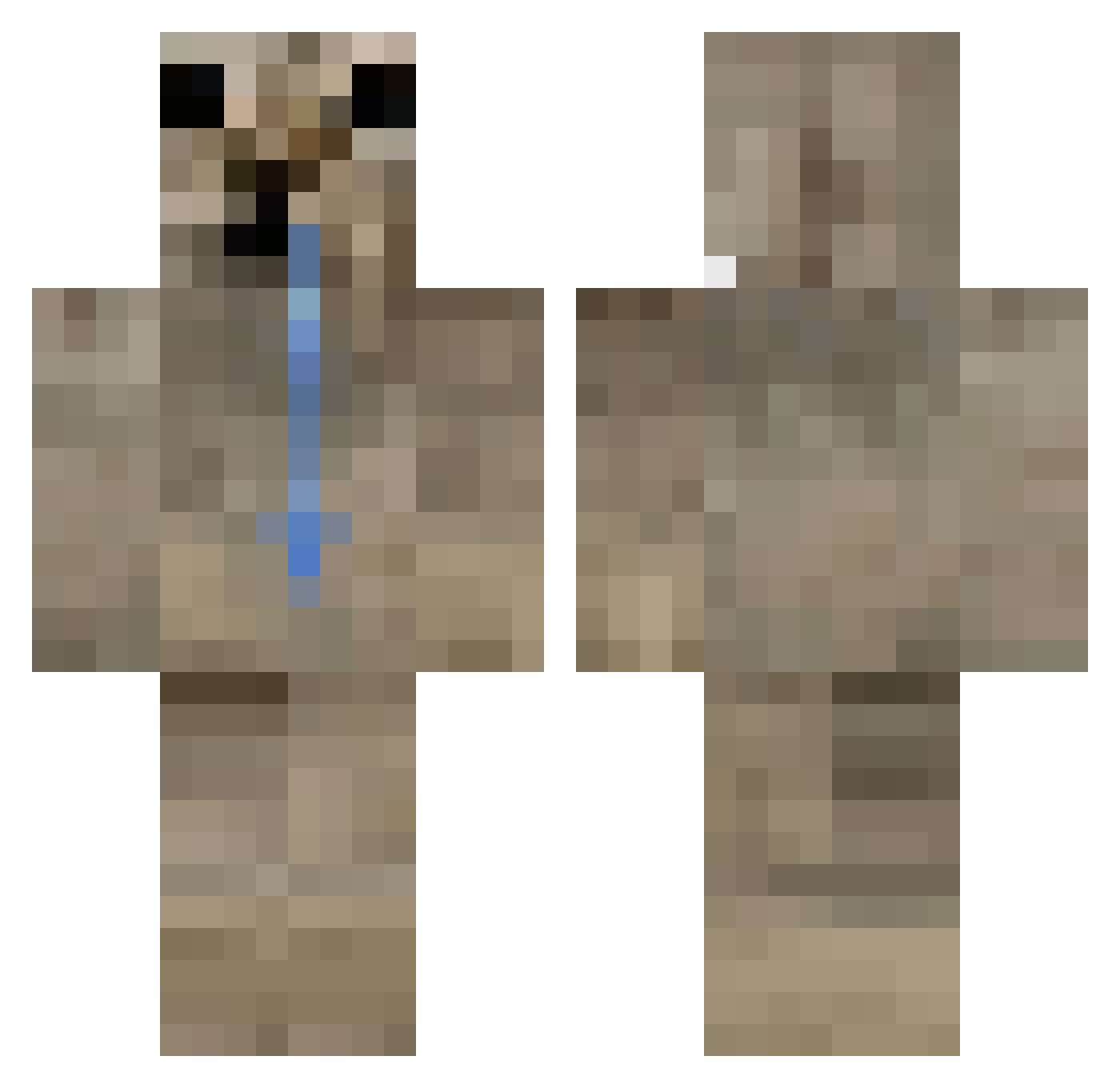
Current Minecraft skin of the player guu99, loaded from the official Mojang API. Rotate the 3D model with your mouse or finger, then download the skin as a PNG file and use it in Minecraft: Bedrock Edition or Java Edition for free. When guu99 changes their skin, this page updates automatically and the old skin stays in the history below.
Other players with this skin (406)
guu99 was the 99th player we have seen with this skin, first spotted on 14.08.2026. The same skin was seen on these players. Open a nickname to see their current skin and skin history.
 telhood Silxak a5df
 pan_p0midor funi12 ucans07
 agneskappa Jjuiicee
 qkut A_Furry Ikaagus HedFawe
 Ghobo NAP_XL Fearmonex
 Abu_legal M1st1ck
 m4rttu nvk_ Alex052014 k4lii freekryze zstkeffr
 sali1029 Phoenalos mrojeras aaadde Hurtalexwars
 MaxiDislexico iruka0710
 Lemusz Neuzar777 SebPalta GodxrkOriginal AlePM21 UnsealedGrain95 Isac_XD Bartekkww slyflee
 shinmusha thatsnowperson Vu1va s5rita TheLegend2772 p5rs Azuureee
 LexusEternal
 orochisuu SHU_R1
 Keosen CyrusBlaze _kibon3r TheNoEyedGirl mardake99
 Cortins
 Bartias_ itzRovix lilbigman7 Solariosis
 O075
O075How to install the guu99 skin
- Press the Download button above to save the skin as a PNG file.
- Minecraft: Bedrock Edition (PE): open the Dressing Room from the main menu (or tap your character → Edit Character), go to Classic Skins → Owned, press the + (new skin) button, choose the downloaded PNG and pick the Classic (Steve) model. Works on PC and mobile; consoles cannot import custom skins.
- Minecraft: Java Edition: open the Minecraft Launcher, go to the Skins tab, click New Skin, load the PNG, pick the Classic (Steve) model and press Save & Use. You can also upload it at minecraft.net → Profile → Change Skin.
The skin does not show up after import - what should I do?
Restart Minecraft and open the Dressing Room again - imported skins sometimes appear only after a restart. Also make sure you selected the imported skin and picked the Classic (Steve) model.
Which model should I choose, Classic or Slim?
This skin is designed for the Classic (Steve) model. If you pick the wrong model, the arms of the skin will look stretched or squeezed.
Is the skin of guu99 free to download?
Yes. Press Download, save the PNG file and use it in Minecraft: Bedrock Edition or Java Edition - no payment or registration needed. The skin also works on multiplayer servers and Realms.
More skins
Looking for more? Go back to all Minecraft skins and check the top skins of the week, month and all time, or find any player's skin by nickname.