
grintje - Minecraft Skins & Skin History
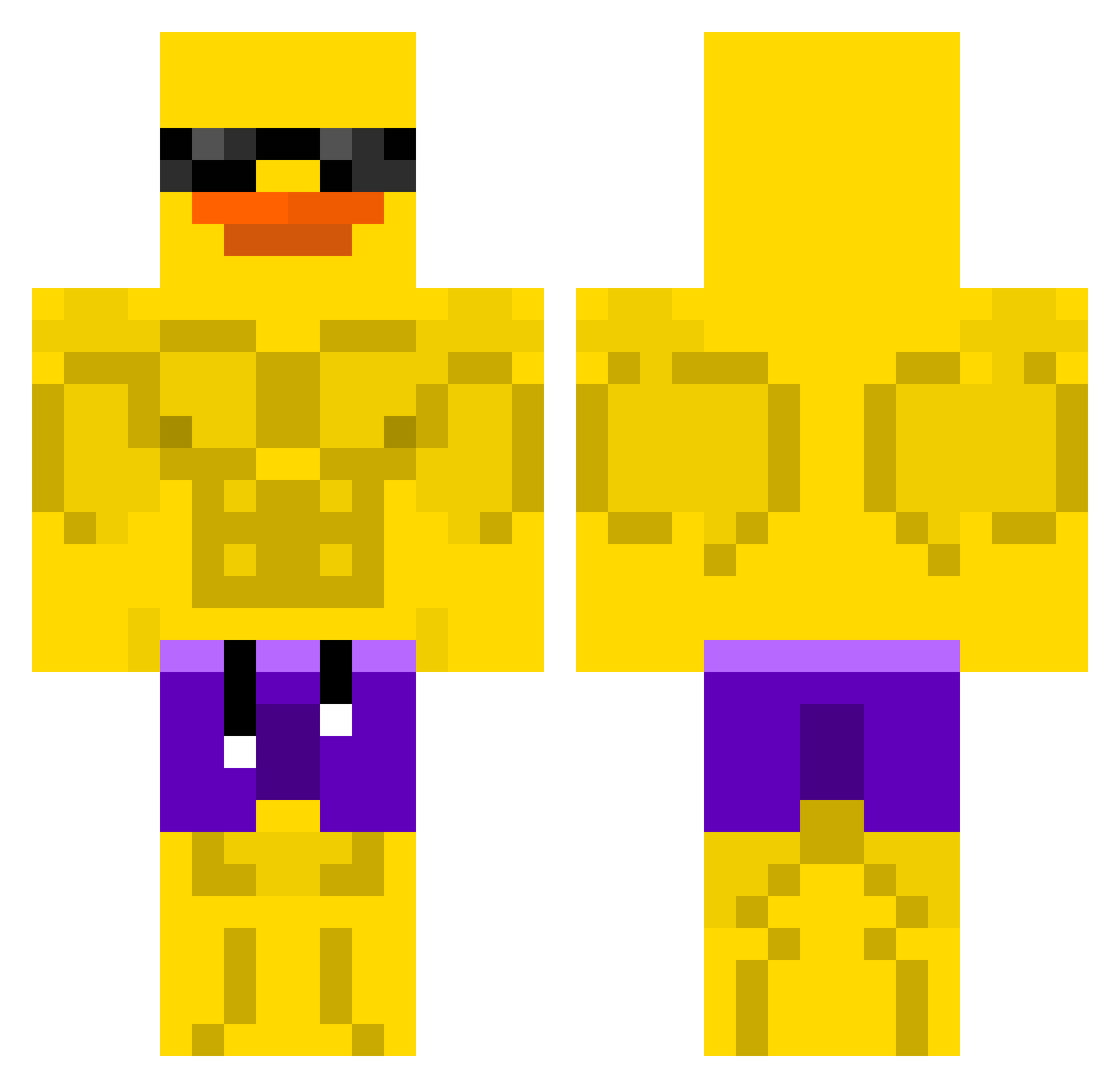
Current Minecraft skin of the player grintje, loaded from the official Mojang API. Rotate the 3D model with your mouse or finger, then download the skin as a PNG file and use it in Minecraft: Bedrock Edition or Java Edition for free. When grintje changes their skin, this page updates automatically and the old skin stays in the history below.
Other players with this skin (507)
grintje was the 468th player we have seen with this skin, first spotted on 15.10.2026. The same skin was seen on these players. Open a nickname to see their current skin and skin history.
 HENRIQUE270811 krolkotow Lunairel Capn_Cledus idk6306 Jinzu01 rafixx0808 TheDuck444 snitzel_4110 WikeEEE Jamesers1230 Beans1517 cacaRadioactif Alezinhooo Munkenen _Calm__ Lechu01 Chfourz_ jopedr Horse2402 Kiran13 Nols78 Kaptain_QuakQuak jhammadi felipe244_ Heishix yeltsin123_ DemoReap Dibz97 Mrlaue NielsyPielsy Bam01 Davy_JonerLocker FreakFilA Snake_Skin1 Imeyeds mammin11 KaczkaOPL Y00P4_ Whindra No0o0dle Daebul_ JDDrippy benzin_10 yuni1106 NewMat2021 MC_Pro DanK_cL xWojtasx_77 FRESCOMASNA Budujemy MrOmbra acekards ZEZE22 iKzQQ ChaoticDuckling sharkfreeze HellaCakedUp jj0679 scheyf1
More Swim Trunks Minecraft skins
How to install the grintje skin
- Press the Download button above to save the skin as a PNG file.
- Minecraft: Bedrock Edition (PE): open the Dressing Room from the main menu (or tap your character → Edit Character), go to Classic Skins → Owned, press the + (new skin) button, choose the downloaded PNG and pick the Classic (Steve) model. Works on PC and mobile; consoles cannot import custom skins.
- Minecraft: Java Edition: open the Minecraft Launcher, go to the Skins tab, click New Skin, load the PNG, pick the Classic (Steve) model and press Save & Use. You can also upload it at minecraft.net → Profile → Change Skin.
The skin does not show up after import - what should I do?
Restart Minecraft and open the Dressing Room again - imported skins sometimes appear only after a restart. Also make sure you selected the imported skin and picked the Classic (Steve) model.
Which model should I choose, Classic or Slim?
This skin is designed for the Classic (Steve) model. If you pick the wrong model, the arms of the skin will look stretched or squeezed.
Is the skin of grintje free to download?
Yes. Press Download, save the PNG file and use it in Minecraft: Bedrock Edition or Java Edition - no payment or registration needed. The skin also works on multiplayer servers and Realms.
More skins
Looking for more? Go back to all Minecraft skins and check the top skins of the week, month and all time, or find any player's skin by nickname.