
grim_IS - Minecraft Skins & Skin History
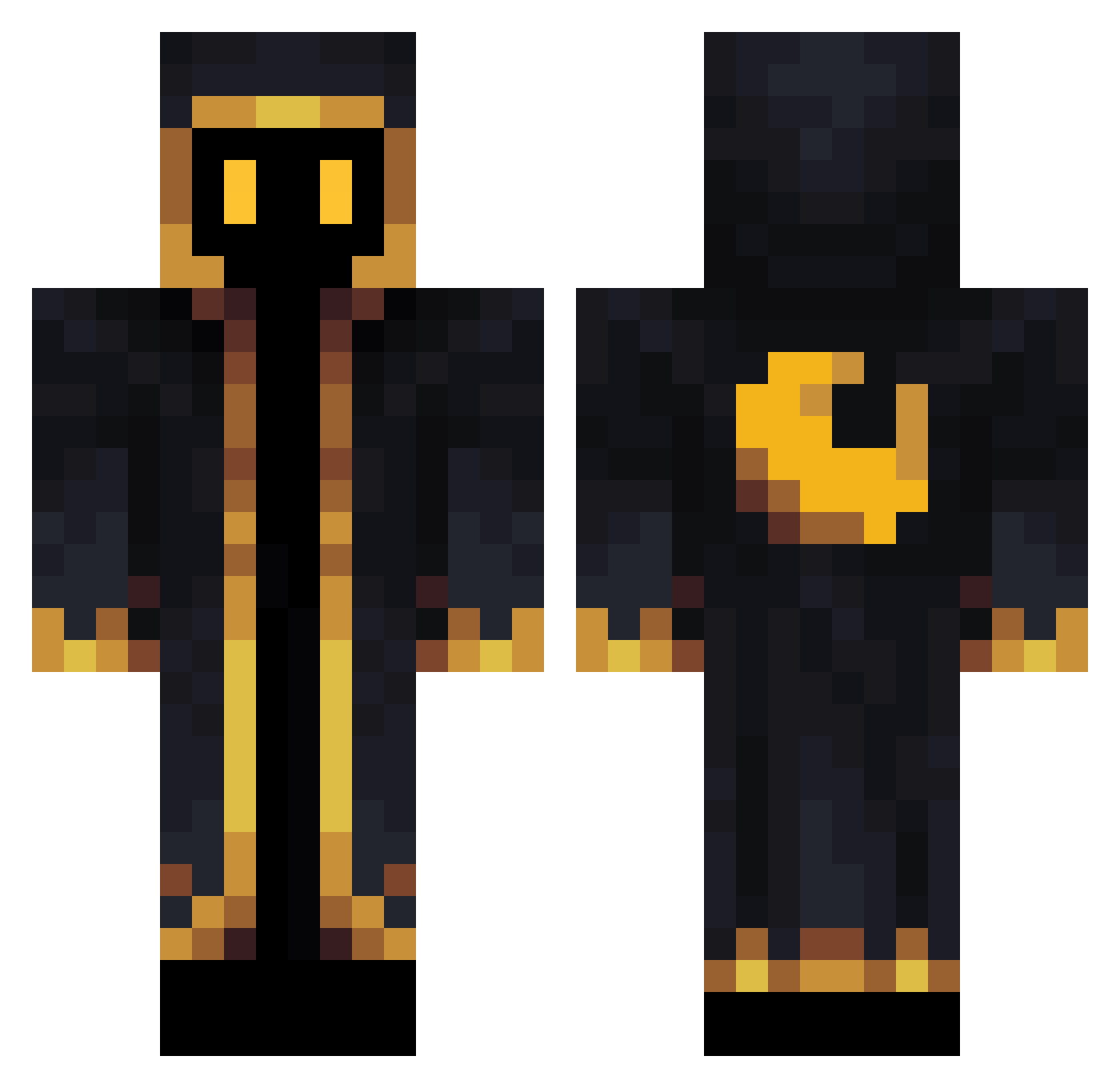
Current Minecraft skin of the player grim_IS, loaded from the official Mojang API. Rotate the 3D model with your mouse or finger, then download the skin as a PNG file and use it in Minecraft: Bedrock Edition or Java Edition for free. When grim_IS changes their skin, this page updates automatically and the old skin stays in the history below.
Other players with this skin (565)
grim_IS was the 413th player we have seen with this skin, first spotted on 10.10.2026. The same skin was seen on these players. Open a nickname to see their current skin and skin history.
 Xxyris EscapeShot Totto0711 zo0nI CrownedNub Antar0210 Blockymaster33 Calluminum123 3Pots hedahman Janeliten Sazumalux_ Andys121 Benedart Minerman72 Thorist _Jax25_ BendyFoxy Nanaki160 PsYcHoLx420 kenken0618 HeiYin1116 crafting_junior graymaxh M1ndFox FkSorcerer Matty612 Balbi2405 AC003 CPlays3 anthony953556 JackLoveSky NocturnoGOD223 Darknessmaster65 SaltyBarAndGrill EroticYodeling cal_liste epicmrfrosty Kutlass_Kyle JarrettB NinjaGod3000 Kewlty TintinStyles cman_1006 Salad1412 T1Marcello Phantom_Bird321 FoundNut SleepyDitz SCREWTHECUBS17 Materco Ainhalex7 cozmico SapphireDevro Captain_Emman GuyFromGranada brownnninja08 BigDr3sher reisuexe overatedusername
More Crescent Moon Minecraft skins
See all 274 Crescent Moon skins
How to install the grim_IS skin
- Press the Download button above to save the skin as a PNG file.
- Minecraft: Bedrock Edition (PE): open the Dressing Room from the main menu (or tap your character → Edit Character), go to Classic Skins → Owned, press the + (new skin) button, choose the downloaded PNG and pick the Classic (Steve) model. Works on PC and mobile; consoles cannot import custom skins.
- Minecraft: Java Edition: open the Minecraft Launcher, go to the Skins tab, click New Skin, load the PNG, pick the Classic (Steve) model and press Save & Use. You can also upload it at minecraft.net → Profile → Change Skin.
The skin does not show up after import - what should I do?
Restart Minecraft and open the Dressing Room again - imported skins sometimes appear only after a restart. Also make sure you selected the imported skin and picked the Classic (Steve) model.
Which model should I choose, Classic or Slim?
This skin is designed for the Classic (Steve) model. If you pick the wrong model, the arms of the skin will look stretched or squeezed.
Is the skin of grim_IS free to download?
Yes. Press Download, save the PNG file and use it in Minecraft: Bedrock Edition or Java Edition - no payment or registration needed. The skin also works on multiplayer servers and Realms.
More skins
Looking for more? Go back to all Minecraft skins and check the top skins of the week, month and all time, or find any player's skin by nickname.