
greeny_boy - Minecraft Skins & Skin History
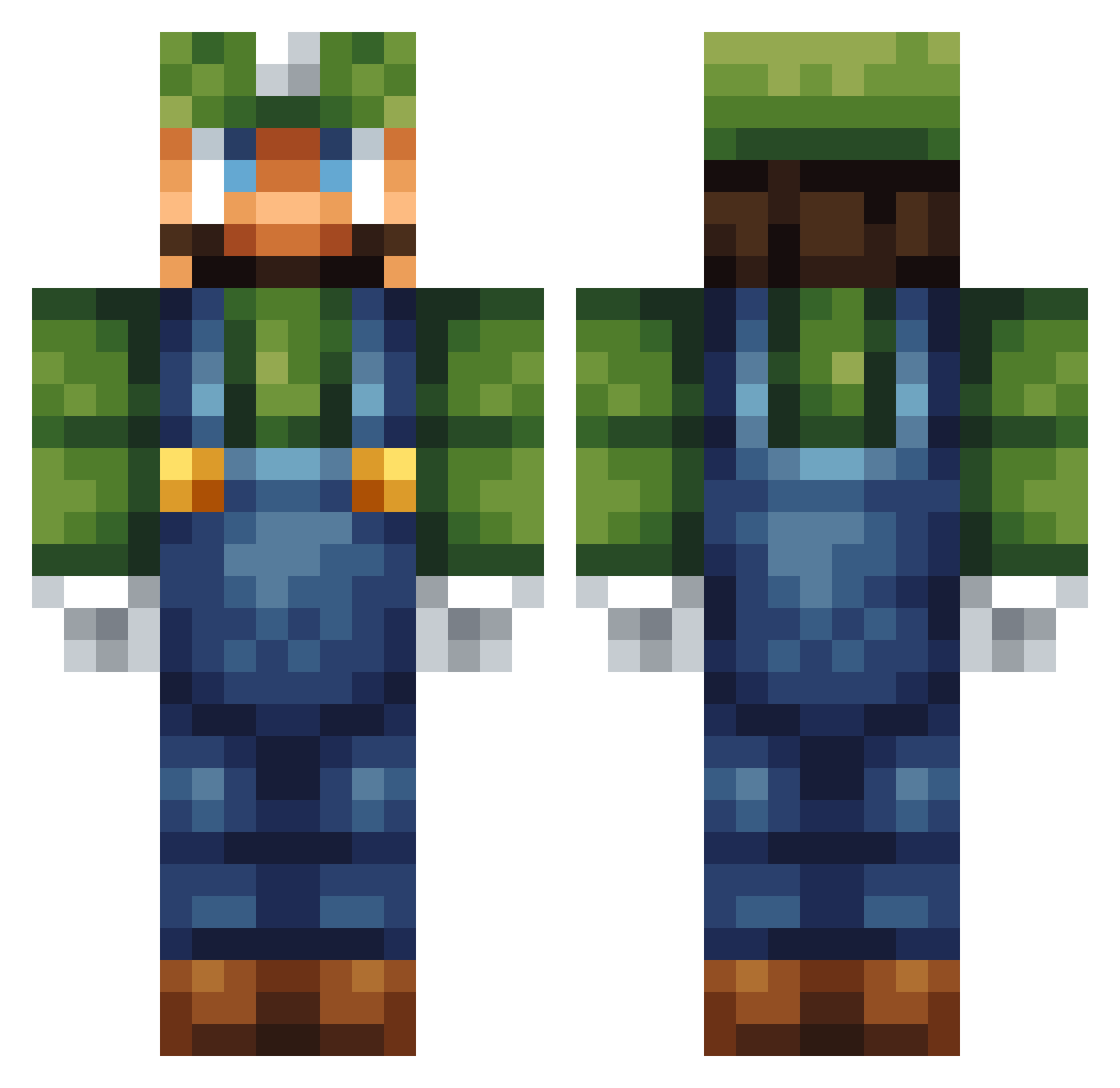
Current Minecraft skin of the player greeny_boy, loaded from the official Mojang API. Rotate the 3D model with your mouse or finger, then download the skin as a PNG file and use it in Minecraft: Bedrock Edition or Java Edition for free. When greeny_boy changes their skin, this page updates automatically and the old skin stays in the history below.
Other players with this skin (161)
greeny_boy was the 124th player we have seen with this skin, first spotted on 31.10.2026. The same skin was seen on these players. Open a nickname to see their current skin and skin history.
 ScottM91 Hralp MrsPixel5 IKUN626 Kenshinigie tusuf ADog_S JBmollett1990 Bishop05 Itz_Styles supe7280 jordanjoker2121 Mac_Zer0 QKAZAMI Lord_Luigi_ Behiel Graychall Mrsolid7 Crashtar KingReezy arrastando Senep SuperrLuige Aunsom plot52 _manzani_ Josh_914 Terminator_pbj Ershu55 luigisson StudsLinkin RedmerLWD Aidreth amtotallymad Green_Mario_ JEichler9 Shabaniii __Jamal___ Dumlemusen Billsplade mokeythemoogle SnappinTuna Jawarens Confuse NinjaSamuraj08 MrLuigi95 ATANAMAL Playinthedirt OneTrip_Man Luniixx gjwags Nickstar4L itz_me_luigi_ TepperPepper666 _TechMaster_ ILoveSushi9 rafabad corntub barison Alan1709
More Luigi Minecraft skins
How to install the greeny_boy skin
- Press the Download button above to save the skin as a PNG file.
- Minecraft: Bedrock Edition (PE): open the Dressing Room from the main menu (or tap your character → Edit Character), go to Classic Skins → Owned, press the + (new skin) button, choose the downloaded PNG and pick the Classic (Steve) model. Works on PC and mobile; consoles cannot import custom skins.
- Minecraft: Java Edition: open the Minecraft Launcher, go to the Skins tab, click New Skin, load the PNG, pick the Classic (Steve) model and press Save & Use. You can also upload it at minecraft.net → Profile → Change Skin.
The skin does not show up after import - what should I do?
Restart Minecraft and open the Dressing Room again - imported skins sometimes appear only after a restart. Also make sure you selected the imported skin and picked the Classic (Steve) model.
Which model should I choose, Classic or Slim?
This skin is designed for the Classic (Steve) model. If you pick the wrong model, the arms of the skin will look stretched or squeezed.
Is the skin of greeny_boy free to download?
Yes. Press Download, save the PNG file and use it in Minecraft: Bedrock Edition or Java Edition - no payment or registration needed. The skin also works on multiplayer servers and Realms.
More skins
Looking for more? Go back to all Minecraft skins and check the top skins of the week, month and all time, or find any player's skin by nickname.