
gottfridlil123 - Minecraft Skins & Skin History
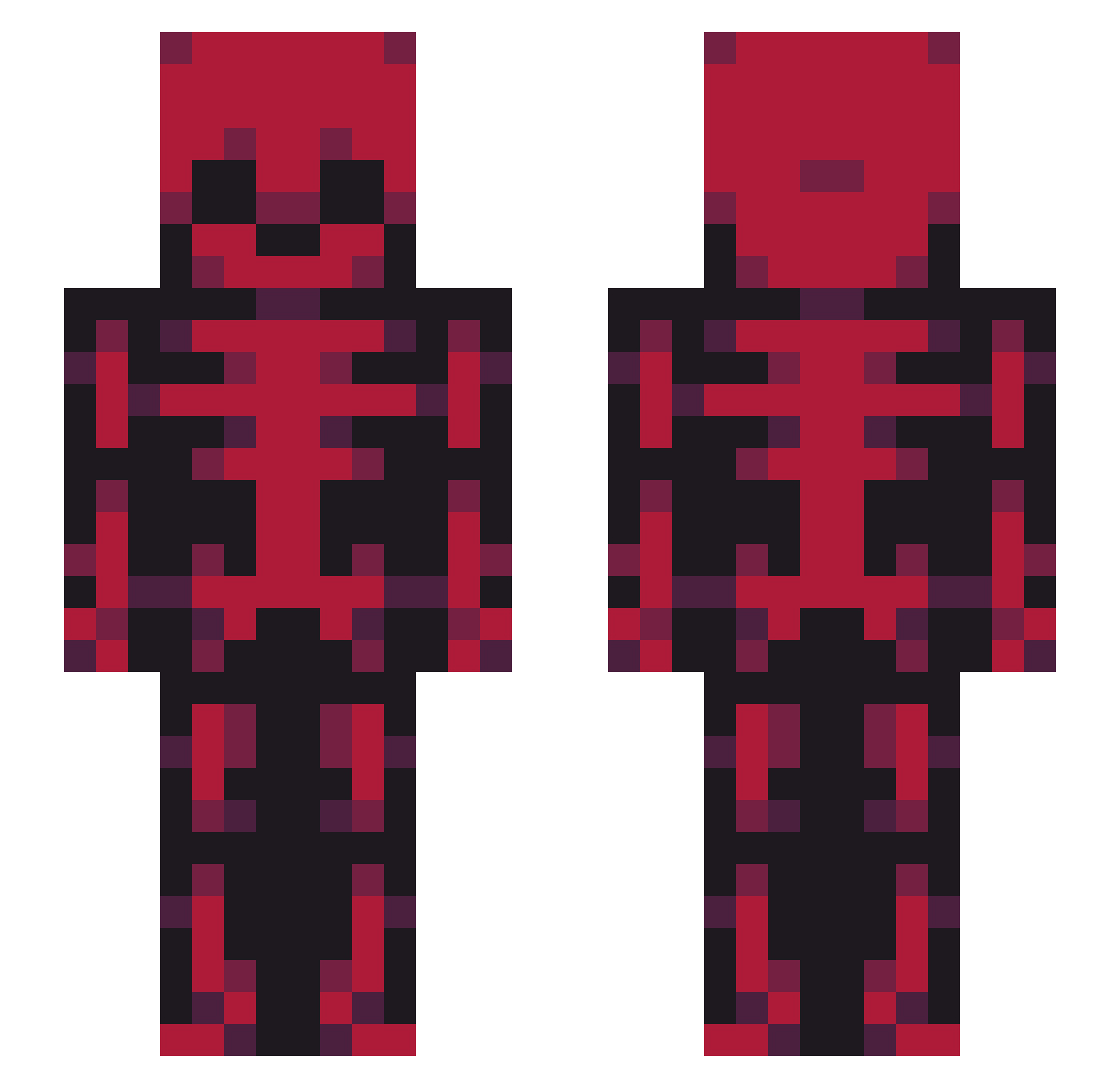
Current Minecraft skin of the player gottfridlil123, loaded from the official Mojang API. Rotate the 3D model with your mouse or finger, then download the skin as a PNG file and use it in Minecraft: Bedrock Edition or Java Edition for free. When gottfridlil123 changes their skin, this page updates automatically and the old skin stays in the history below.
Other players with this skin (46)
gottfridlil123 was the 17th player we have seen with this skin, first spotted on 03.09.2026. The same skin was seen on these players. Open a nickname to see their current skin and skin history.
 M0NG5
M0NG5 Lilou76 axolot2408
 KepperSkellBro Wogh anon367076 Kamillo9 8itzz Diablo0909 pipozeus Crackin03
 LGBBQlIlIlIl Zeamonnn _kovu tangodown308 vT_OG Inky_616 FRESHBROSPIDER Pierxv Zybrg OrbitAbsolute XSpankyX pwn____
 quirkywhileijerk Shima92 BoggerAlDS Juicycooch3000 SimplyTomo sb_charlee
 SoulCutter_ RenoJohnson Chaser_acer16 Asterek0113 Awesome_Pixels MAYONNAISE109 Wizkhaleefah Xeinixly arkozv salgado149 Antleer RyFeehOriginal Karlag36 Freezart luis3211 Sopolomeo itsbengamer42437
More Xray Minecraft skins
How to install the gottfridlil123 skin
- Press the Download button above to save the skin as a PNG file.
- Minecraft: Bedrock Edition (PE): open the Dressing Room from the main menu (or tap your character → Edit Character), go to Classic Skins → Owned, press the + (new skin) button, choose the downloaded PNG and pick the Slim (Alex) model. Works on PC and mobile; consoles cannot import custom skins.
- Minecraft: Java Edition: open the Minecraft Launcher, go to the Skins tab, click New Skin, load the PNG, pick the Slim (Alex) model and press Save & Use. You can also upload it at minecraft.net → Profile → Change Skin.
The skin does not show up after import - what should I do?
Restart Minecraft and open the Dressing Room again - imported skins sometimes appear only after a restart. Also make sure you selected the imported skin and picked the Slim (Alex) model.
Which model should I choose, Classic or Slim?
This skin is designed for the Slim (Alex) model. If you pick the wrong model, the arms of the skin will look stretched or squeezed.
Is the skin of gottfridlil123 free to download?
Yes. Press Download, save the PNG file and use it in Minecraft: Bedrock Edition or Java Edition - no payment or registration needed. The skin also works on multiplayer servers and Realms.
More skins
Looking for more? Go back to all Minecraft skins and check the top skins of the week, month and all time, or find any player's skin by nickname.