
gotinsta - Minecraft Skins & Skin History
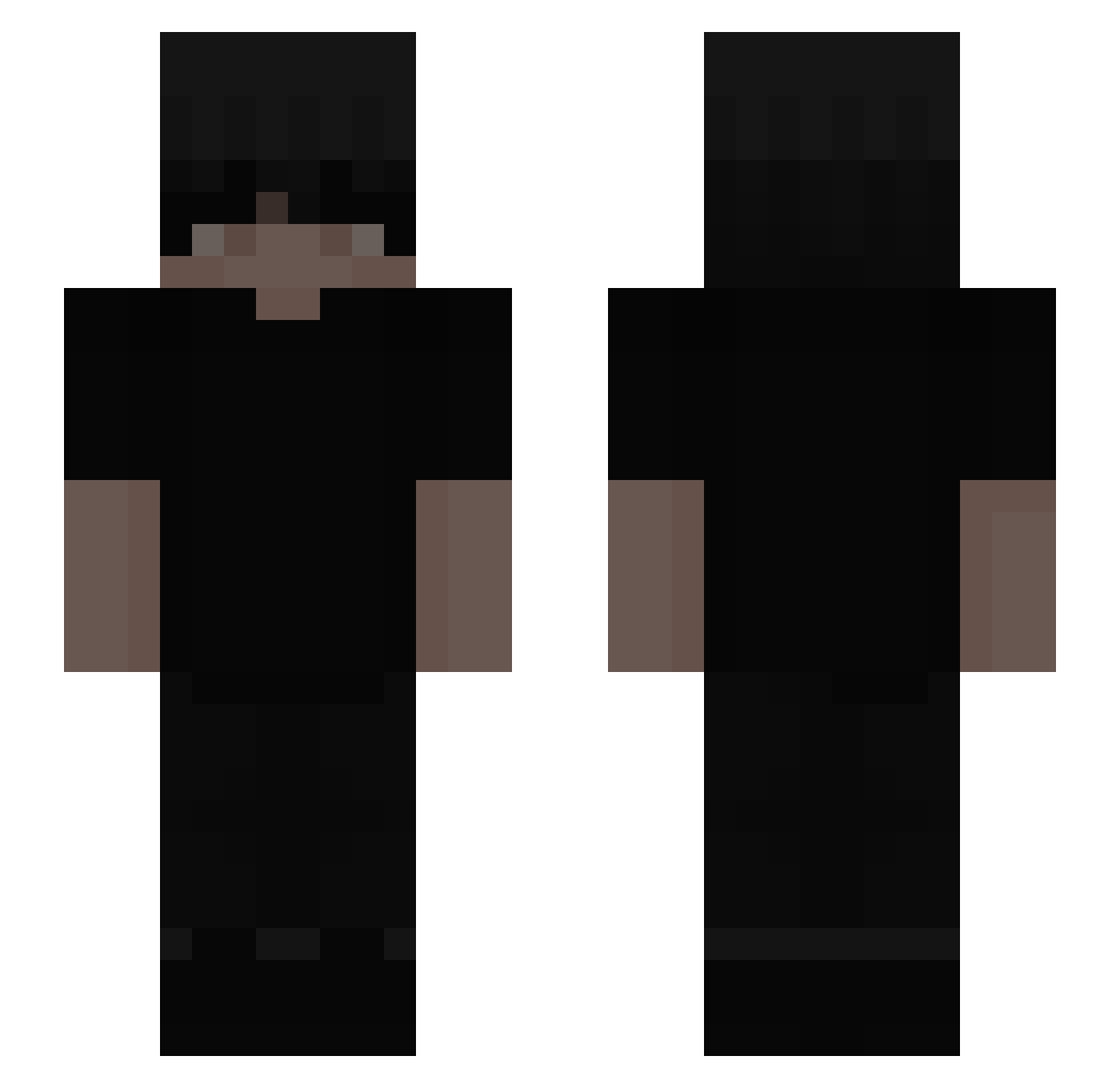
Current Minecraft skin of the player gotinsta, loaded from the official Mojang API. Rotate the 3D model with your mouse or finger, then download the skin as a PNG file and use it in Minecraft: Bedrock Edition or Java Edition for free. When gotinsta changes their skin, this page updates automatically and the old skin stays in the history below.
Other players with this skin (244)
gotinsta was the 48th player we have seen with this skin, first spotted on 10.08.2026. The same skin was seen on these players. Open a nickname to see their current skin and skin history.
 Dani478741 Bedrifj uqys Ducksssssssss axasfdf Aqua_sleepy Papi_Flame Tqxin_ FLBRNTIMA paLoukis Ringings BoraLo1 Rodka_ Relvnt Trey357 stzk1 berhaan aiyad Grzesiek3124v2 DaddyWantsMilky Lango26 Team_009 cvvkin DrinkpitickoxD tq1j TymBarK_WisniOwy NFfreak909 Lenthk skadziess keishawn3 YouSayBotISayThx vietdz ecler1 Weedy__Gonzales ManueleIker Vzza bravbn_ Zmywarkaa__ ____11____ StopBeingWeird petra012 Swrvyx hjchais Itz_bobo96
 CaioRyen XoranSLAYS ribeirxz_ YoungSOD2018 bczk_ littleco0kie kqzq Irizio LuvWTV 4Drama RicoDaYungOg 666rizz jacek123457 GT_Jean TheKeifCollector wrelko
More Emo Minecraft skins
How to install the gotinsta skin
- Press the Download button above to save the skin as a PNG file.
- Minecraft: Bedrock Edition (PE): open the Dressing Room from the main menu (or tap your character → Edit Character), go to Classic Skins → Owned, press the + (new skin) button, choose the downloaded PNG and pick the Slim (Alex) model. Works on PC and mobile; consoles cannot import custom skins.
- Minecraft: Java Edition: open the Minecraft Launcher, go to the Skins tab, click New Skin, load the PNG, pick the Slim (Alex) model and press Save & Use. You can also upload it at minecraft.net → Profile → Change Skin.
The skin does not show up after import - what should I do?
Restart Minecraft and open the Dressing Room again - imported skins sometimes appear only after a restart. Also make sure you selected the imported skin and picked the Slim (Alex) model.
Which model should I choose, Classic or Slim?
This skin is designed for the Slim (Alex) model. If you pick the wrong model, the arms of the skin will look stretched or squeezed.
Is the skin of gotinsta free to download?
Yes. Press Download, save the PNG file and use it in Minecraft: Bedrock Edition or Java Edition - no payment or registration needed. The skin also works on multiplayer servers and Realms.
More skins
Looking for more? Go back to all Minecraft skins and check the top skins of the week, month and all time, or find any player's skin by nickname.