
gorongs - Minecraft Skins & Skin History
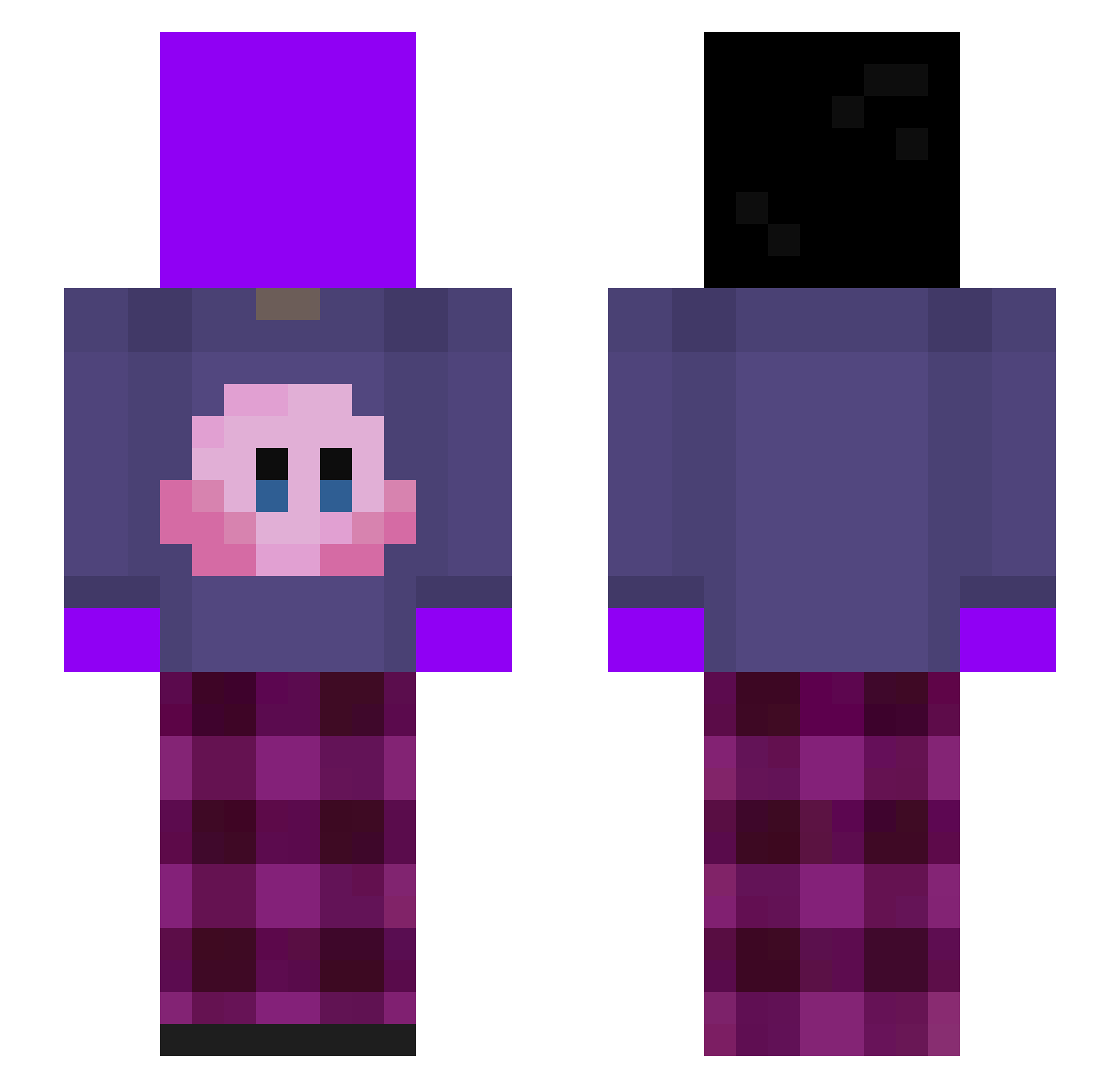
Current Minecraft skin of the player gorongs, loaded from the official Mojang API. Rotate the 3D model with your mouse or finger, then download the skin as a PNG file and use it in Minecraft: Bedrock Edition or Java Edition for free. When gorongs changes their skin, this page updates automatically and the old skin stays in the history below.
Other players with this skin (325)
gorongs was the 60th player we have seen with this skin, first spotted on 12.08.2026. The same skin was seen on these players. Open a nickname to see their current skin and skin history.
 yangyangjuncaole Jinku_Edits tzi_Ev5mn_1026 Chxmpion5091 zrumb Zack97521 Noiszy CatJin Lxckqny Silenceohlovit ButterBaccaFTW 89xc76v8x7c6v23 0BerkG ___pc CME47 Pur1zy
 rppppppp kashinoki0413 Deltter24 TheDaryl_Dixon imdanx
 mekacrowS meyo1004 DonutSMPGOATED
 ujuyil AyiAbi sss11379 LatenciS53 FinnXRC Ronny2024 n1k0s4s Filoz7 Rashul sssun_ Mike6789 besterman212 ItsRuzgar
 ItzFish__ salttixz0 ladyb0y10607 Buundaa1
 kflexz lkvxk jonjon024 NewJeansUWU
 Waldo6148 Banzai2122
 babaraya1212 lt3D4rkness bpDqrk Ravi099 zennvv11 lordlink72 567kk__ HARISUkintama Q_oo gc9y itz_duckyyy1 LocoMiyagi AZS59
More Kirby Minecraft skins
How to install the gorongs skin
- Press the Download button above to save the skin as a PNG file.
- Minecraft: Bedrock Edition (PE): open the Dressing Room from the main menu (or tap your character → Edit Character), go to Classic Skins → Owned, press the + (new skin) button, choose the downloaded PNG and pick the Slim (Alex) model. Works on PC and mobile; consoles cannot import custom skins.
- Minecraft: Java Edition: open the Minecraft Launcher, go to the Skins tab, click New Skin, load the PNG, pick the Slim (Alex) model and press Save & Use. You can also upload it at minecraft.net → Profile → Change Skin.
The skin does not show up after import - what should I do?
Restart Minecraft and open the Dressing Room again - imported skins sometimes appear only after a restart. Also make sure you selected the imported skin and picked the Slim (Alex) model.
Which model should I choose, Classic or Slim?
This skin is designed for the Slim (Alex) model. If you pick the wrong model, the arms of the skin will look stretched or squeezed.
Is the skin of gorongs free to download?
Yes. Press Download, save the PNG file and use it in Minecraft: Bedrock Edition or Java Edition - no payment or registration needed. The skin also works on multiplayer servers and Realms.
More skins
Looking for more? Go back to all Minecraft skins and check the top skins of the week, month and all time, or find any player's skin by nickname.