
gopher_golang - Minecraft Skins & Skin History
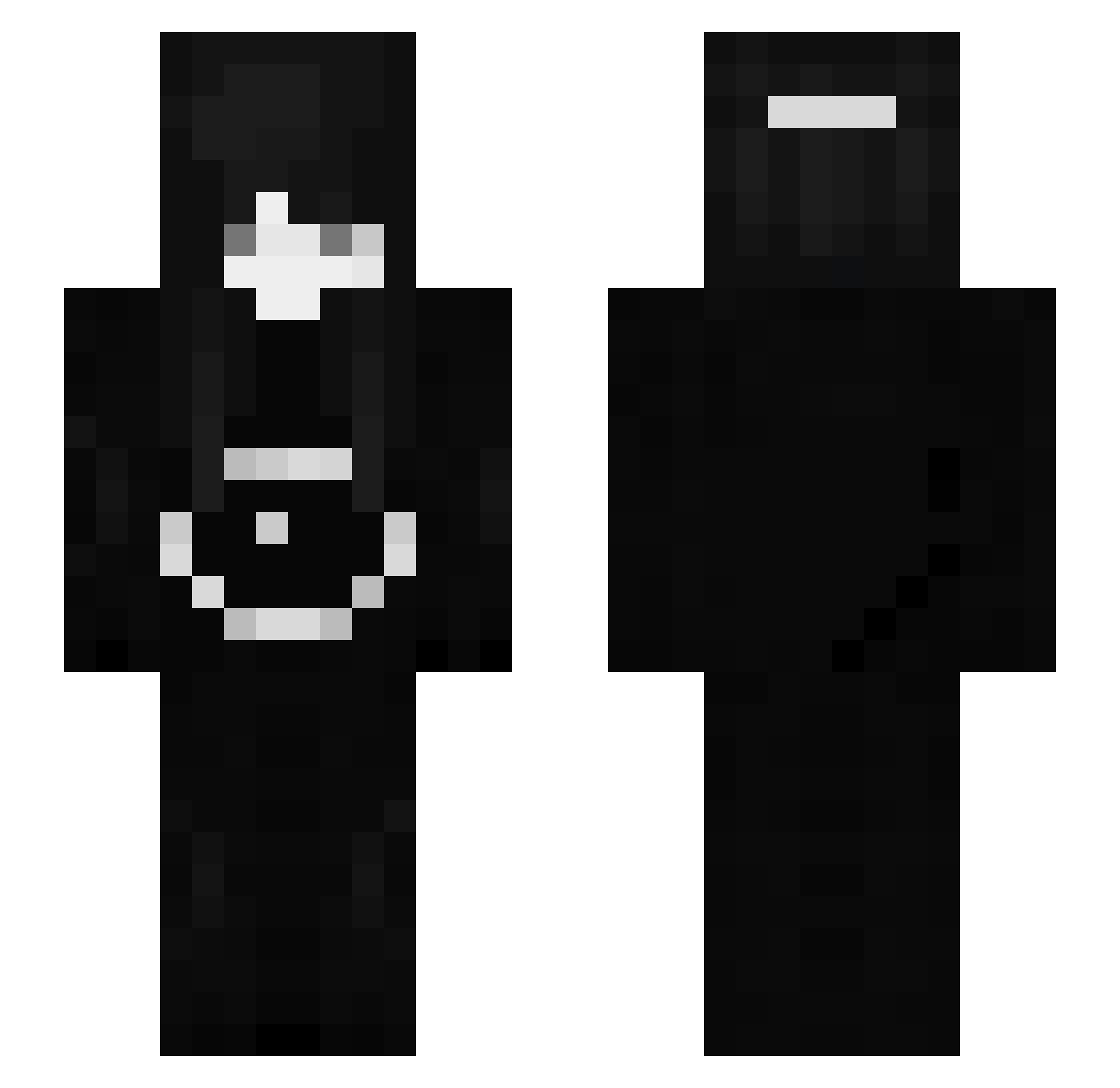
Current Minecraft skin of the player gopher_golang, loaded from the official Mojang API. Rotate the 3D model with your mouse or finger, then download the skin as a PNG file and use it in Minecraft: Bedrock Edition or Java Edition for free. When gopher_golang changes their skin, this page updates automatically and the old skin stays in the history below.
Other players with this skin (112)
gopher_golang was the 62nd player we have seen with this skin, first spotted on 24.09.2026. The same skin was seen on these players. Open a nickname to see their current skin and skin history.
 vepeeex Markux1804 jokergriefer SWAGGYSWAGSTER vepex Unterste_Lade SaviiBear speedcubing 6Lean AnZwA VepexNotCheating 367osae DemozedDaDaJa Jompaman Ascous hauuntd Yuketuro vepexV4 pond_bakery ShortClips zRudolf Joshturk leazzybtw erix_x i7vz_ fourkingz 7Basti ICEFIRE2017 _ImmortalMart1n_ RaveYL x_Angesagter egirlalice YxungKID ggDeqwill IcedOutTex NewDefinition k1ssblader qvmi XsheluvX rxmanx SUZUYA_anian TimTran Fahrzeug bogramian llliiisssaa PetyaVe SNOWY_58 SubTamiko Racxie 27InFamilie badintxntion W1ndm1ll_ yCleans JuFengCraft Earlyinthemor 7sska OLEGATORRRRR HoodieEzz josh1248 7sxqex
More Sunny Minecraft skins
How to install the gopher_golang skin
- Press the Download button above to save the skin as a PNG file.
- Minecraft: Bedrock Edition (PE): open the Dressing Room from the main menu (or tap your character → Edit Character), go to Classic Skins → Owned, press the + (new skin) button, choose the downloaded PNG and pick the Slim (Alex) model. Works on PC and mobile; consoles cannot import custom skins.
- Minecraft: Java Edition: open the Minecraft Launcher, go to the Skins tab, click New Skin, load the PNG, pick the Slim (Alex) model and press Save & Use. You can also upload it at minecraft.net → Profile → Change Skin.
The skin does not show up after import - what should I do?
Restart Minecraft and open the Dressing Room again - imported skins sometimes appear only after a restart. Also make sure you selected the imported skin and picked the Slim (Alex) model.
Which model should I choose, Classic or Slim?
This skin is designed for the Slim (Alex) model. If you pick the wrong model, the arms of the skin will look stretched or squeezed.
Is the skin of gopher_golang free to download?
Yes. Press Download, save the PNG file and use it in Minecraft: Bedrock Edition or Java Edition - no payment or registration needed. The skin also works on multiplayer servers and Realms.
More skins
Looking for more? Go back to all Minecraft skins and check the top skins of the week, month and all time, or find any player's skin by nickname.