
go_wsb340 - Minecraft Skins & Skin History
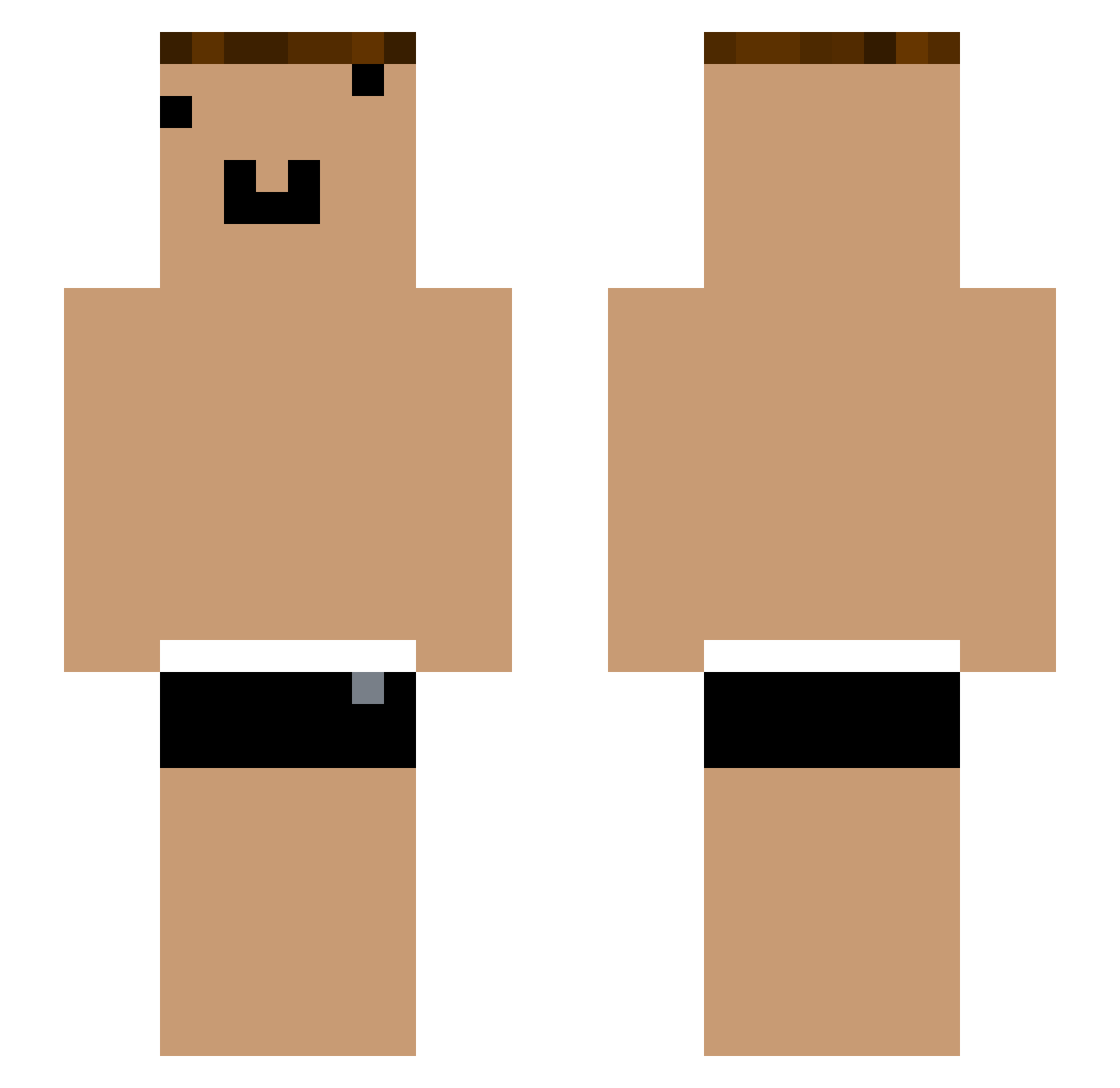
Current Minecraft skin of the player go_wsb340, loaded from the official Mojang API. Rotate the 3D model with your mouse or finger, then download the skin as a PNG file and use it in Minecraft: Bedrock Edition or Java Edition for free. When go_wsb340 changes their skin, this page updates automatically and the old skin stays in the history below.
Other players with this skin (1290)
go_wsb340 was the 1236th player we have seen with this skin, first spotted on 16.11.2026. The same skin was seen on these players. Open a nickname to see their current skin and skin history.
 yYa_3Sv0YK_05_18 GLD_SBYPru_07_01 Batak09 Tzi_V8wAdd yYa_V8zDv6_04_27 NI_swbul1_06_10 Tom_GCl9Fo_05_26 yYa_h133tY_07_28 yYa_FRaqbC_08_10 yYa_OeIiGX_04_14 ONE_FRaqbC_04_20 yYa_gbLYlu_04_30 yYa_fTYSl1_05_07 yYa_ii08N8_04_15 ONE_FRaqbC_04_23 Vicsaya Tzi_VhEUse_06_04 _FRaqbC yYa_Hy3Spw_04_28 Tzi_9Jq3sW_05_27 Tzi_8wSA1X_06_09 up_qzi231 ONE_FRaqbC_05_05 iQzQ_ FujiwaraChika_vv ONE_WDO3hR_04_18 che_3Sv0YK_05_04 JEGFIKLASTHIT che_GCl9Fo_05_03 yYa_fTYSl1_06_26 Morisa_Gj03oH F1312CVBFF yYa_kU9X3m_06_17 KDNS_tQvAau yYa_pYC98B_05_02 Xmhkt_WZJZ5g 8_had2Vq_04_18 _9ql2Rk Tzi_i89Qtp_05_08 Tzi_pQq5pn_05_14 yYa_eeFUtL_06_29 Abortinho yYa_GCl9Fo_07_28 yYa_FRaqbC_05_09 yYa_OAkK5L_04_11 yYa_V4f04a_05_04 YouTouBe__27kBnc yYa_Xee4fD_05_05 yYa_fQtYdV_05_02 Tzi_utSgcO_06_11 qwq1_s6hdn1 yYa_ZqOVUp_05_17 Tzi_RLVbND_06_23 Xmhkt_ch9wPi chucky1337_ Tzi_m5UxP9 icePeashooter_ _fogkJX YouTouBe__aTyAly koverlhit_759229
More Funny Face Minecraft skins
How to install the go_wsb340 skin
- Press the Download button above to save the skin as a PNG file.
- Minecraft: Bedrock Edition (PE): open the Dressing Room from the main menu (or tap your character → Edit Character), go to Classic Skins → Owned, press the + (new skin) button, choose the downloaded PNG and pick the Slim (Alex) model. Works on PC and mobile; consoles cannot import custom skins.
- Minecraft: Java Edition: open the Minecraft Launcher, go to the Skins tab, click New Skin, load the PNG, pick the Slim (Alex) model and press Save & Use. You can also upload it at minecraft.net → Profile → Change Skin.
The skin does not show up after import - what should I do?
Restart Minecraft and open the Dressing Room again - imported skins sometimes appear only after a restart. Also make sure you selected the imported skin and picked the Slim (Alex) model.
Which model should I choose, Classic or Slim?
This skin is designed for the Slim (Alex) model. If you pick the wrong model, the arms of the skin will look stretched or squeezed.
Is the skin of go_wsb340 free to download?
Yes. Press Download, save the PNG file and use it in Minecraft: Bedrock Edition or Java Edition - no payment or registration needed. The skin also works on multiplayer servers and Realms.
More skins
Looking for more? Go back to all Minecraft skins and check the top skins of the week, month and all time, or find any player's skin by nickname.